


Inspiring
October 18, 2011
Released

P: Rotate Brush Tip 'On the fly' (Keyboard shortcut, Mouse-wheel or Click + Drag)

  • October 18, 2011
  • 143 replies
  • 28270 views

This may seem wild, but many ideas might've seem that way when first introduced, so bare with me as I believe it would be rather sexy addition to using brushes in Photoshop.

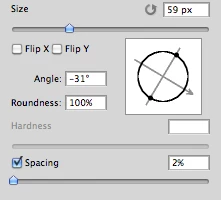
Imagine you choose a brush tip and are ready to use it in your art. But it's not quite right and you could use the Brush Tip to rotate few degrees. So you go to your Brush Palate and Brush Tip Shape Palate and manually rotate the wheel in that Dialog Box or type the number of degrees in a Angle Box(°).
Then you go back to your art and continue using the newly set up brush. Until - you need to adjust the rotation of the Tip again, and again... you get the point.

Wouldn't it be fantastic if we can rotate the Brush Tip 'on the fly' without having to go to the brush palate over and over again, just like we can now change it's size and softness?

Perhaps Left Bracket and Right Bracket would rotate the brush Tip CCW and CW by a 1° (by 10° with Shift) or in increments you set up in Preferences?
Wouldn't that be something?
I am aware of similar function can be achieved using the Pen Tool. This idea however would be available for both, Pen and Mouse and for all Tools using Brush Tip, including Stamp (Clone) Tool.
If this is already possible and I was living in the dark, please enlighten me.
143 replies

Participating Frequently
June 27, 2016
Sure thing Mike... eagerly waiting for the initial version! Somehow it should be possible to link the angle to the touch ring since there guys did it on their device: https://www.youtube.com/watch?v=fa_ltWlmzUc
StrongBeaver
Legend
June 27, 2016
Mike if you can post a rough version of your solution to rotate the brush angle it would be helpful; then maybe someone can take it from there ?
Inspiring
June 27, 2016
Okay, see what you mean.
I do have a tablet but a rather ancient one (Graphire 3) (I'm having to put my priorities somewhere else atm.)
 
I'll have to research about catching the touch ring. Let me first provide an initial version, and then we'll see, ok?
Participating Frequently
June 27, 2016
This is the touch ring, present on most wacom tablets:
http://cdn2.digitalartsonline.co.uk/cmsdata/news/3341372/Intuos5_Touch_M_PTH650_InUse_036_RGB.jpg
Works pretty much as a scroll wheel. Don't you use a wacom tablet?
Inspiring
June 27, 2016
Could you elaborate on what you mean with "touch ring"? 🙂
Participating Frequently
June 27, 2016
Sure thing Mike... I'll wait for your instructions. The best solution would be to link the brush angle to the touch ring. Can this be done as well?

Have a great day ahead!
Inspiring
June 27, 2016
Hi Cristian 🙂
 
I actually managed to create something without an external exe; the only thing is that with this solution one can only assign the F1-F12 keys to increase/decrease the angle.

I'll also include the other solution with the external exe, with which you can use your mouse's scroll-wheel.
 
Be warned though that it's not as fast and fluent-like as it would be if it'd be a plugin. I'm not skilled in plugin-writing, else I'd have done that.
Everyone can see for themselves if it's something usable or not.
 
I have to create a short write-up how to set it up. I'll try to do so tomorrow morning, okay?
Participating Frequently
June 27, 2016
Hey Mike... sure, still looking for this functionality... I would be glad to test out your exe! How can I do that?
Inspiring
June 27, 2016
Are you still looking for this functionality? I did some testing and can provide the functionality through a small separate exe.
StrongBeaver
Legend
March 24, 2016
I think someone found the post, but to speed things up for everyone here;
http://forum.wacom.eu/viewtopic.php?f=2&t=29656