


This is not only about the Adobe Illustrator. This is for the Adobe Creative Cloud - 'Enforced Auto Update' feature for MAC PCs
We are currently testing the Adobe Enforced Auto-Update feature for our enterprise environment. This inquiry is also related to support ticket E-002508628.
During testing, we observed a discrepancy in behavior between Windows and macOS devices after enabling the Enforced Auto-Update feature.
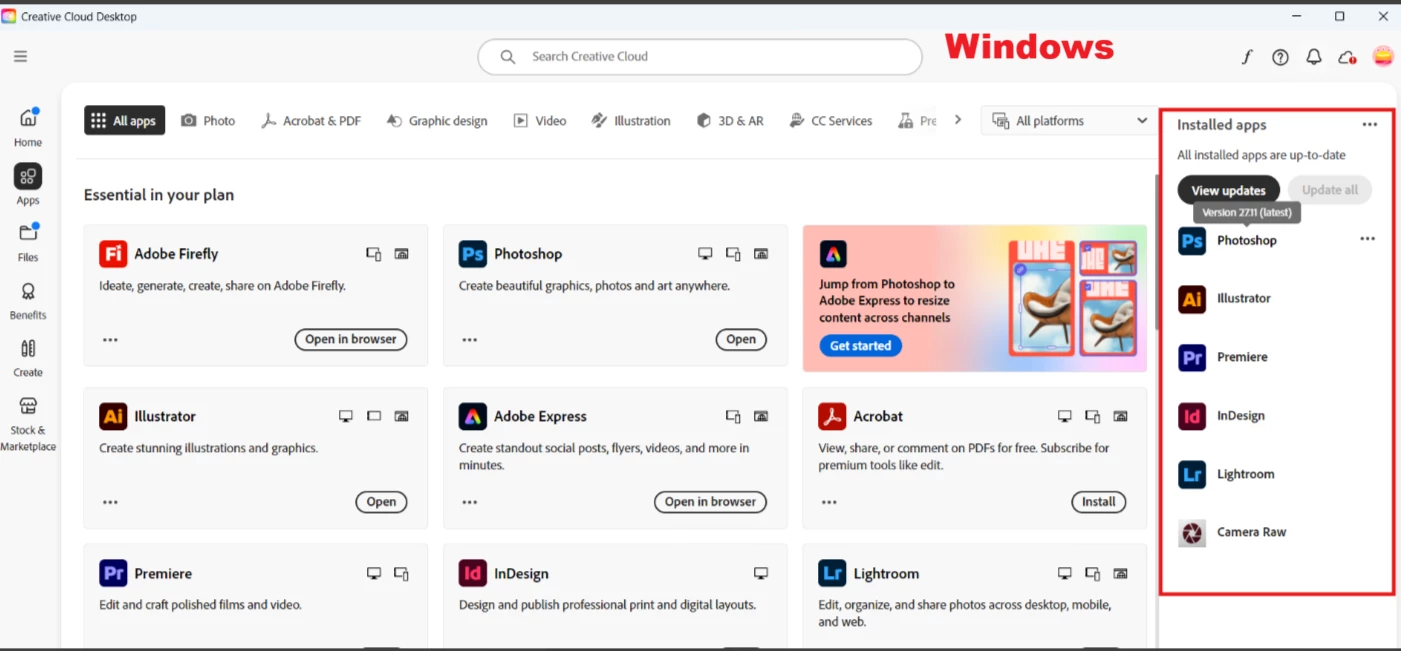
On Windows, the feature behaves as expected. When a new major version of an application becomes available (e.g., Photoshop), the previous major version is automatically removed from Adobe Creative Cloud, leaving only the latest version installed.
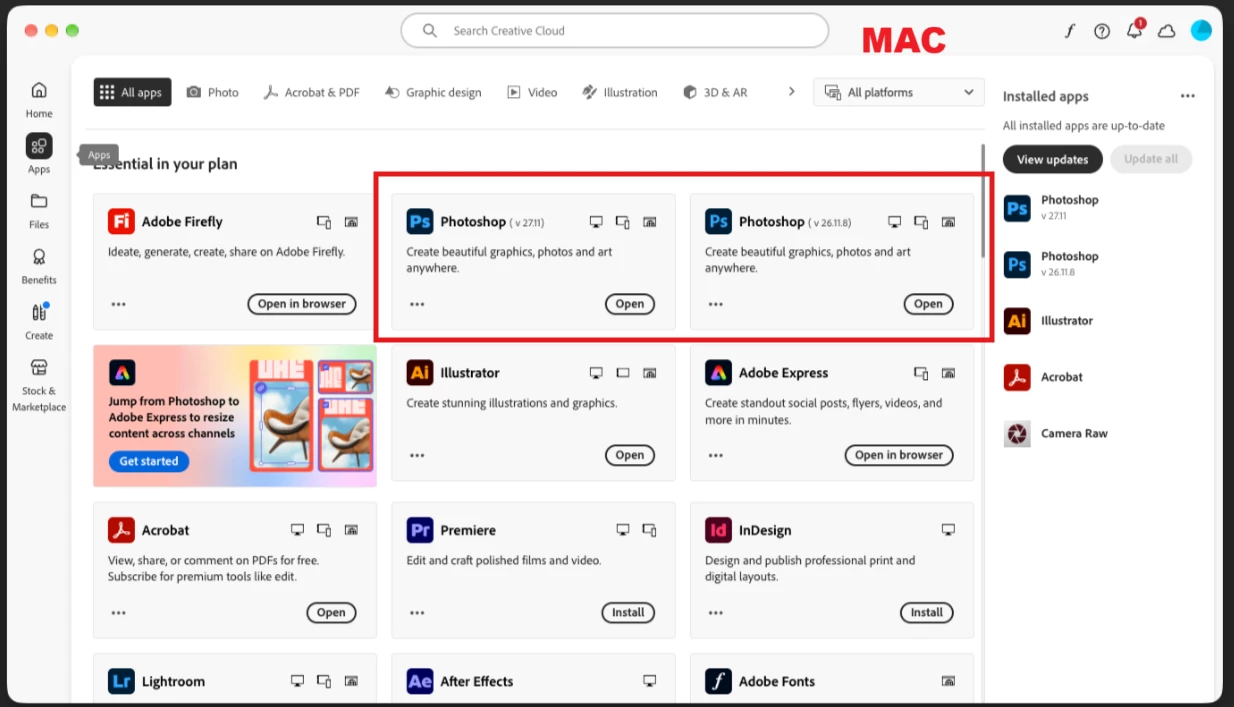
On macOS, however, the previous major versions remain installed even after the Enforced Auto-Update feature has been enabled. As a result, users continue to have multiple major versions of the same application on their devices.
Could you please confirm whether there is a way to automatically remove older major application versions on macOS after Enforced Auto-Update is enabled, similar to the behavior observed on Windows?
Having a consistent experience across both platforms would greatly support our vulnerability reduction efforts by ensuring outdated application versions are automatically cleaned up from macOS devices as well.
I also attached some screenshots to show the results after enabling the ‘Enforced Auto-Update’ feature in both Windows and MAC.
Thank you!
 AdChoices