


Participant
January 31, 2020
Open for Voting

How to change menu color section in Premiere Pro [windows 10]?

  • January 31, 2020
  • 21 replies
  • 15805 views

I have been trying to figure out how to change the color of the menu background (Please see image)

I have set my Windows 10 to dark theme, and I can't find what option to change it. 

Is it through Windows or is it within Premiere Pro?

Thank you in advance.
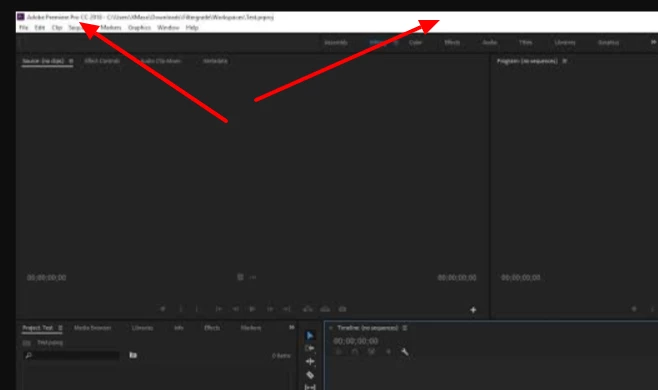
 

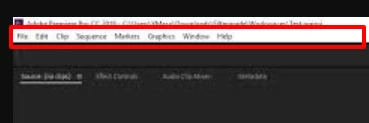
This section in particular:
 

Title edited by Mod

21 replies

Shivangi_Gupta
Community Manager
Community Manager
January 31, 2020

Hi there,

Thanks for writing in. I find this an interesting suggestion. However, this feature is not available in Adobe Premiere Pro. I would suggest you to add your voice here: https://adobe-video.uservoice.com/forums/911233-premiere-pro/suggestions/38144161-allow-editors-to-change-the-colour-of-the-software

This page is monitored by our development team.

Regards,

Shivangi

Participant
January 23, 2021

PLEASE MAKE THIS CHANGE or at least give the option, everyone on windows wants this change. It was changed with the update on mac already but not windows.


The entire program is dark except the menu which is the opposite of dark

Shivangi_Gupta
Community Manager
Community Manager
February 4, 2021

I get your point. Did you request for this feature on the Uservoice page I shared above? Could you share a link with me?


Thanks,

Shivangi