


FlyingFourFun
Inspiring
July 6, 2025
Open for Voting

Metadata & Timecode Burn-in FX future update to allow XMP tags for City, State, Country

  • July 6, 2025
  • 19 replies
  • 835 views

I have been attempting to use this effect to display Metadata burnt into the video;

Specificaly, I had the EXIF tool wrote Metadata into the source Media for location and recorded/created date.


I think there is a bug in the effect;  many fields, will not display in the program monitor, despite there being clear data one can view, and even edit in the project window;


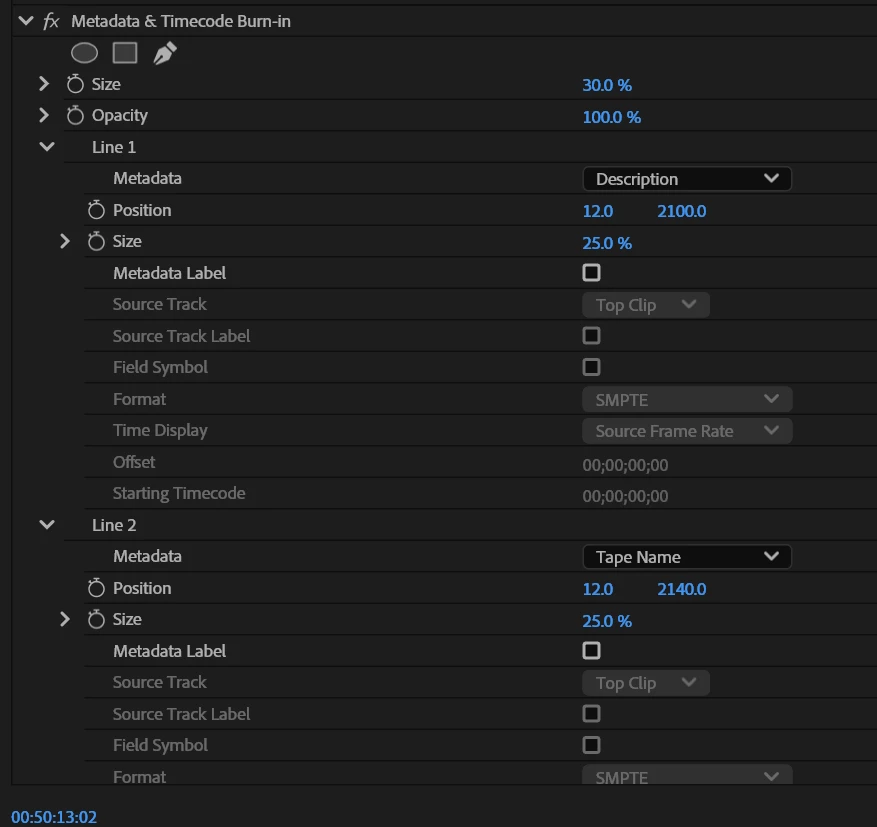
This is the effect setting: (Description will appear Line 1, But Line 2 data will not)
 

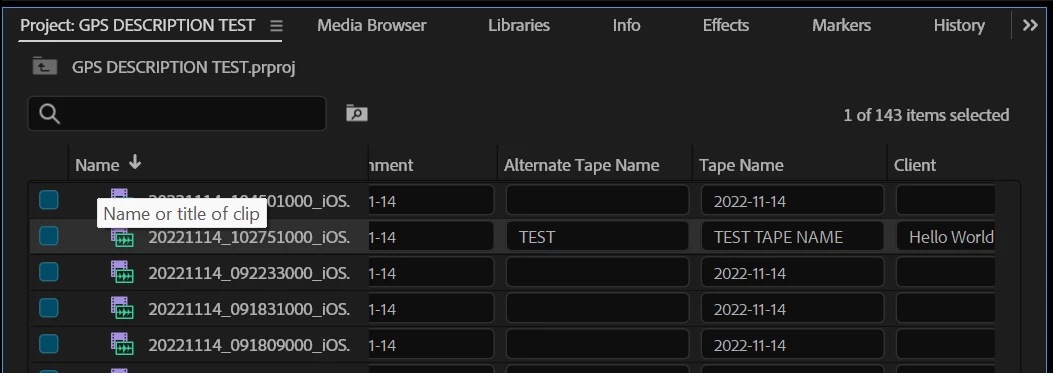
The Project window you can clearly see that there is Data in the Tape Name Field:
 

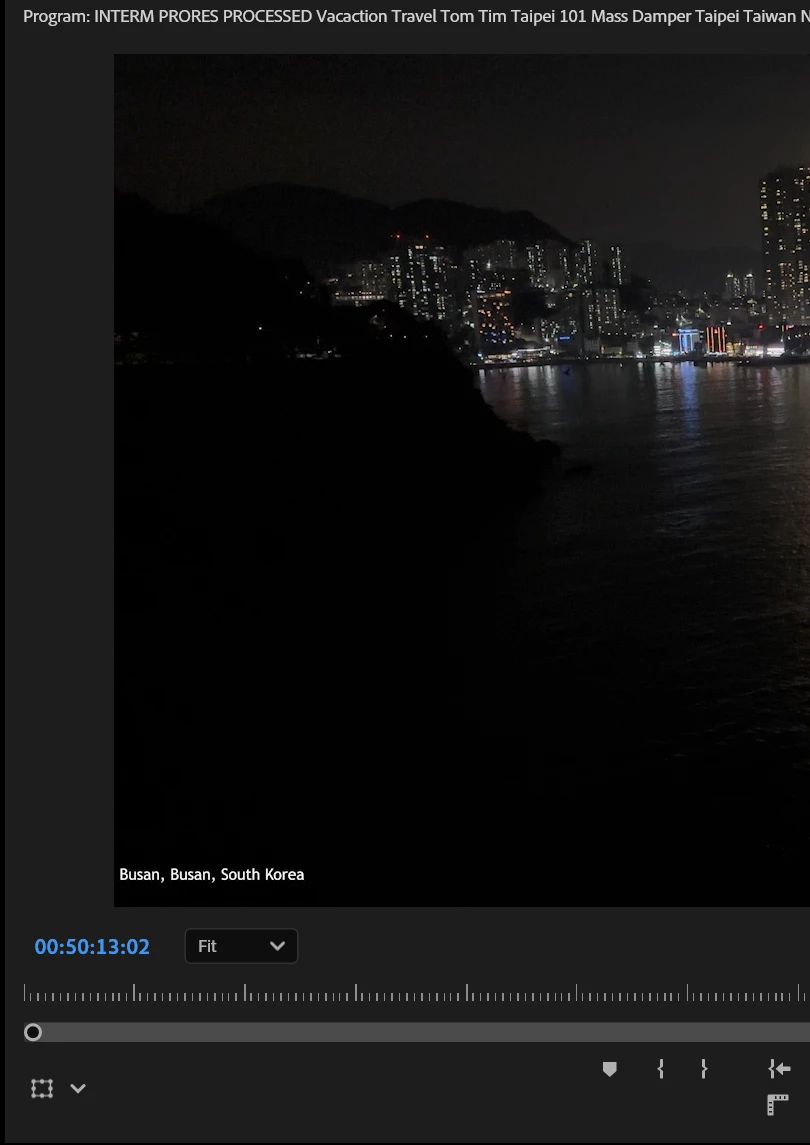
The program monitor will properly display Line 1, Description.  But many other fields despite being visable in the project metadata viewer will not display/burn in on the program monitor.
 

Can someone please advise if I am doign this wrong,  or if this is a bug thats repeatable for others?


Adobe Premier 25.3

Windows 11 Pro For Workstations 24H2

Nvidia 3090 Studio Drivers


Source Material is Iphone footage.  Metadata has been written/updated with EXIFTOOL;

Here is a sample, its not for the exact same clip shown above, but the same data was written the same way to 141 files, I was just lazy to match up the exact same file, but I assure you this happens on all 141 clips.


Also;  fields like "comment" also do not burnin, and are blank when used in Premier pro - that would be my ideal field to use,  but I am looking for any field I could use right now to allow me to show creation date of the clip as a seperate field from The geolocated data that appears in "description" now.
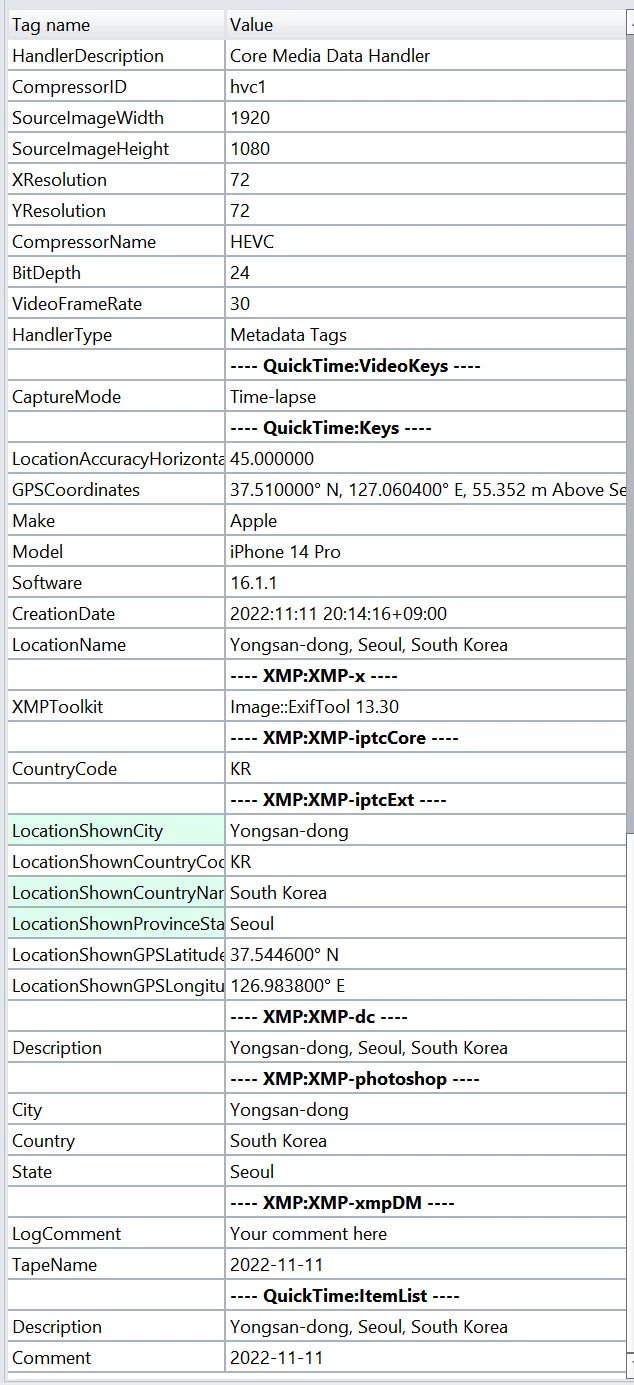


I am at a loss as to why this is not working, I have created multip projects, and restarted with new clips with clean metadata, and also manualy entered the metadata into the project metadata viewer.  No matter how, many fields such as comment, tapename and others do not get burnt into the video.  Decription for example works on any line, all the ones that dont work, also dont work on any line within the metadata viewer effect.


I have been tinkerign with this for hours now and I think I have figured out whats going on.  It seems that if you update the Metadata with the EXIFTOOL After you import the files, its hit/miss if the Metadata is properly processed.  It seems that you have to have all the metadata updated to the clip prior to importing the clips, or it will not work properly, often the metadata is visable in the project metadata viewer, but will not work for the burn in.  Sometimes Premier doesnt refreash the metadata from the file, and its not visable anywhere.  Even if you close the project and open it again


I also tried creating a new project after all the metadata was applied, and for smaller projects (line 15 clips) the import process works flawless and I can get "description" and "log Notes" to both work;  However in imports with more files, my sample was 141 clips,  most of the clips fail to have have the metadata appear.


This might have something to do with the background process I have enabled for transcrips and media idetification.  I will try at some point to turn those off and import the same sampel set of 141 clips to see if the same issue persists.


Basicaly,  there is some unpredicale behavior with the metadata after its imported.  There are times where I can update the Metadata, and literaly see the "generating peaks" appear for the clips that are imported, and the new metadata that was written by Exiftool becomes visabl ein premier project fields,  but it will not allow the burnin effect to read and display them. 


The onyl way to get it to work was to create a clean new project, and then it worked - expect for the potential inteference of the background processes with more than half of the 141 clips I am testing with.


Any advice would be welcome.

19 replies

IanB_360
Community Manager
Community Manager
July 29, 2025

Hi @FlyingFourFun 
You might be using some fields we're not paying attention to. The main schema we use for everything is DynamicMedia—odds are, if you're modifying that data, it should be viewable. Take a look at 'XMP xmpDM Tags' in the EXIF. This is not a bug currently, but more of an idea and a possible improvement in the future. 
Here to help.

Ian

Stan Jones
Community Expert
Community Expert
July 10, 2025

@FlyingFourFun,


Yes, just what I wanted to know from your experience. Thanks!


Stan


FlyingFourFun
Inspiring
July 10, 2025

@IanB_360 I have resent a new link, it looks different than the first I sent, and a screen shot of your name on the approved list for access to the file..  I hope that works now...

IanB_360
Community Manager
Community Manager
July 9, 2025

Hi @FlyingFourFun 
I sent you a response in direct messages. I need permission from you to get the test files.

Here to help.

Ian

FlyingFourFun
Inspiring
July 9, 2025

@IanB_360 can you confirm you have he files I sent you?  anything you can update me on?

FlyingFourFun
Inspiring
July 9, 2025

@Stan Jones I can confirm that 100% I can get Adobe to read the "Description field" and many other fields from the EXIF data from the file, when its written to that clip/file using the exiftool.  That's been the entirety of my focus with this project.


If I understand your second question, I have not tried to export metadata fields manually entered within premier, and have them visible in the EXIF tags within the clip/file.  This might be possible by enabling the write XMP data in preferences (but I am guessing).  There appears to be two kinds of tags you can embed, XMP and EXIF,  Adobe seems to handle both to different extents/compatibility - but I an no expert in exactly this area.


Not really sure if that answers your questions,  let me know if you have a followup to it.

Stan Jones
Community Expert
Community Expert
July 8, 2025

@FlyingFourFun,


I've used exiftool and such data for other purposes. Playing along with your questions....


Are you saying that PR reads your "Description" tag correctly and shows it in the Premiere Pro Project Metadata/Description field?


To test, I wanted to add a value in a PR field (e.g. description or tape name), and export/save in some way to look at how it is structure. Is there a way to export a value in PR to a file? I see linking (and the metadata section of the export settings), but I don't see how that would work.

https://helpx.adobe.com/premiere-pro/using/metadata.html


Stan


FlyingFourFun
Inspiring
July 7, 2025

@IanB_360 

Please look for a message in your DM, I have zipped up the project and everything discussed and provided a google drive share link.  Please let me know if there are any issues with the download, or followup questions.


Thanks!

FlyingFourFun
Inspiring
July 7, 2025

@IanB_360 


I would LOVE to do this for you.

I will prepare something. I have a small project with 7 of so clips, that I will tweak to make it easy for your team to reproduce, with original source, and the version with the EXIFTOOLS process run on it.


The other night when I nailed down the process, I also started a "how to" document for the EXIFTOOL to demonstrate how to geolocate the GPS data and parse that into the City Prov/State Country fields, which are NOT readable by Adobe Premier pro,  but I used the EXIFTOOL to concatenate those 3 fields into one line and push a RewriteTag to "Description" tag with "CITY, PROVINCE, COUNTRY" which can be read by the burn-in effect.  The process I have is about 99% documented and I redid it all from scratch several times to confirm the process works.


Bottom line, give me a bit of time to gather the project and samples you need, and I will share them with you. I am very eager to see what you also find - maybe I can convince  someone at Adobe into writing a feature that will geolocate within premier, this could be in support the AI tools like Media Analysis - so you can search for a city for example and find all the clips (if that’s not already possible, I should check, but either way I know for sure you cannot see this metadata in the project windows metadata columns without this process I documented).


I will send something along ASAP.


FlyingFourFun
Inspiring
July 7, 2025

@R Neil Haugen 

I agree, a force refresh would be something that could benefit the software, but honestly, this should be much more automatic and function properly - the force refresh should be a trouble shooting step, not a standard procedure.


My gut says two things here, specific to this metadata is, its code that is not maintained potentially due to the low use and legacy of analog and digital tape capture that is no longer supported and which it may have been original built for.


Second, all these data-refresh code cycles may have been removed to improve the responsiveness of Premiere.  As such the coders probably need to self-manage the force refresh process and call it manual when they deem a call is required, and maybe they forget to trigger that part of the process or there is some sort of optimization that on occasion fails in specific circumstances (like a watch / trigger event).


Either way, I think it’s a very correctable situation, and I will admit this feature is a little back of the closet - but important.  Especially now since the AI tools built in use Metadata to search within it would be valuable to correct it.


I would really like to see Adobe have native support for decoding the GPS info in a clip, and geolocating that clip within premier pro without the need of 3rd party tools like I have been using, and those fields to be available to the burn-in effect GPS location, GPS_City, GPS_Province/State, GPS_Country etc (or better yet use the standard subtitle and/or text tools to display ANY metadata - this would give more creative control.


For example, currently with this process, changing the font appears to be impossible within the burn-in effect, would be nice if you could just add something like @$TIMECODE in the text parser and it would know to insert that Metadata Tag....  so much more control/creative possibilities would present themselves. (things like Ken Burns effects with GeoTag data would be very welcome too).


At the end of the day, I believe having this metadata exposed and available fully to be very valuable, and I hope Adobe team can advise what might be possible to improve this situation.