
Participant
December 10, 2020
Open for Voting

Setting default text alignment

  • December 10, 2020
  • 3 replies
  • 1499 views

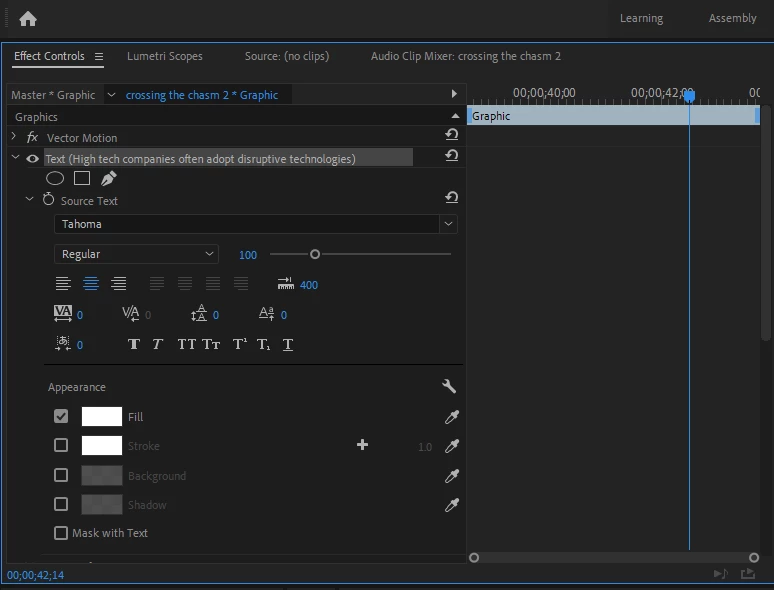
When I use the Type Tool I constantly have to set it to center align text, because the default is right align. I am wondering whether it is possible to have it center align as default?

It would save me a ton of time. 

Thanks a lot.


3 replies

Stan Jones
Community Expert
Community Expert
March 16, 2024

@Piplikóc5E23,


Upvoted.


There are important additions to the text style workflow in the Beta version. As currently, you can create a style for your "default" and apply it quickly. But the styles have previews and can be accessed across projects. Here's the staff post introducing the changes:

https://community.adobe.com/t5/premiere-pro-beta-discussions/now-in-beta-premiere-pro-text-styles-enhancements/td-p/14279817


At the end of the post is a list of "What's still missing." It does not include "setting a default style." You can post a comment in that thread with a link to your suggestion so others can upvote it. In fact, the one reply in that thread is asking for styles for the Text tool.


I think you can work around this by selecting a style the first time you use the Text tool. It will then use that last setting as the "default" until it is changed.


Stan


Kevin J. Monahan Jr.
Community Manager
Community Manager
March 16, 2024

Hi @Piplikóc5E23,

Thanks for the message. Sorry, but that is a feature request. I will move your post to the Ideas forum.


Thanks,
Kevin

Kevin Monahan - Sr. Community and Engagement Strategist – Adobe Pro Video and Audio
Ann Bens
Community Expert
Community Expert
December 10, 2020

Make a mogrt with all your desired settings or a Master text style.