

Add new design to the "Export" screen in Lightroom Mobile.
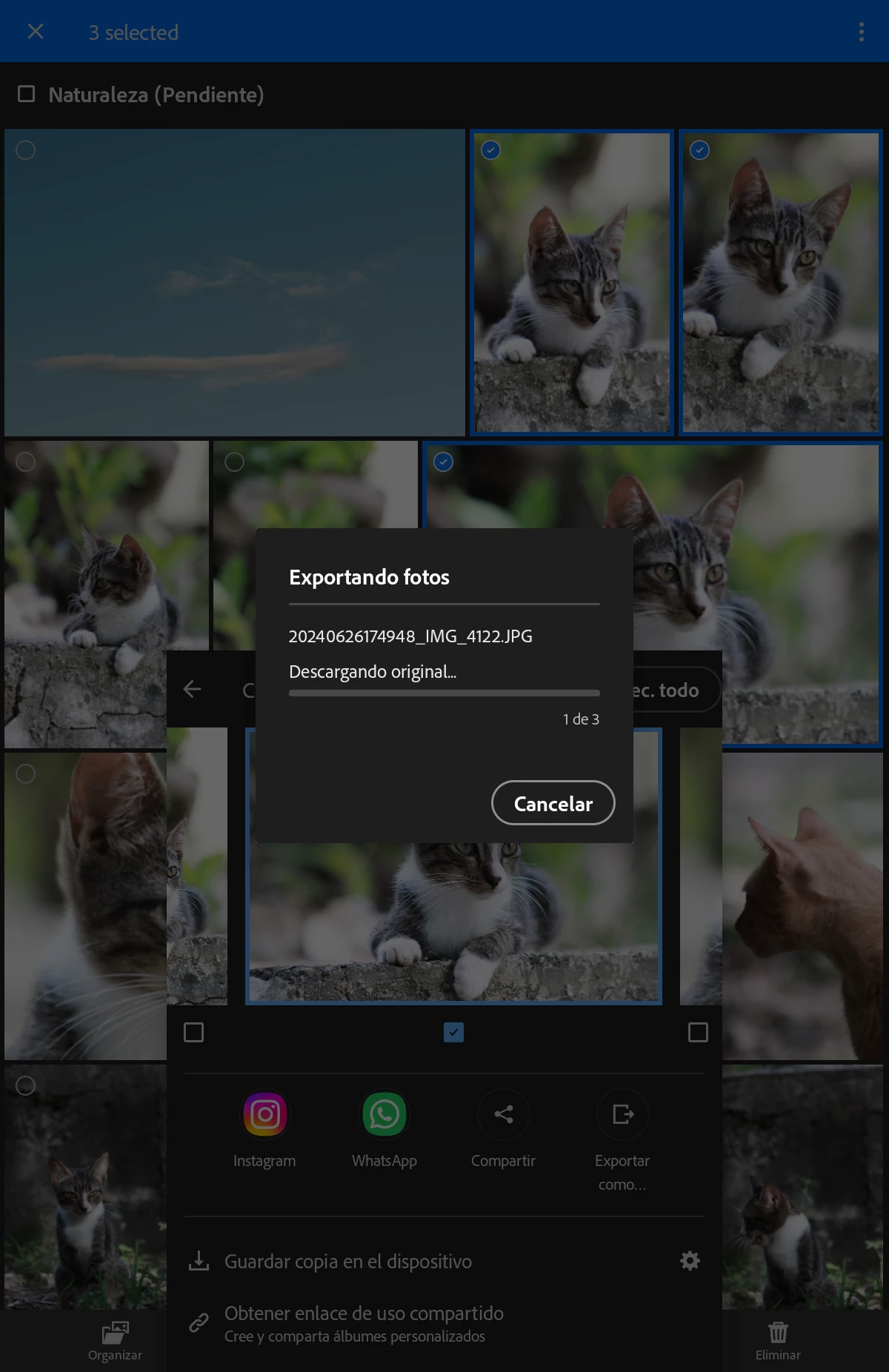
I would like to request a modification or addition of an option to change the appearance of the screen displayed when exporting images. I'd like it to not show the images in the background, but rather that when the "Exporting images, 1/14" screen appears, everything behind it is black, or that the "Exporting" box fills the entire screen so that no images are visible behind it. When exporting large quantities of images, I have to leave my tablet or phone on for several minutes, and if I have to leave it on the table, or if someone walks behind me, I want to maintain privacy regarding the images I'm exporting. This process often takes more than 40 minutes when there are over 140 images. Please add this option or modify the export screen to provide this privacy while browsing. Thank you.


 AdChoices