


Participant
February 15, 2021
Question

Booklet printing issues

  • February 15, 2021
  • 1 reply
  • 410 views

Hi all - 


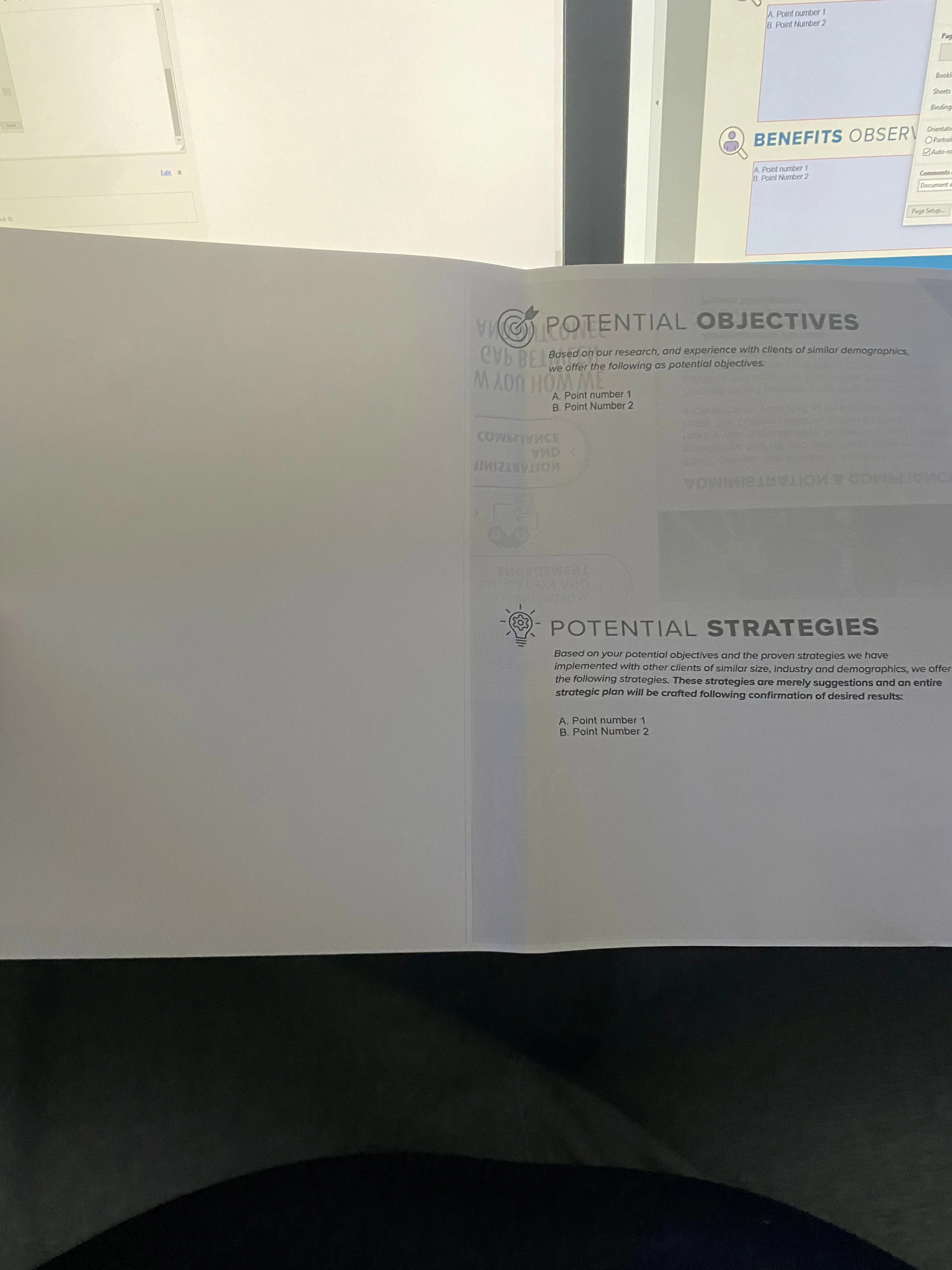
I am trying to print a company made pdf booklet. Its an 8 page booklet, thats printer out on 2 11x17 pages, front and back. Everything looks perfectly fine.
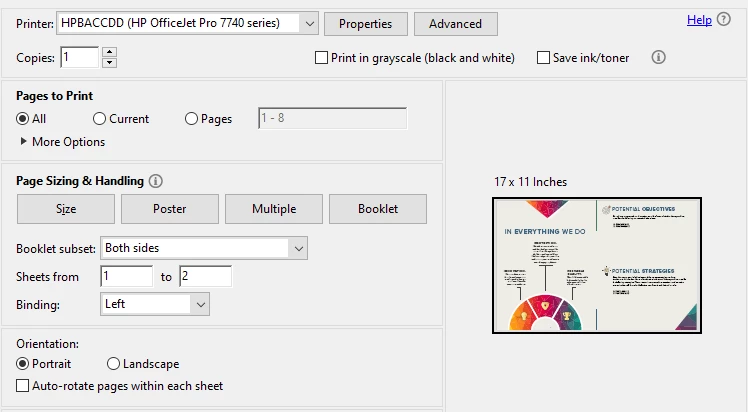
 

 However, when it prints out, only half the page prints. And whats weird is only pages 5-8(page 2 front and back) have the issue, pages 1-4 (page 1 front and back) are fine. What am I missing?

 

This topic has been closed for replies.

1 reply

radzmar
Community Expert
Community Expert
February 16, 2021

This is either a problem of your Reader or printer driver. I would try to create the booklet through printer driver itself not by the Reader. So in the print dialog turn off the settings for booklets so it the looks like you're printing a single page. Then you press the [Properties] button to open printer driver dialog. There you should also find on option for booklet printing. 


If you driver doesn't have such option try the other way again, but then activate the "print as image" option under the [Advanced] settings.