

Participant
June 25, 2020
Question

Error al imprimir en Acrobat DC desde OSX High Sierra 10.13.6

  • June 25, 2020
  • 1 reply
  • 579 views

Tengo inconvenientes para imprimir en Acrobat DC en Mac OSX High Sierra 10.13.6, arrojando los siguientes errores: (controlador actualizado, desinstalacion y reinstalación de acrobat e impresora, prueba de impresión de PDF ok desde ostras aplicaciones)
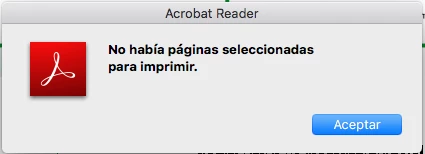
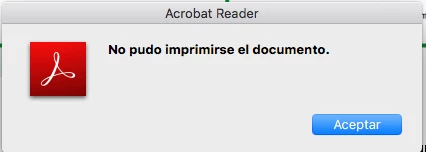
Gracias

This topic has been closed for replies.

1 reply

Amal.
Community Manager
Community Manager
June 26, 2020

[Edited Response]


Hi Mauricio Ramirez


We are sorry for the trouble. As described you are unable to print the PDF


Is this a behavior with a particular PDF file or with all the PDFs? Please try to print a different PDF file and check.


What is the version of the Adobe Acrobat DC you are using? To check the version go to Help > About Adobe Acrobat DC and make sure you have the latest version installed. Go to Help > Check for Updates.


Please try to print the PDF as image. Open the PDF > Go to Print > Advanced > Print As Image and see if that works for you.


you may also try reset the preferences to default as described in the help article  How to reset Acrobat Preference settings to defaul... - Adobe Support Community - 4792082 and see if that works for you.


If it still doesn't work, please try to turn off the protected mode for testing. Go to Adobe Acrobat/Reader DC > Preferences > Enhanced Security > Turn off the protected mode and uncheck the Enhanced Security > Click ok
Note Please turn on the security after testing.


If it still doesn't work please try to remove the printer driver and firmware and reboot the computer and reinstall the printer driver and firmware and check.


Let us know how it goes.


Regards

Amal