



Sean-Rob-Magill
Participant
June 9, 2020
Question

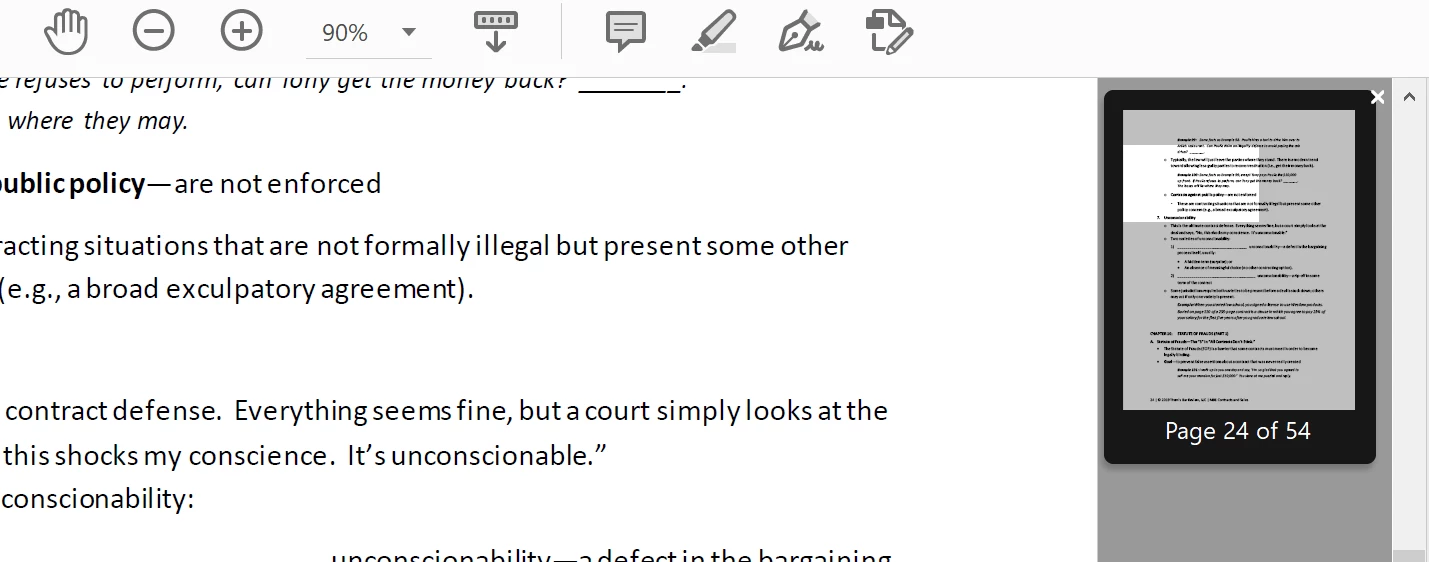
How do I disable this floating page preview thumbnail on the right hand side?

  • June 9, 2020
  • 1 reply
  • 1021 views

This thing here (see screenshot below, the thumnail on the right side) - It will pop up, and I cannot hit the 'x' to close it because it is so tiny. I want to disable it because it gets in the way of text and serves absolutely zero purpose. Please help! 


This topic has been closed for replies.

1 reply

Participating Frequently
July 16, 2020

I totally agree with you, it serves ZERO purpose and is almost impossible to get rid of. I have tried several remedies from the help line, none have worked. Even the employee who tried to answer gave wrong misleading answers. The only function of this page is to obscure part of the document we are trying to read and irritate the hell out of the user because it is impossible to easily eliminate it. The manager who managed this "upgrade" should be punished and programmers should be educated in the beauty of simple easy-to-use interfaces.

Bernd Alheit
Community Expert
Community Expert
July 16, 2020

You can close the thumbnail.

Sean-Rob-Magill
Participant
July 16, 2020

Right. I know I can close the thumbnail, but:


1) the little 'x' is so tiny it takes about 20 clicks (if I'm lucky) to click in the right place to close it 

2)  It serves no purpose and pops up against my will, obscuring the text, and there should be an option to toggle it off entirely so that it NEVER appears. 


Please come back with a toggle-off solution, and if there is no such option, please have it included in the next update. 


Thanks,