


Inspiring
December 13, 2018
Answered

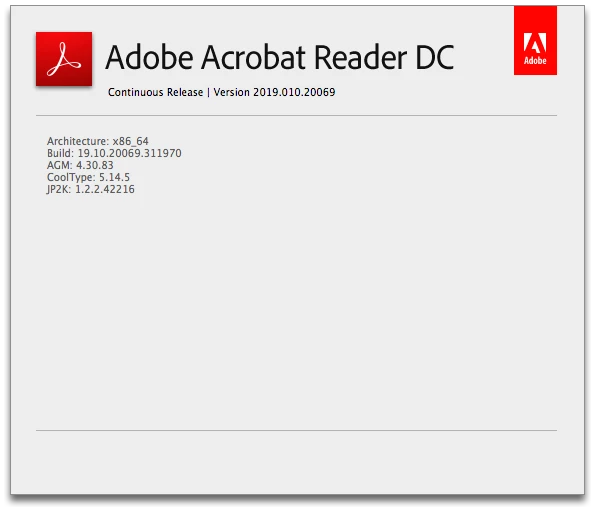
Reader 2019.010.20064 - XFA forms open twice then fail to load data

  • December 13, 2018
  • 13 replies
  • 18080 views

Hi

Since upgrading to Reader 2019.010.20064 our XFA forms open twice but fail to load data from the server.

An example can be found here:  http://www.aduk.net/xfa/test.pdf

The page creates the XFA then matches it with the PDF.  The date time should display in the 3rd text box. 

This was working globally before the 2019.010.20064 update.

What do you need from me to help you fix this?  It's business critical.

Regards

Andy Davey
    This topic has been closed for replies.
    Correct answer keiths5887882

    Anand,

    Do you have an install version, not the updater. I cannot get the Upd to work.


    I updated on my PC by using 'Check for Updates' in Adobe Reader DC. It works fine to open my xdp.

    I updated on my Mac by using 'Check for Updates' in Adobe Reader DC. It does not open my xdp as if the fix is not there.

    13 replies

    December 13, 2018

    We have lots of users reporting the exact same issue and our developers have reproduced the behavior locally. Reverting the Adobe DC Reader version resolves the issue.

    Please correct this issue ASAP as it is also business critical for us! Any timelines on a fix would be greatly appreciated so we can communicate back to our user base before receiving more complaints.

    Thanks

    ~Corbin

    Known Participant
    December 13, 2018

    I can confirm that we are experiencing the same problem since updating Reader DC to version 2019.010.20064 in last two days.

    We have a large Web-based system where the server responds with FDF responses (good old AcroForms) and the result is that the browser opens the referenced PDF AcroForm in another browser window (even in another browser if the current browser is not configured in Windows as a default one) and the PDF form is not filled with the data from the FDF.

    The problem is huge! The whore our system is unusable!

    Adobe must take immediate measures.

    Participant
    December 13, 2018

    We have a similar config and we are seeing the exact same behavior. Any help is really appreciated.

    AnandSri
    Community Manager
    Community Manager
    December 13, 2018

    Hi Andy!

    We're sorry for the trouble you had, are you on a Mac or Windows desktop/server machine and what is the version?

    Is this file saved locally or on a shared drive as I downloaded the file, saved locally as well as on a shared drive and opened it with Adobe Reader 19.01020064 and I am able to view the PDF file. See the screenshot: Adobe Document Cloud

    Is it specific to one XFA form or have you checked with other XFA form too?

    For testing purpose, please disable 'Enable protected mode at startup' and 'Enable Enhanced Security' from Edit>Preferences>Security(Enhanced)>Click OK and check.

    Note: Disabling Protected mode and Enhanced Security is only for testing purpose, please enable it back.

    We're here to help, just need more info.

    Thanks,

    Anand Sri.

    December 13, 2018

    Same thing is happening for multiple users that I know of also. It opens up two tabs and then doesn't transfer the data over. This started to happen after the latest DC update.