Participant
Feb 6, 2026 10:33 AM UTC
Answered

Como corrigir o erro “Não é possível converter o seu arquivo”?
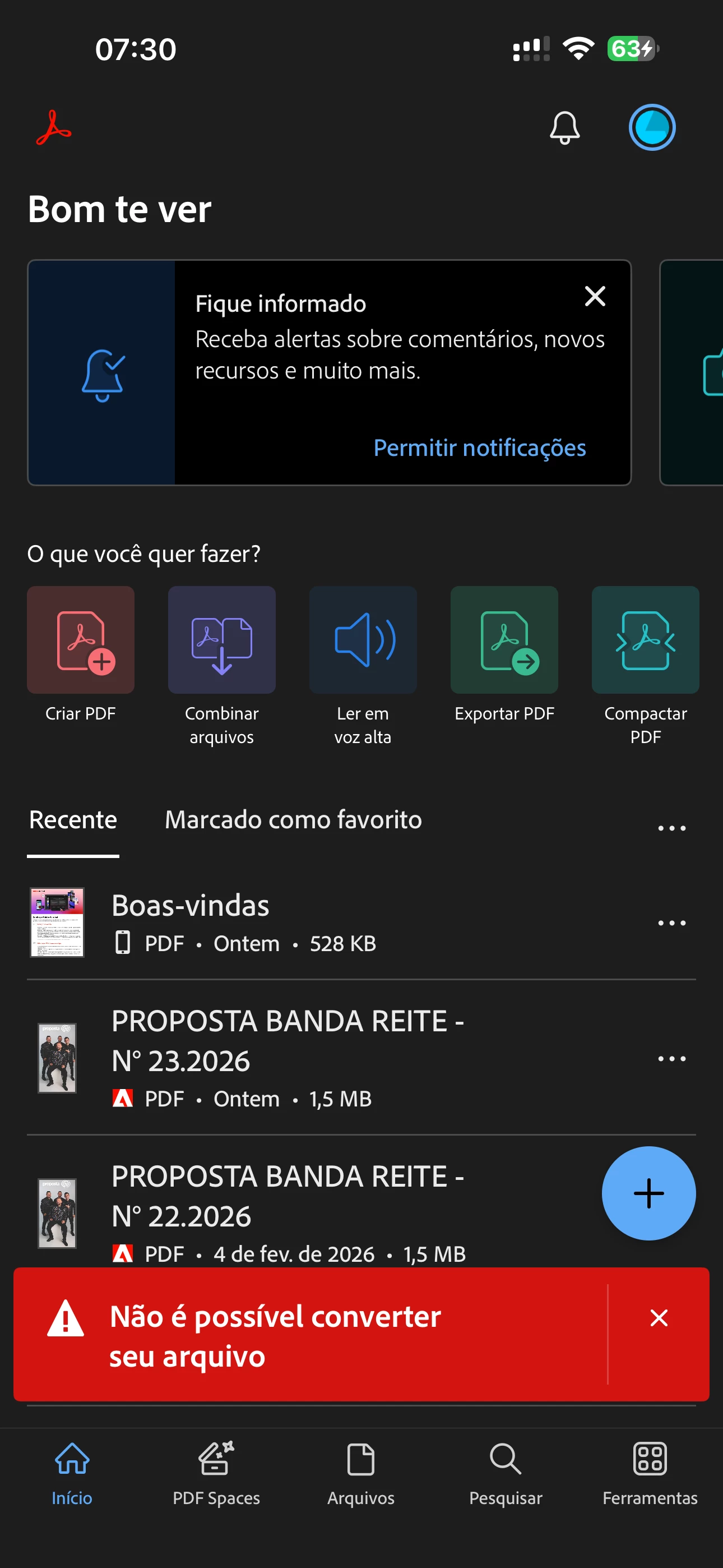
Não consigo combinar arquivos.

Sempre aparece a mensagem: “Não é possível converter o arquivo”. O que está acontecendo? Preciso concluir minhas edições e juntar os arquivos.

    Amal.
    Amal.Correct answer
    Legend
    Feb 23, 2026 9:19 AM UTC

    Hi ​@Renato31691330qghv 


    We are glad to hear that the issue got fixed. In future, please try to logout of the application, reboot the device and relogin with your Adobe credentials and check. You may also try updating the app to the latest version available on the App/Play Store and reboot the device. 


    ~Amal

    4 replies

    Participant
    Feb 20, 2026 5:21 PM UTC

    Sigo com o mesmo problema. Minha conta é premium.

    Translate
    justlearn
    Community Expert
    Community Expert
    Feb 6, 2026 10:57 AM UTC

    ​@Renato31691330qghv You can not merge files on Acrobat Reader mobile unless you have the premium version. Which it appears you do not. 

    You could do this, my sister does this: You can use a free tool online from Adobe (you still need to create an Adobe account - don’t need to pay for that) 


    Drag and drop your files and then download the merged result! Voila! 

    Translate
    m
    Participant
    Feb 8, 2026 2:36 AM UTC

    ​@Renato31691330qghv You can not merge files on Acrobat Reader mobile unless you have the premium version. Which it appears you do not. 

    You could do this, my sister does this: You can use a free tool online from Adobe (you still need to create an Adobe account - don’t need to pay for that) 


    Drag and drop your files and then download the merged result! Voila! 

    A minha versão é a premium sim. Aparentemente, o erro foi corrigido.

    Translate
    Amal.
    Amal.Correct answer
    Legend
    Feb 23, 2026 9:19 AM UTC

    Hi ​@Renato31691330qghv 


    We are glad to hear that the issue got fixed. In future, please try to logout of the application, reboot the device and relogin with your Adobe credentials and check. You may also try updating the app to the latest version available on the App/Play Store and reboot the device. 


    ~Amal

    Translate