Participant
March 11, 2025
Answered

Saving

  • March 11, 2025
  • 1 reply
  • 393 views

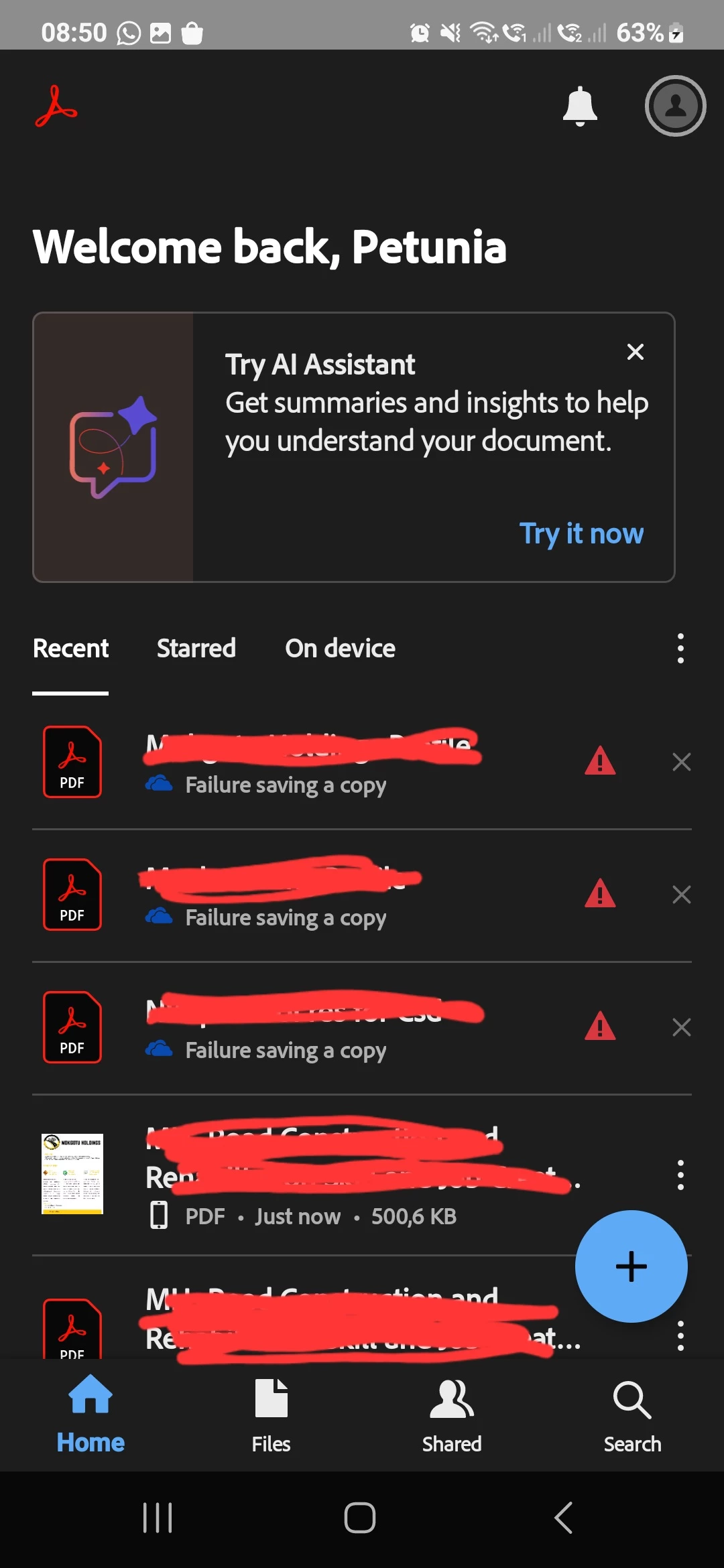
any ideas why my download are not saving  and this also happens when saving to folders in my onedrive

    Correct answer Amal.

    Hi there


    Hope you are doing well and thanks for reaching out.


    This is a known issue and our engineering team is working on it, while we do not have any fixed time-line, we will keep you posted as soon as we get any information to share.


    Thanks for your understanding.

    1 reply

    jane-e
    Community Expert
    Community Expert
    March 11, 2025

    @petunia_1552 


    You didn't say which Adobe application you are using, but I see "Try AI Assistant" in your screenshot. I've moved your post from Using the Community to the Adobe Acrobat Reader forum.


    • Are you on Android or iOS? Which version?
    • Where are the files that you are downloading and what is your process?
    • Where have you looked for the downloaded files?


    Jane


    Amal.
    Community Manager
    Amal.Community ManagerCorrect answer
    Community Manager
    April 16, 2025

    Hi there


    Hope you are doing well and thanks for reaching out.


    This is a known issue and our engineering team is working on it, while we do not have any fixed time-line, we will keep you posted as soon as we get any information to share.


    Thanks for your understanding.

    Participant
    April 25, 2025

    It has been a 'known issue' since at least July Last year. (See here) https://community.adobe.com/t5/acrobat-reader-mobile-discussions/save-a-copy-to-onedrive-not-working/m-p/14749114#M27687

    I think at this time that if Adobe were ever going to address the problem with the amount of asks and notifications it would have been sorted by now, no?