



Top new features and changes in October 2019 release of Adobe Reader iOS & Android.
With the latest release of Adobe Reader mobile app, we have some amazing new features available which enable you to do more.
- Edit PDFs on the go.
Editing is now available in the Acrobat Reader mobile app, on iOS and Android. Acrobat Pro DC subscribers can now easily change text, formatting, and edit lists or add, rotate and resize images in a PDF with just a few taps.
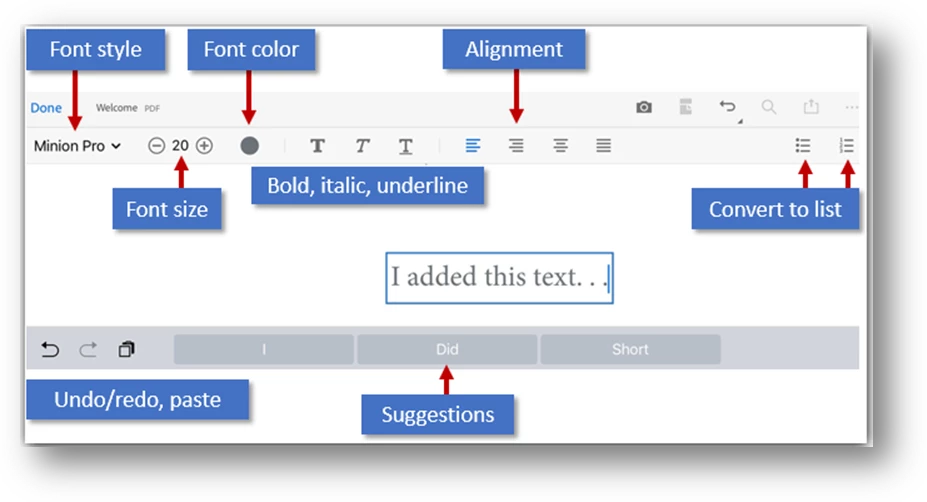
Enter Edit mode by tapping >Edit PDF.
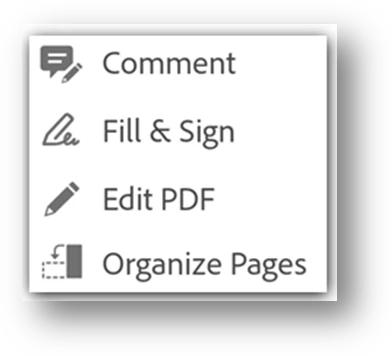
In edit mode:
- To edit text or an image, simply tap it.
- To add a text box or an image, tap
 or
or 
Here is a small video for you to know more about Edit PDFs on the go.
- Star PDFs to Document Cloud.
Keep important files at your fingertips by simply starring so you’ll always be able to find the right file at the right time – just like favoriting emails, photos or songs in other apps you know and love.
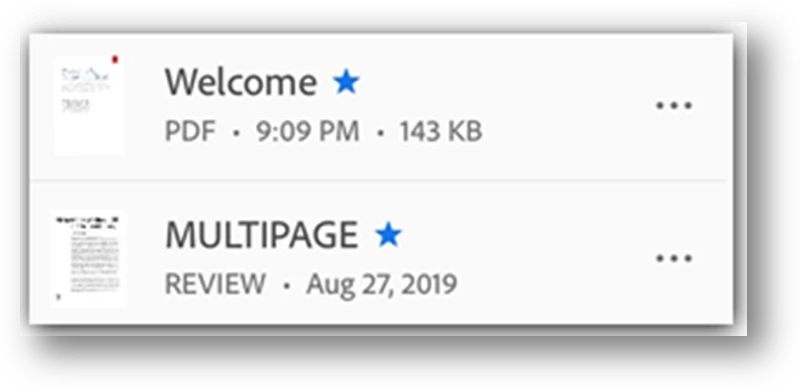
Starring a file is similar to “favoriting” a file: Once starred, a star appears next to the file in the locations you specify.
You can control the starred file location behavior with your Starred file location settings.
To star a file:
- Open the file.
- Open any context menu.
- Tap
 . A star now appears next to the file in the locations specified by your Starred file location
 - To unstar a file, open any context menu (usually by tapping
 ) and tap
- Search content within PDFs.
Surface all relevant PDFs with new search functionality in Acrobat and Acrobat Reader. Search moves beyond just looking at file names and can now dig through PDFs saved in Document Cloud to find the words or phrases you’re looking for, saving you time and energy.
- With no file open, tap
 .
. - Enter the search term.
- Tap the keyboard arrow.
Search results include both matching file names and text/content. When the search result appears, you further refine the result by tapping on a file location. When you tap a content result, it opens the file at that location.
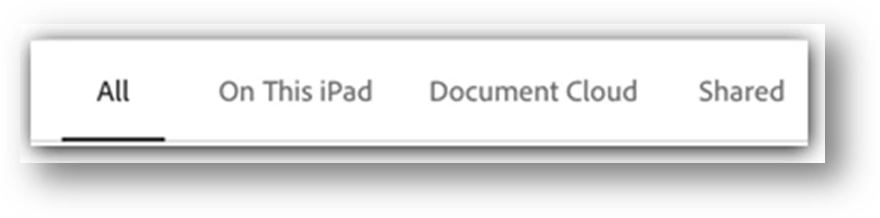
Click here to know more about Searching, Navigating and finding content in the PDF.
Tell us if these helped you use Adobe Reader mobile better.
Join the conversation here. We are listening!
To discover a host of other great features – Go straight to: Sharing & reviewing | Create Signatures and sign | Export PDF to other formats
 AdChoices