
Known Participant
September 5, 2020
Question

An error occured loading certain PDFs with PDF Embed API

  • September 5, 2020
  • 5 replies
  • 3500 views

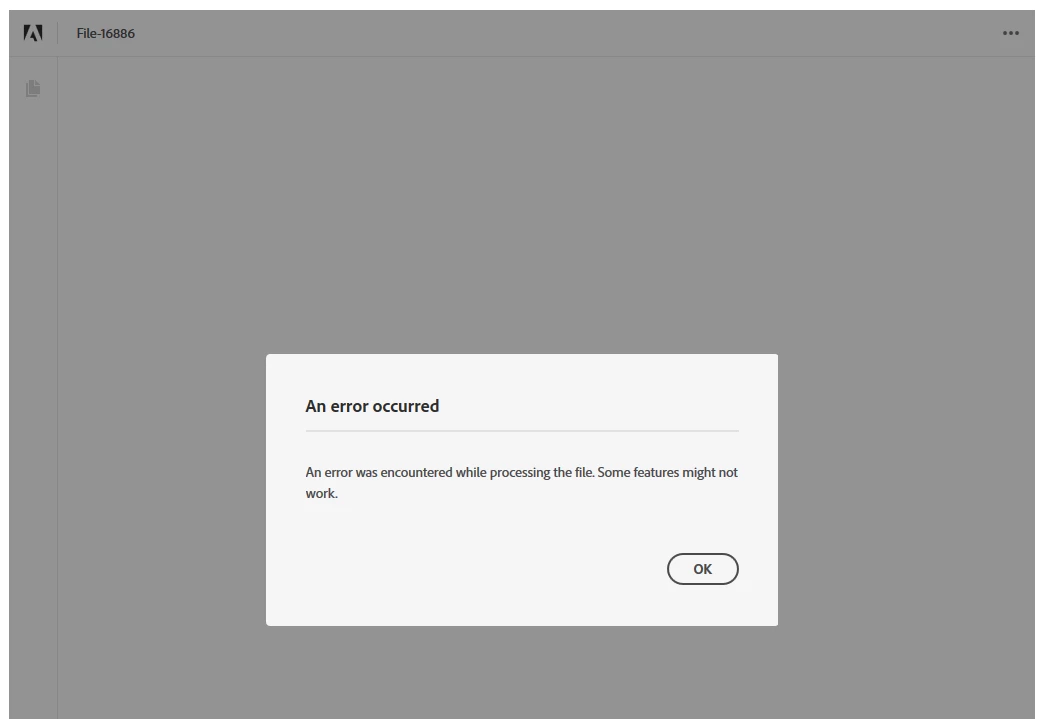
I get the following error for some (not all) pdf files:

An error was encountered while processing the file. Some features might not work.


I have implemented the PDF embed API to let users view and annotate eachothers PDF in my website. For the majority of the PDFs this works fine, but occasionally, there are PDFs which are not able to be rendered with the PDF Embed API. All PDF's in my system are loaded in the exact same way, so it's definetely a problem which only occurs in certain files.
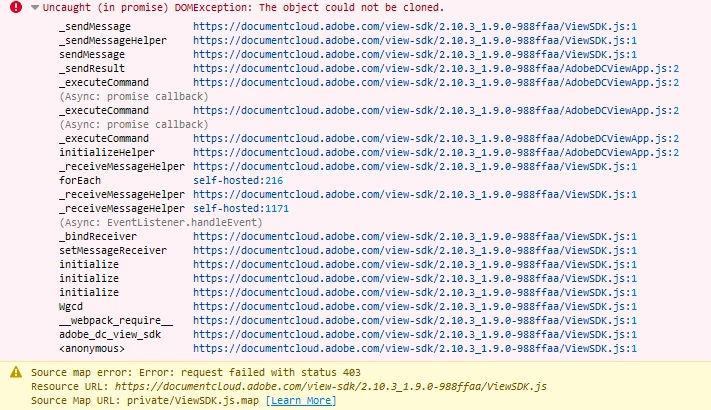
In my browser console the following error is shown, which might be helpful to identify the problem:
Attached you can find an example of a pdf file which is not rendering.

    This topic has been closed for replies.

    5 replies

    Known Participant
    September 25, 2020

    It seems that the September, 2020 update has fixed this issue. Thanks! 🙂

    Known Participant
    September 9, 2020

    Good idea! I will look into that. Now I am already listening to annotation events (to save them on the server), so adding a listener to another event should not be that hard.

    But if you have an example available in CodePen, then I'm certainly interested!

    Joel Geraci
    Community Expert
    Community Expert
    September 9, 2020

    Just listen for APP_RENDERING_FAILED and APP_RENDERING_DONE. As a matter of fact, you can probably keep the viewer <div> hidden until you hear APP_RENDERING_DONE and only show it at that time. You'd even be able to create your own loading animation that way (I think - I haven't tried that one).

    Joel Geraci
    Community Expert
    Community Expert
    September 14, 2020

    Update: I posted a CodePen here that demonstrates delaying the presentation of the embedded view until the PDF file is loaded and the first page is rendered. It works for good PDF files. Unfortunately, at the time of this writing, there is an open bug where APP_RENDERING_FAILED isn't firing for a bad PDF. Until it's fixed, if you don't hear that APP_RENDERING_DONE has fired after a timeout has expired, you can assume the rendering failed. 

    Known Participant
    September 9, 2020

    Thank you! Many students which use the system do not have a technical background, so I will likely go for a PDF preview directly after they upload. If that shows an error the student knows that their PDF is malformed and should reach out for another tool for making their PDF.

    Joel Geraci
    Community Expert
    Community Expert
    September 9, 2020

    I agree with your assessment. What I'll add is that if you have some JavaScript skills, you can register for the rendering events and when the rendering fails, present a more useful message than the default one given by Embed API and even provide links to the recommended tools.

    If that is something of interest, I can create a sample and put it on CodePen.

    Known Participant
    September 8, 2020

    Thank you very much. Do you have any idea whether this repair mechanism will be included in the library as well? In my system students submit their pdf's and they might send in corrupt ones. The PDF in the attachment just views fine in the pdf.js library, can you perhaps use a similar approach as in that library?

    Joel Geraci
    Community Expert
    Community Expert
    September 8, 2020

    I don't know the answer to that. My recommendation would be to recommend a set of tools for your students to use when creating their PDF files and be sure that those tools create proper PDF. The one used to create the sample file doesn't even identify itself in the PDF metadata. 

    Joel Geraci
    Community Expert
    Community Expert
    September 8, 2020

    The PDF is definitely corrupt in some way. I was able to open it up in Acrobat but Acrobat has code that will repair malformed PDF. I did a "Save As" so that the corrections would be applied to the file and now it works in Embed API.