
Data formatting for Fields in a table do not work (Jsonata)
Refering to this original post about formatting dates in a JSON object using toMillis and fromMillis:
Date formatting / examples of using JSONata expres... - Adobe Community - 13261898
This apporach works with dates in the JSON object that are not in an array. If you try to do this using the old table format or new table format, they result in an unexpected result.
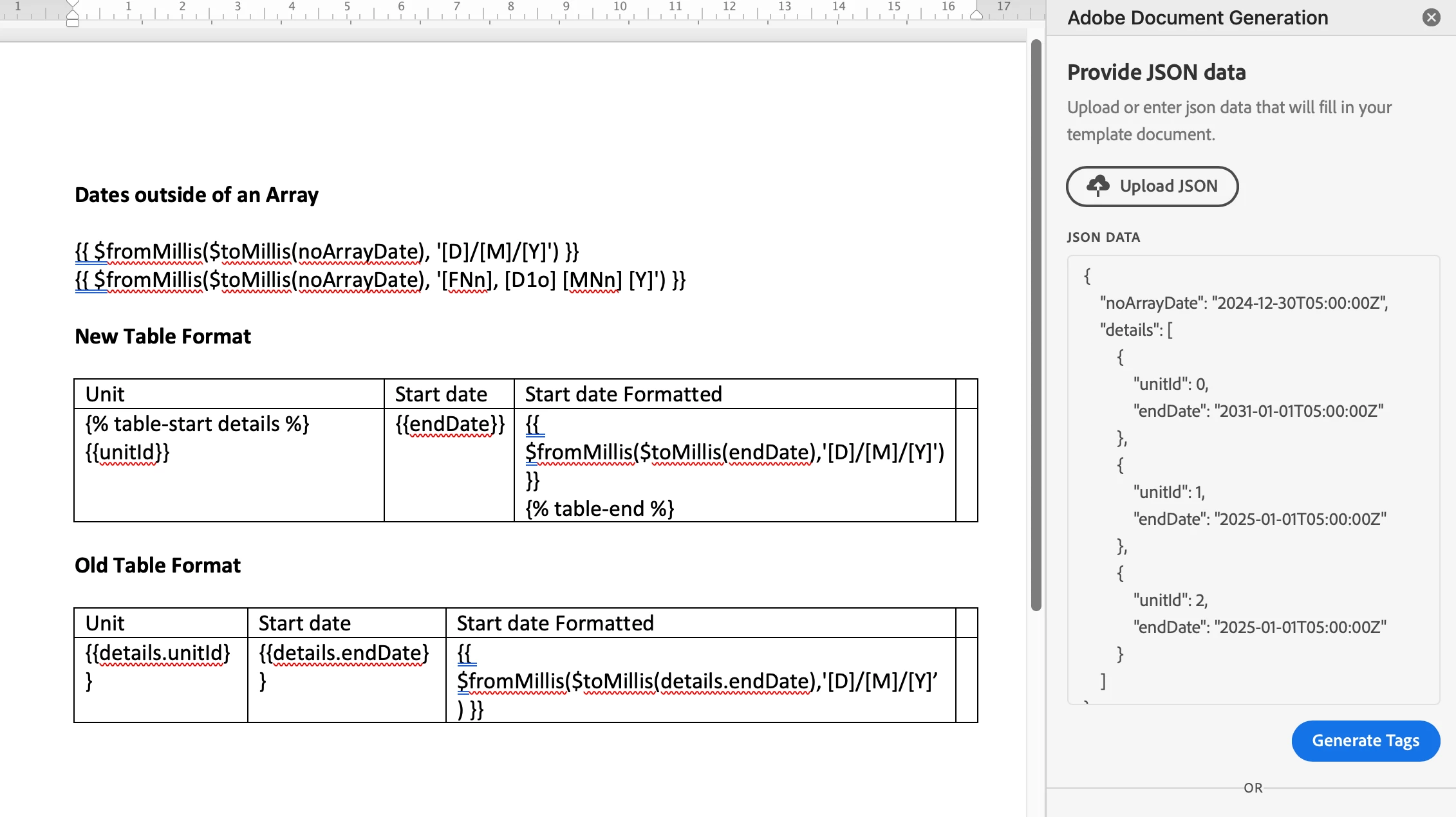
Consider this data:
{
"noArrayDate": "2024-12-30T05:00:00Z",
"details": [
{
"unitId": 0,
"endDate": "2031-01-01T05:00:00Z"
},
{
"unitId": 1,
"endDate": "2025-01-01T05:00:00Z"
},
{
"unitId": 2,
"endDate": "2025-01-01T05:00:00Z"
}
]
}
Using the following Word Template, include either the "New Table Format" or the "Old Table Format" and generate the document to see the result.
with the new table format, you get this (unsupported expression):
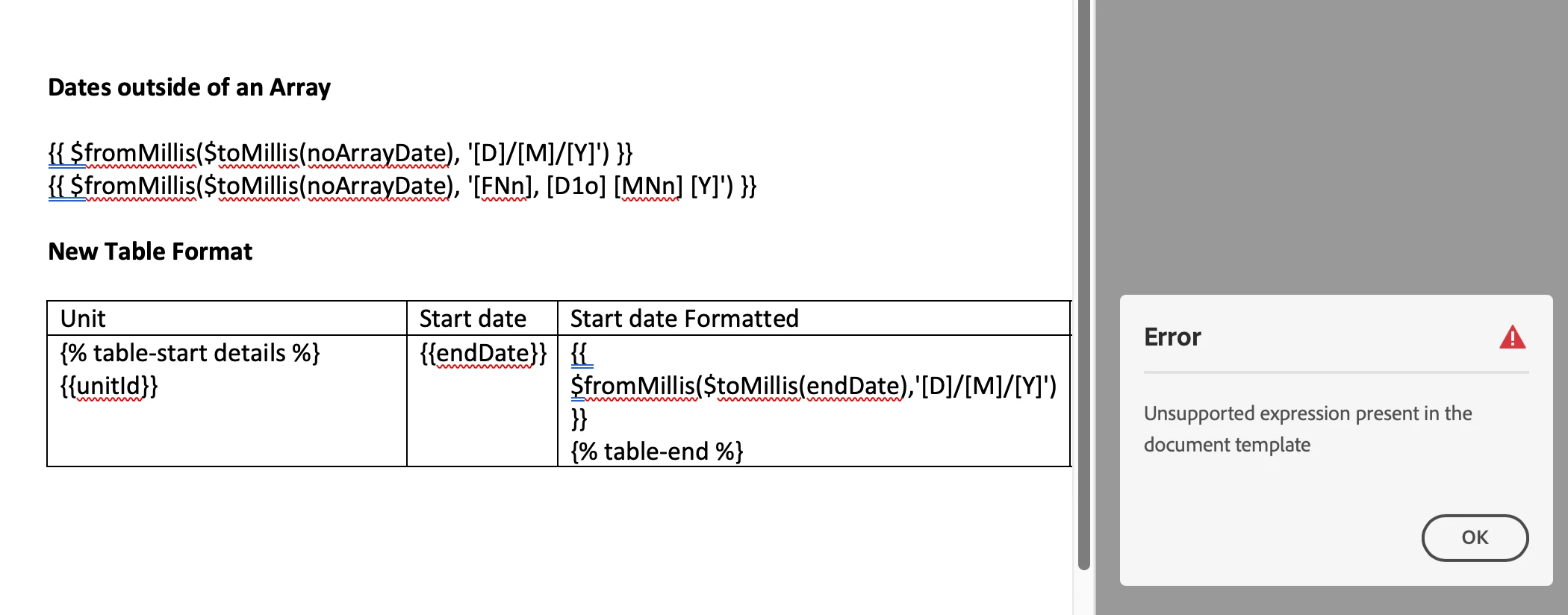
New Table Format
Unit | Start date | Start date Formatted |
|
{% table-start details %} {{unitId}} | {{endDate}} | {{ $fromMillis($toMillis(endDate),'[D]/[M]/[Y]') }} {% table-end %} |
|
with the old table format you get this (format as text - ignored):
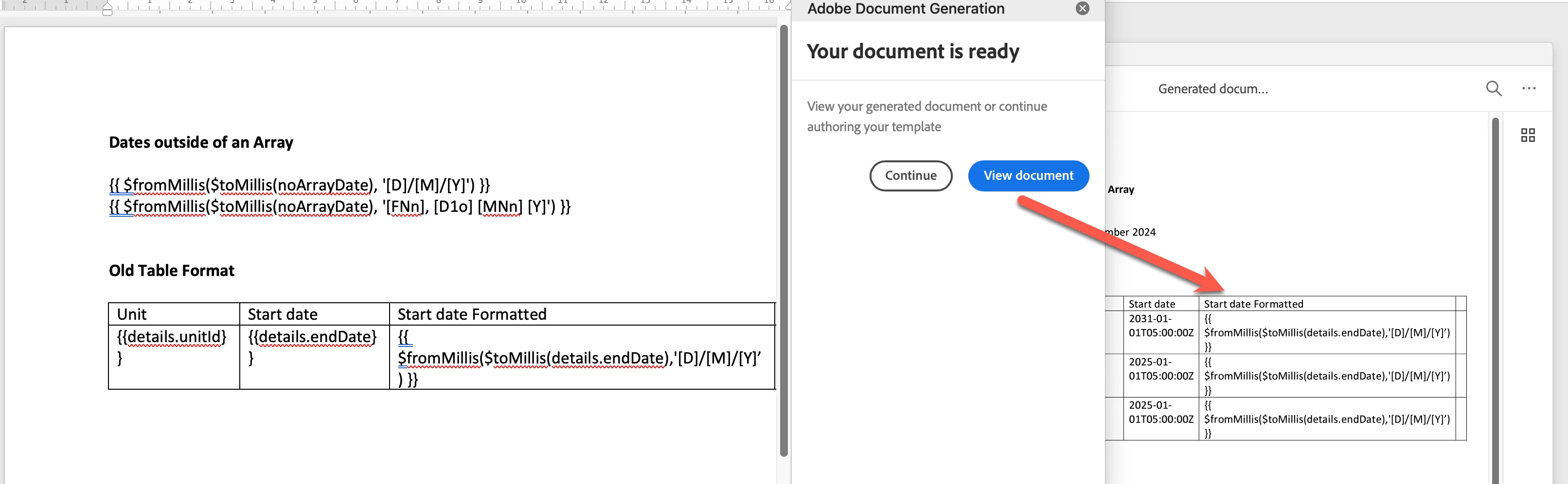
Old Table Format
Unit | Start date | Start date Formatted |
|
{{details.unitId}} | {{details.endDate}} | {{ $fromMillis($toMillis(details.endDate),'[D]/[M]/[Y]’) }} |
|
Note that formatting dates NOT in an array works fine:
Dates outside of an Array
{{ $fromMillis($toMillis(noArrayDate), '[D]/[M]/[Y]') }}
{{ $fromMillis($toMillis(noArrayDate), '[FNn], [D1o] [MNn] [Y]') }}
Is there a proper way to reference the date field in an array?
We need to use the same JSON object to support different templates which require different date formats for the same field.
Thanks for any pointers.


 AdChoices