
Participant
April 19, 2021
Question

Power Apps / Automate asking for Adobe PDF Tools credentials for users

  • April 19, 2021
  • 1 reply
  • 1865 views

I have shared a Power App connected to a Power Automate flow that uses the Adobe PDF Tools api. The app is using an Power Apps per app plan.

For me (as the owner) of the flow the connection is working as I have provided all the necessary credentials.

But when a user wants to open the app, he is prompted for credentials for the connection:
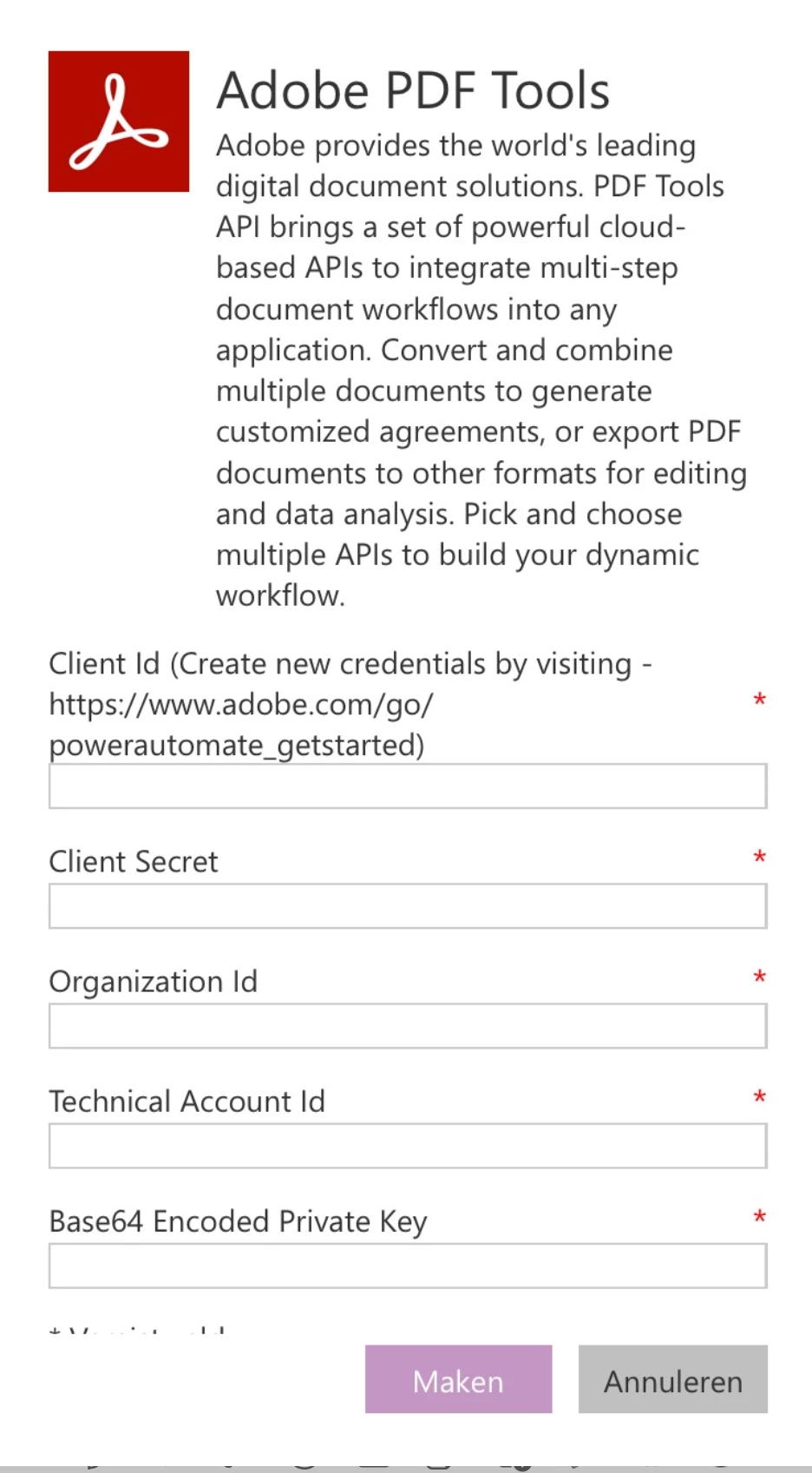
I currently have a trial version of the pay-as-you-go tool.


How can I share the app/flow with users without them having to need credentials for the Adobe PDF Tools connection please?

This topic has been closed for replies.

1 reply

Ben Vanderberg
Community Manager
Community Manager
April 19, 2021

Hi @MPhelpdesk ,


I understand the issue that you are running into. I can definitely see where that could be problematic. I don't have any quick answers on that, however I have passed your issue on to our Engineering team.


Adobe Engineering team is looking into it to see what would be a good way to solve your problem. We'll update you when we have an update. 

Participant
April 22, 2021

Hi,

Any news on this please?

Because normally when sharing a PowerApp or Power Automate flow with colleagues, all the used connectors got shared also, no?

But alas the Adobe connector keeps asking for credentials ...

Ben Vanderberg
Community Manager
Community Manager
April 22, 2021

Hi @MPhelpdesk ,

I don't have an answer at this time. It has been reported and escalated to our engineering. It appears it may be a bug related to the connector. I can give an update when I have a better estimate.


In the mean time, one workaround you could consider is one which is very common with Power Apps, which is to create an HTTP Request trigger that initiates the flow and pass the parameters through that. That way, it would not be identifying with that unique user to trigger PDF Tools.