


Participating Frequently
July 26, 2023
Question

Could not load libraries error

  • July 26, 2023
  • 19 replies
  • 1698 views

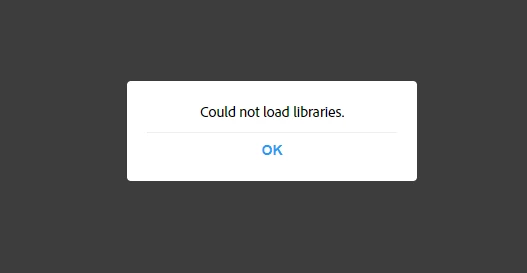
I get this error when trying to access my adobe stock libraries
and this error when trying to load a specfiic library
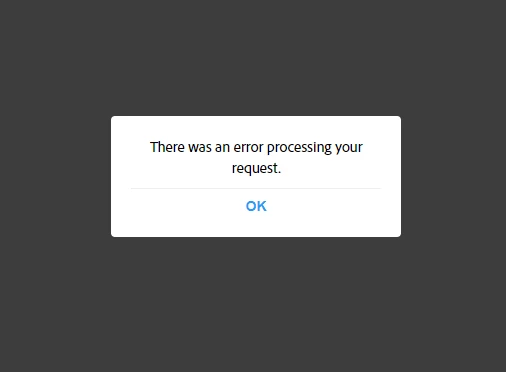
This has been happening for a week now.


So far, I have tried a different browser (firerox, chrome, edge), cleared my cache and cookies, restarted my computer, logged out and back in, and temporarily disabled my firewall. It seems to only be an issue on my computer as it works on my Husband's computer. Has anyone else had this issue and know how to fix it? Thanks!


19 replies

Abambo
Community Expert
Community Expert
July 31, 2023

As you use a PC we could try this:

Open a Command Prompt window.

In the command prompt window, enter:

ping assets.adobe.com

You will need to get a response similar to this one:

You can post a screenshot of the response.

ABAMBO | Hard- and Software Engineer | Photographer
Participating Frequently
July 30, 2023

Wen through the steps for step 2 and the steps thereafter. None of them fixed the issue.

Abambo
Community Expert
Community Expert
July 30, 2023

We are getting nearer to the trouble.

Let me recapitulate:

  • You have access from other devices, the problem is not related to your account.
  • You do not have access from your desktop computer. That means that the issue is related to your computer.

I have 2 possible routes:

  • You have a rights issue at the place where Adobe writes the library content and the cloud content. As you also have troubles with the web access, we can rule that possibility out for the moment.
  • You do not have access to the internet addresses that Adobe uses to manage these assets. This was also the reason, why I asked for a corporate firewall because these, often enough, limit the internet access for users. But you can do the same also on a private computer. So check this, and report back. You should especially look at solution 2.
    How to resolve connection errors
ABAMBO | Hard- and Software Engineer | Photographer
Participating Frequently
July 30, 2023

They work on other devices. The problem is they don't work on my computer. I need to access all these libraries on my desktop not other devices.

Abambo
Community Expert
Community Expert
July 30, 2023

Can you try my links on a different device? Like a tablet or so?

ABAMBO | Hard- and Software Engineer | Photographer
Participating Frequently
July 28, 2023

No, I don't have a corporate firewall and yes I am signed into the correct account.

Abambo
Community Expert
Community Expert
July 28, 2023

Are you behind a corporate firewall?


Are you signed in into the correct account?

ABAMBO | Hard- and Software Engineer | Photographer
Participating Frequently
July 27, 2023

Both of these links are giving me an error message and not loading.


Abambo
Community Expert
Community Expert
July 27, 2023

This is a creative cloud problem and not a stock problem, as items are stored “locally” from stock to your library on the cloud.

Please confirm that you can access your cloud files via https://assets.adobe.com and then your libraries via https://assets.adobe.com/libraries


ABAMBO | Hard- and Software Engineer | Photographer