Inspiring
March 29, 2019
Answered

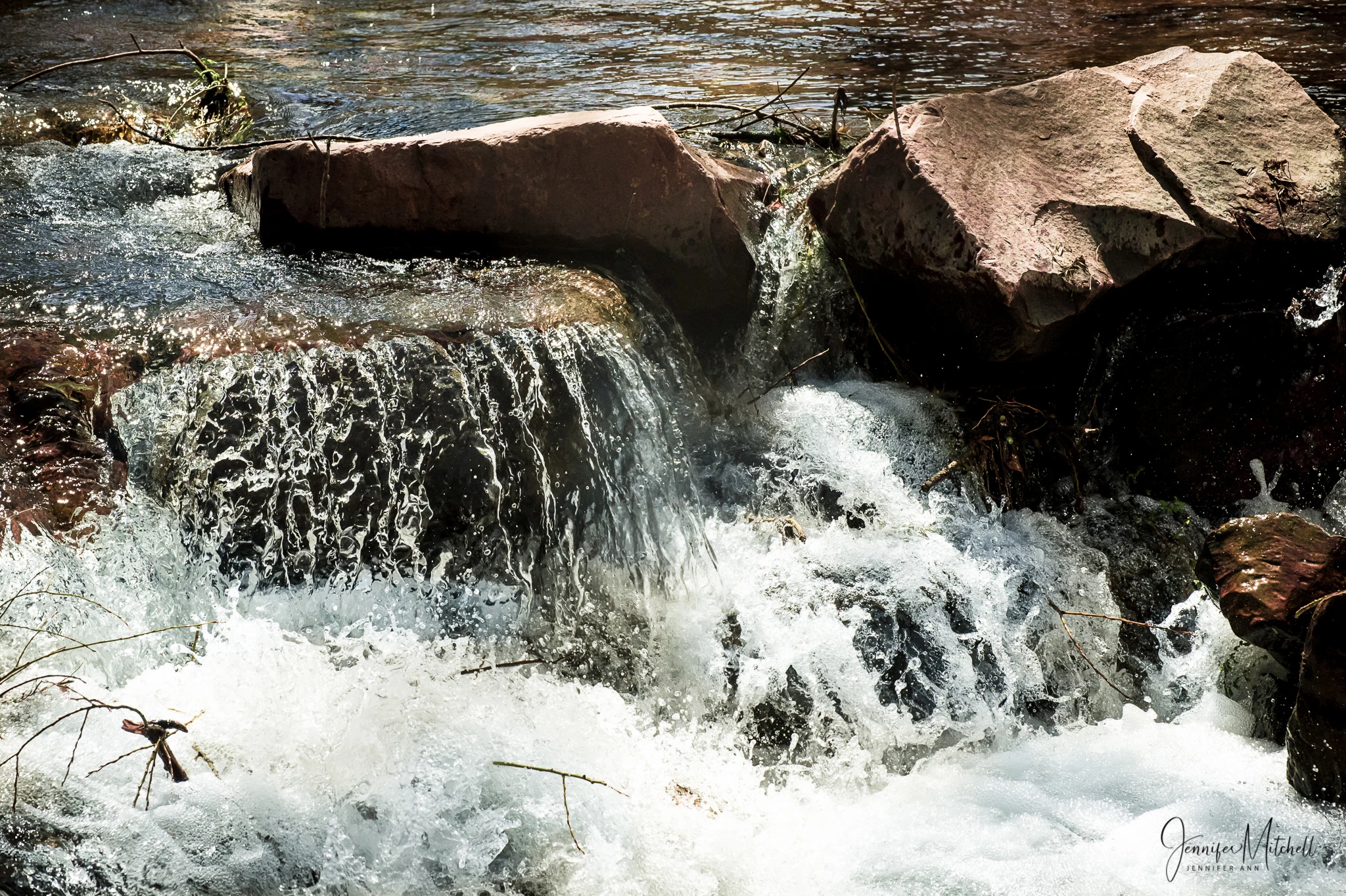
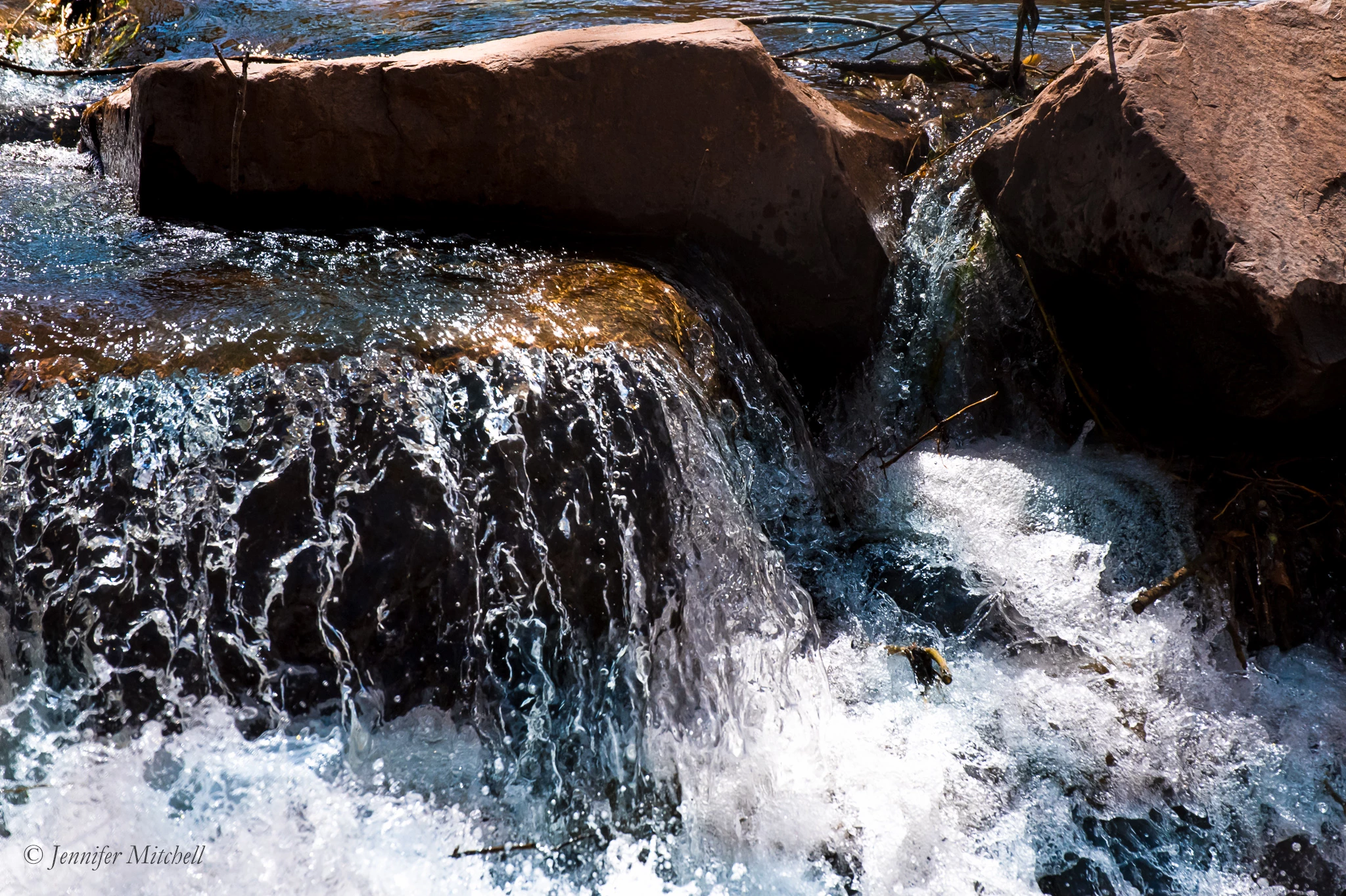
Attached photo rejected for exposure issue, but 2nd similar photo was accepted. ???

  • March 29, 2019
  • 3 replies
  • 1860 views

First photo was rejected, the one below was accepted.  Any idea why???  If anything, the 2nd one accepted was somewhat underexposed, but I liked that contrast.

Note, both of these are smaller versions ... Adobe wouldn't accept the full resolution photos here in the forum.  The ones I submitted did NOT have my logo.

I'm new to Adobe Stock, working through my confusion.  Thanks for any help!

This topic has been closed for replies.
Correct answer Zesty_Marshmallow157F

It's OK now. Still a little bit greenish. And yes, you still could edit out some of the shadow areas, because I think there is structure there in, without overdoing.

and may be there is a possibility to bring a little of structure in this area, , effectively darkening the top of the rock a little bit.
To be honest, I think the only edit that still needs to be done is to take out a little bit of the greenish tone on the water.


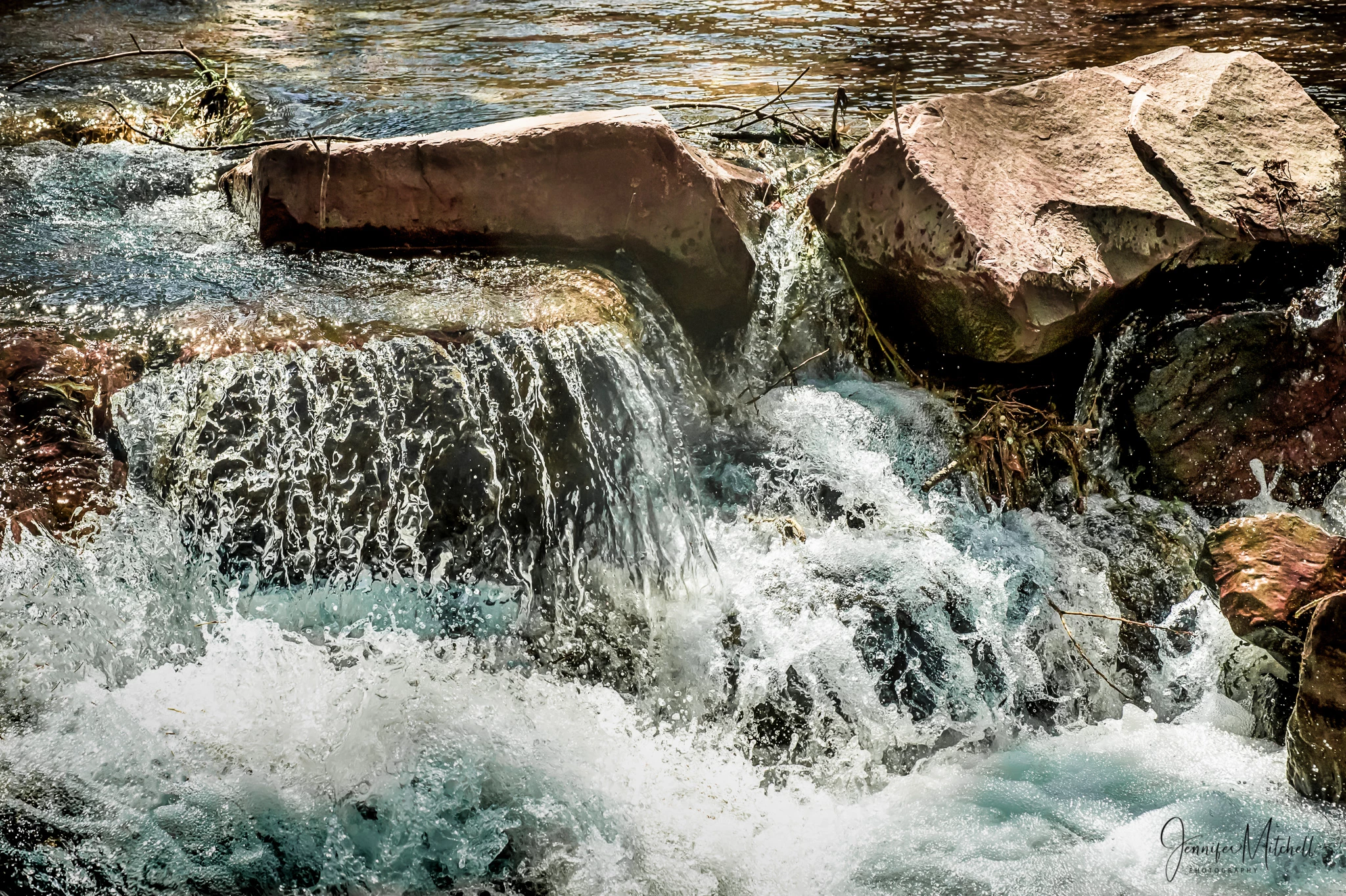
OK, here is my final edit.  I took advice from all of you, and also did a couple other tweaks ... I darkened the water behind the big rock on the right a bit, and then decided to darken the water in the bottom left to help balance the top right corner, and to add detail to the frothing water in that spot.  BTW, I use mainly Lightroom, love it ... occasionally go the PS when I need to do things like cloning, etc.

I don't know if I've ever done this many revisions!  I hope the photo is worth all the effort.  I'm going to re-submit this now.  Many thanks to all of you for your help!
3 replies

Inspiring
April 2, 2019

Here's an edited version of the first (rejected) photo.  Any comments will be appreciated.

Note: the full resolution photo submitted does NOT have my logo on it.

joanH
Inspiring
April 2, 2019

Hi teal001, Well, what a difference. Very nice work. Just a bit more white balance to mute the high-key white and you are ready to resubmit. How does this look to you Abambo ?

Regards, JH

jacquelingphoto2017
Community Expert
Community Expert
April 1, 2019

Hi tea

I've noted that sometimes when there's a rejection for exposure, I reduce the black and shadows and that does the trick. Frankly in my opinion both are a bit dark in the shadows and could have been adjusted so that more details of the shadowy arears become visible. However as you said one, the more vibrant was accepted.

Therefore if you have photoshop, try these adjustments. Reduce the black, and shadows. Add some clarity, and vibrance. Up the temperature and reduce the tint a bit (not much). Depending on how it looks when you're through with those adjustment, you may also increase the exposure a bit. The one that was rejected looks really flat.

I hope you find this helpful

Regards

JG

Inspiring
April 1, 2019

Thanks for your input, JG.  I feel the 2nd one (that was accepted) is really verging on too dark.  The 1st one (rejected) is lighter, and I like the composition better.  It that the one you feel is really flat?

joanH
Inspiring
March 31, 2019

Hi tea1001 - You have your name on both so both should have been rejected. No signatures or logos are accepted by Adobe. The second signature is smaller than the upper photo here. Best wishes, JH

Inspiring
March 31, 2019

Joanh, as I noted in my post, the full resolution photos I submitted DID NOT HAVE MY LOGO.  The first photo was rejected for exposure.

joanH
Inspiring
March 31, 2019

Dear tea1001, What a stupid mistake. Very sorry, I usually read and comprehend better. Up early that day. Thanks for being kind with your statement. I will look deeply into these as you should also. Look at the photos at 200% enlargement and see if there is noise, spots and other after effects. You might spend more time searching these links. I will be back soon. Best, JH

I will ask Abambo to look at these, he is one of our top forum contributors.

Here are some links you can benefit from:

tagproducts_SG_STOCK-CONTRIBUTOR_i18nKeyHelppagetitle  Read up on all the links especially the "Stock Contributor User Guide"

tagproducts_SG_STOCK-CONTRIBUTOR_i18nKeyHelppagetitle Click/tap on each of the links to the left menu; read up on all the relevant topics, and reference links.

Reasons content is rejected at Adobe Stock

And watch this video by Matt. From Shoot to Sale: Part 1 | Adobe Blog