Hi kathleenshattuckhart,
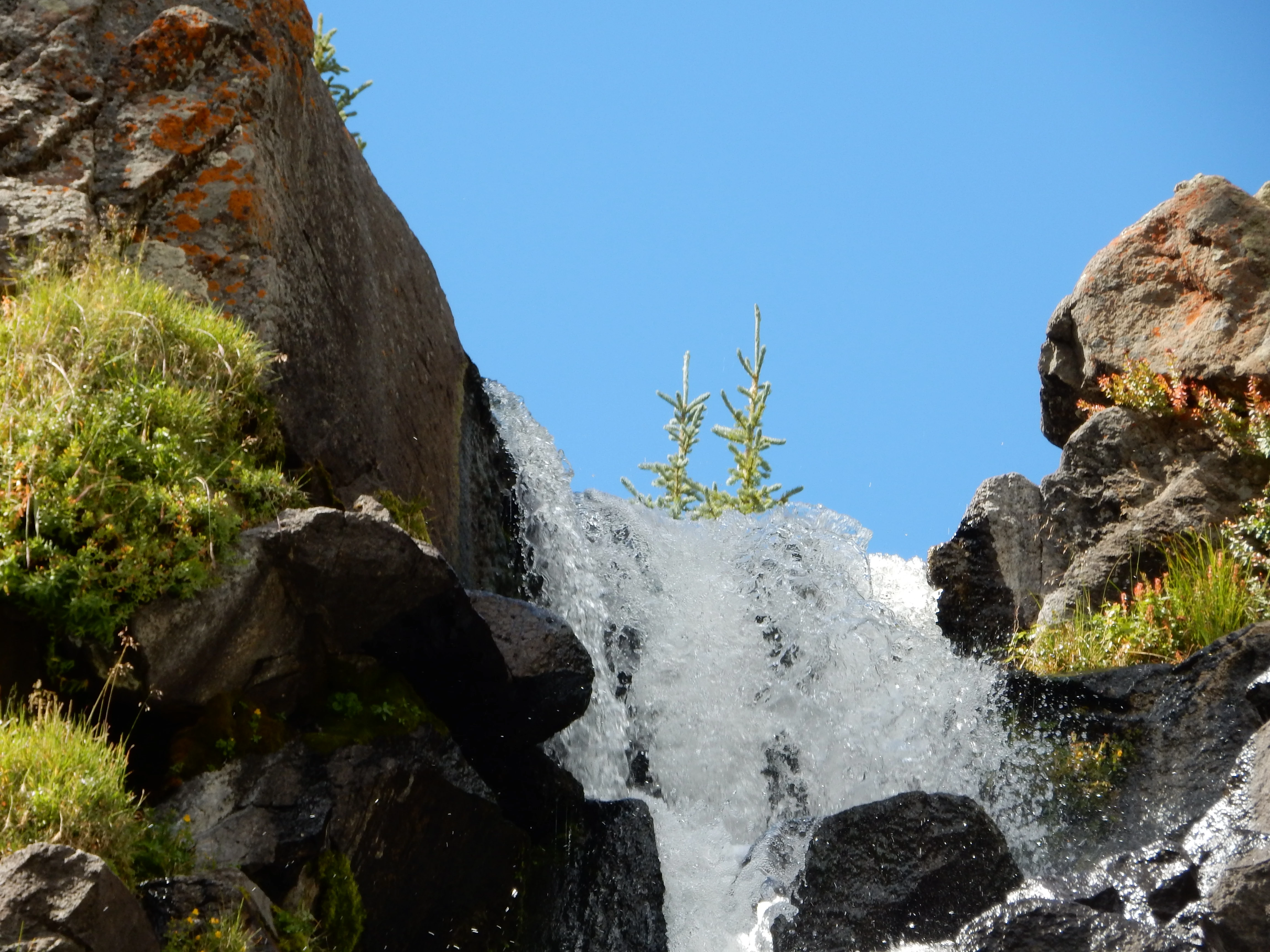
You have presented an interesting and difficult photo to try to reach a perfect exposure. However, this is how we all learn. In the shadow sits the sparkling water which is gray and could be lighter - in some areas - but it also sits beside the dark black rocks and a tiny bit of very white area - perhaps a cloud.
So, if this were my photo I would make adjustments and see which ones make me smile. When all things are at their best you will smile. Experiment!
Several tools will give you a variety of changes. Perhaps even try a softer blue sky. Select the best of your experiments and resubmit.
Use the Camera Raw pull-down under filters. Then look at the extremes in the Histogram. You have extreme darks and lights side by side in this and fixing it will teach you more than hints. Also, try the Exposure slider. I might even select the water with a lasso tool and adjust that to brighter look. Do not be afraid to experiment but always save the original. Once you know what you want to do - then take a copy of the original and work your magic on it.
I think ricky336 and Abambo will have a few things to tell you also. So glad to hear you did study the guidelines. Study the Adobe Stock of similar subjects to see how the photos that are accepted are presented. Best regards, JH
Quality standards
For your images to have commercial value, we expect them to be:
- Appropriately lit and exposed
- Without visible noise or dust
- Well-composed
- Processed inconspicuously
For more information on what makes a quality image, see The review process and Create better photos for Adobe Stock with 7 tips for success.

 AdChoices