Alphorom
Participant
October 18, 2018
Answered

Feedback on rejected pictures

  • October 18, 2018
  • 3 replies
  • 426 views

Hello,

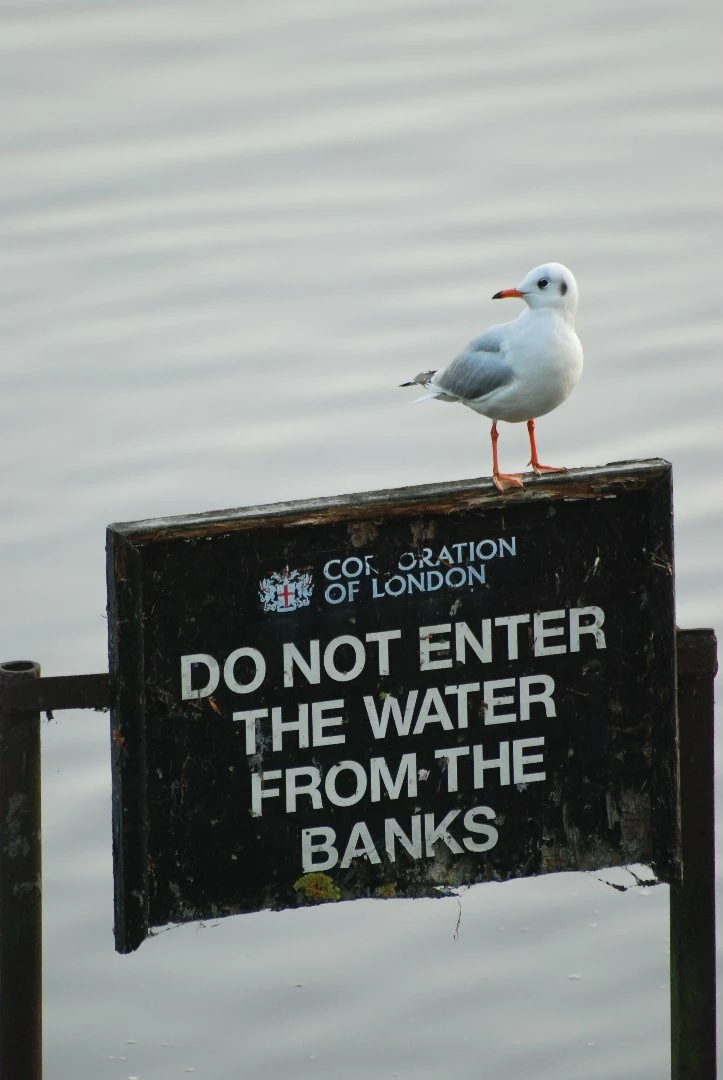
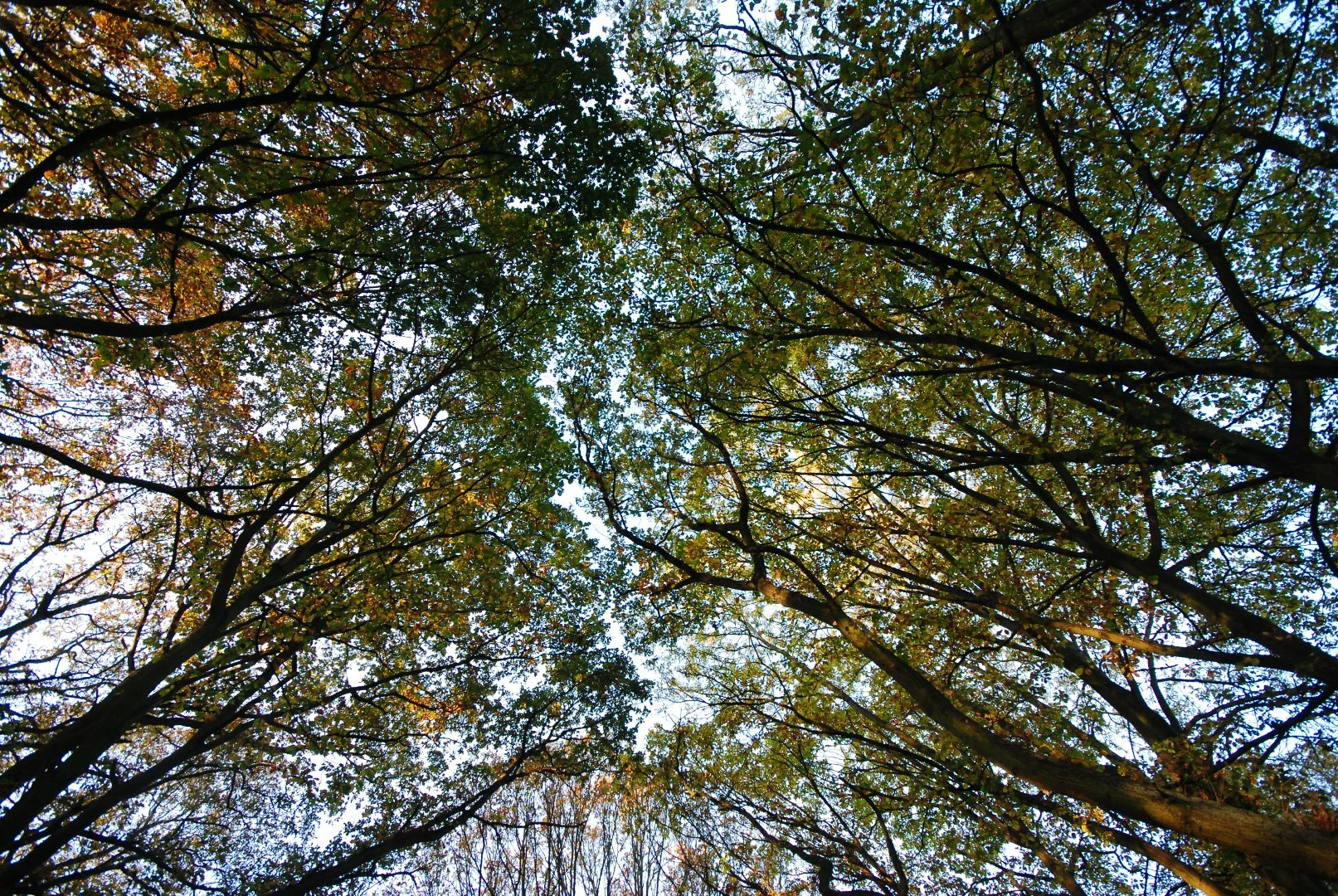
these pictures were rejected because of noise artifacts. Can you help me understand why and if there is something I can do?

Thanks!
This topic is closed to new replies. Start a new post to keep the conversation going.
Correct answer joanH

A

Hello Alphorom, Artifacts can best be seen by looking at your photos at 100 - 200 % magnification. Do this examining of all of your submissions. Also, read the guidelines and requirements in Adobe Stock Guidelines. This photo subject matter is also constantly submitted in huge numbers and at high-quality standards so you will need to bring your photos up to the Best Quality. The obvious artifacts appear in the water and sections of the trees. Kind regards, JH

Here are helpful tips from this forum and Adobe.

Artifacts

Artifacts include noise, gains, color fringing, and other artificial coloration that is many times present in the body of the image. Grains are the dark spot that is usually more visible in the dark and shady areas of the image and is more visible at smooth areas magnified at 100 to 200%. Grains are also visible in smooth areas. As you view these areas you'll notice if there's a light spectrum of colors that should not be there. For example, shadow having colors of purple, blue, pink etc. and not solid black. Color fringes are usually at the edges, most of the times purple.

Knowing your camera is also important. You need to read the manual about your camera so that you can use correctly the different features base on the environmental condition or subject. For example, a low light might require a little exposure compensation, or ensure reduced grains/noise you might need to ensure your ISO is set low, and so on. It is best to avoid the use of flash.

See:

  tagproducts_SG_STOCK-CONTRIBUTOR_i18nKeyHelppagetitle

3 replies

Ricky336
Community Expert
Community Expert
October 18, 2018

I agree with Abambo​. Personally it is a bit hard to tell from your uploaded images.

Perhaps the water droplets on the river were mistaken for artifacts:

The leaves on the tree image may also give this appearance - the focus on the leaves aren't very sharp or clear:

So this could be the problem.

Abambo
Community Expert
Community Expert
October 18, 2018

To see noise, you need to look at your pictures at 100%. It may be, however, that the nature of your pictures produces pattern similar to noise. I cannot appreciate that on your pictures as you didn't post 100% size images but only reduced size images. Noise will be flattened out by reducing the size.

ABAMBO | Hard- and Software Engineer | Photographer
joanH
joanHCorrect answer
Inspiring
October 18, 2018

A

Hello Alphorom, Artifacts can best be seen by looking at your photos at 100 - 200 % magnification. Do this examining of all of your submissions. Also, read the guidelines and requirements in Adobe Stock Guidelines. This photo subject matter is also constantly submitted in huge numbers and at high-quality standards so you will need to bring your photos up to the Best Quality. The obvious artifacts appear in the water and sections of the trees. Kind regards, JH

Here are helpful tips from this forum and Adobe.

Artifacts

Artifacts include noise, gains, color fringing, and other artificial coloration that is many times present in the body of the image. Grains are the dark spot that is usually more visible in the dark and shady areas of the image and is more visible at smooth areas magnified at 100 to 200%. Grains are also visible in smooth areas. As you view these areas you'll notice if there's a light spectrum of colors that should not be there. For example, shadow having colors of purple, blue, pink etc. and not solid black. Color fringes are usually at the edges, most of the times purple.

Knowing your camera is also important. You need to read the manual about your camera so that you can use correctly the different features base on the environmental condition or subject. For example, a low light might require a little exposure compensation, or ensure reduced grains/noise you might need to ensure your ISO is set low, and so on. It is best to avoid the use of flash.

See:

  tagproducts_SG_STOCK-CONTRIBUTOR_i18nKeyHelppagetitle