

Participant
August 29, 2025
Answered

Image quality rejection.

  • August 29, 2025
  • 3 replies
  • 486 views

Rather often, as in 43 images in a ratio of 43:27 rejection:approval rating of images, often I understand the quality is lacking or some artificats exist. I get that.
However, sometimes I do not get it at all.

I edit most of my images as I shoot in raw, but I still try to make it look natrual.
Some images that is accepted has arguably worse quality, than some images that gets rejected.
For example;
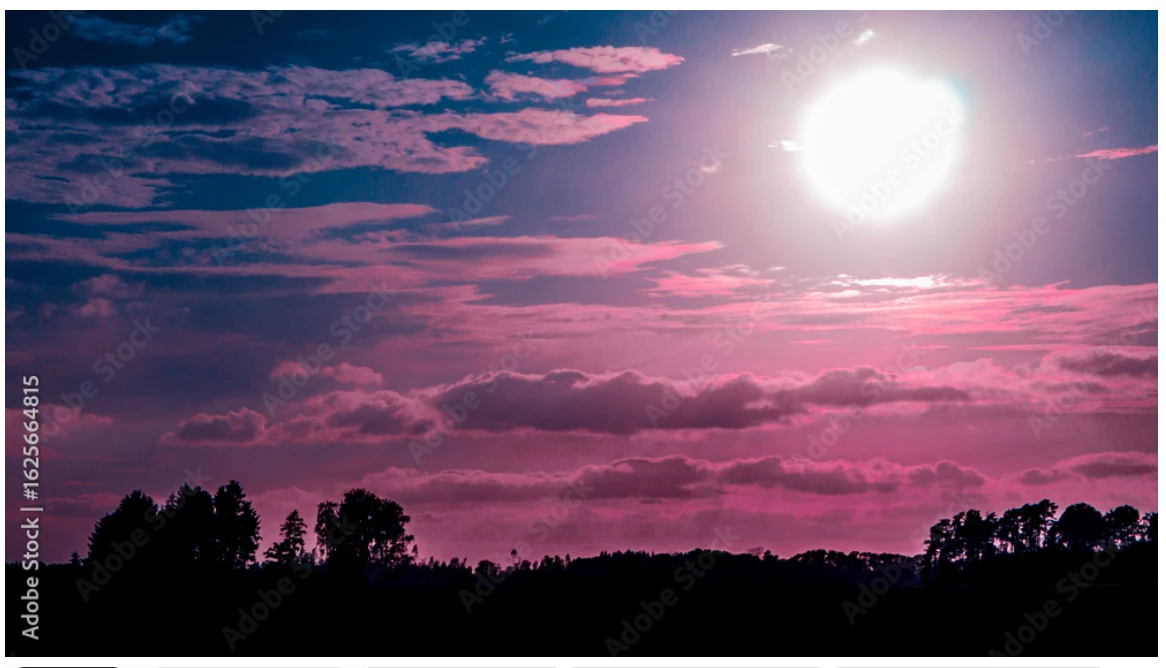
But, not to dwell. I understand that some images has to heavy vignette or is a bit too much edited or saturated for stock. But this these ones I do not understand at all what was the quality issue here.
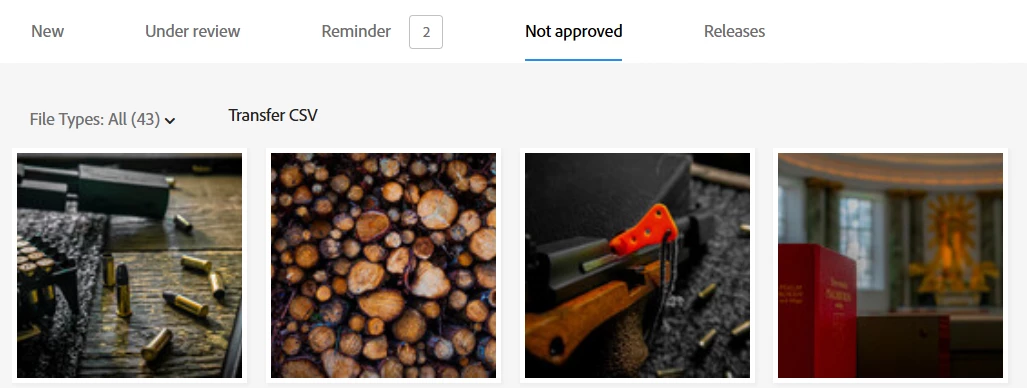
Does anyone have any clue? So I can improve and learn what it would possibly be.
(Images has been attached as files).

Sincerely /Alex

 

Correct answer Jill_C

P1050704.png - seems underexposed and oversaturated. Why is it a PNG? that file type should be used for transparent images

P1050990.png - image is noisy 

P1060526.png - underexposed, some noise and mostly out of focus


3 replies

Nancy OShea
Community Expert
Community Expert
August 31, 2025
Nancy O'Shea— Product User & Community Expert
Jill_C
Community Expert
Jill_CCommunity ExpertCorrect answer
Community Expert
August 30, 2025

P1050704.png - seems underexposed and oversaturated. Why is it a PNG? that file type should be used for transparent images

P1050990.png - image is noisy 

P1060526.png - underexposed, some noise and mostly out of focus


Jill C., Forum Volunteer
guozhongAuthor
Participant
August 30, 2025

Understood.

As for the PNG, I shoot in RAW and save all images as PNG because it looses less quality even if the filesize is bigger.
I know a few that prefer JPG but I don't like the potential loss of quality.

Jill_C
Community Expert
Community Expert
August 30, 2025

Read the Adobe Stock guidelines, which clearly state that photographs must be submitted in jpg format. Your personal preferences are irrelevant.

Jill C., Forum Volunteer
daniellei4510
Community Expert
Community Expert
August 29, 2025

You might want to open up the shadows a bit.


Adobe Community Expert | If you can't fix it, hide it; if you can't hide it, delete it.