

kconkling
Known Participant
December 6, 2018
Answered

Turned down due to artifacts problem...

  • December 6, 2018
  • 4 replies
  • 671 views

Hi.  This is my first time here.  I just wanted to see if anyone could tell me why this photo was turned down.  Looking at it over 100%, it don't see noise.  I turned in quite a few isolated white background pictures and they were all turned down due to same thing.  Please let me know what I can do.

Thanks so much!
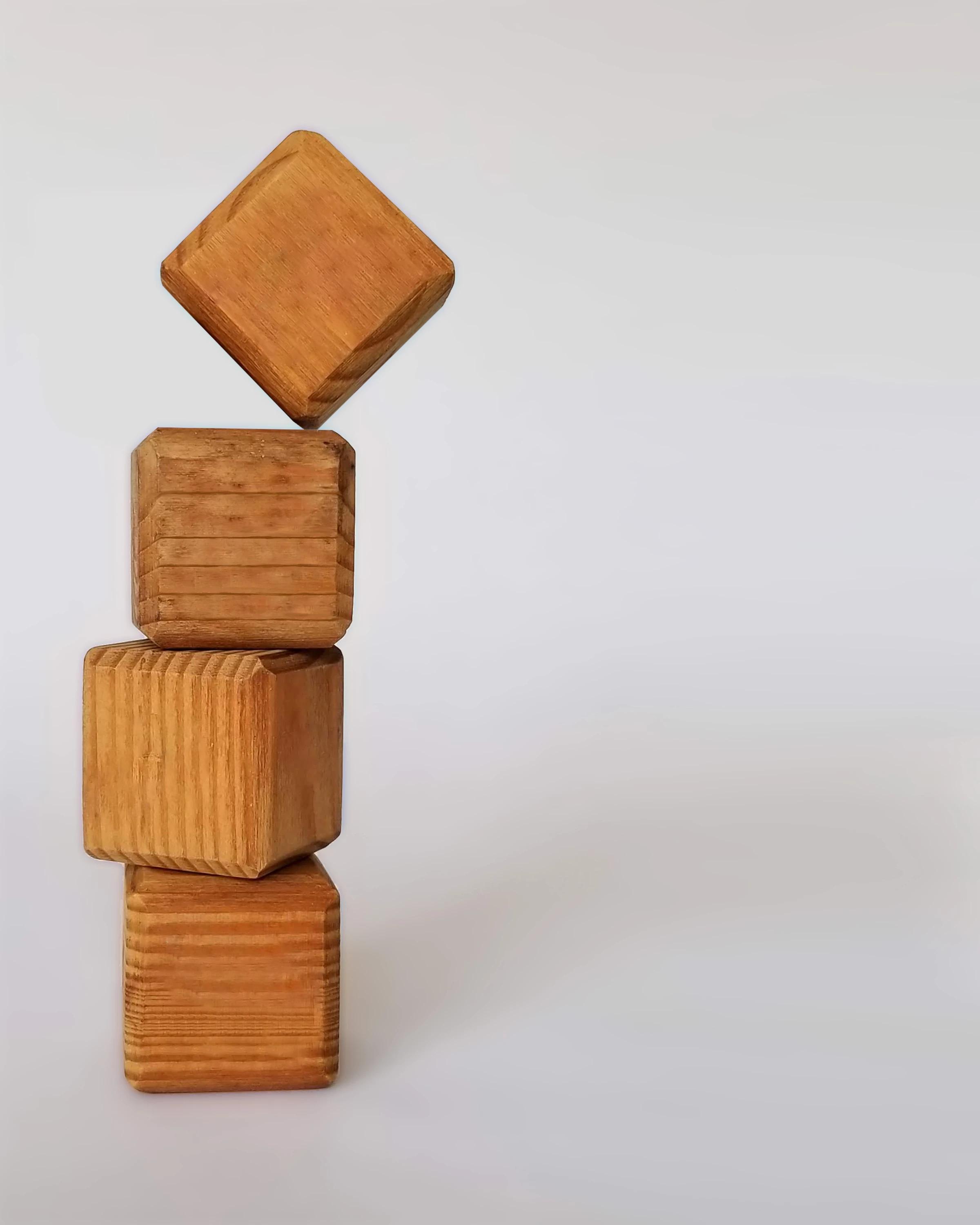

Hi.  This is my first time here.  I just wanted to see if anyone could tell me why this photo was turned down.  Looking at it over 100%, it don't see noise.  I turned in quite a few isolated white background pictures and they were all turned down due to same thing.  Please let me know what I can do.

Thanks so much!
This topic has been closed for replies.
Correct answer Abambo

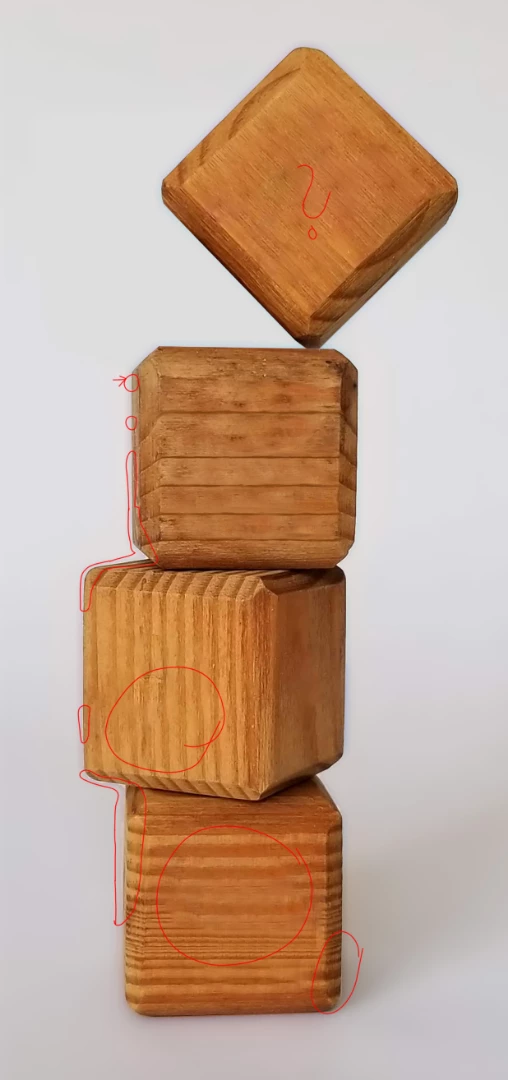
As oleschwander says, you did not a good job with the cutout of the cubes. Look at the borders and you will see some artifacts.

In addition, there is a shadow around the cubes, kind of shadow that appears, when the background has been blurred.

And my third is as also oleschwander did remark: There are on the cubes areas, where the wood pattern is blurred as if you stamped out some logos or inscriptions. As the wood pattern is quite sharp, this type of operation needs to be done very delicately.

Conclusion: This picture needs a lot of rework to be done. The cut-out is quite easy, because of the cube geometric forms. The blur is very difficult to handle. PLease note that I did not mark all the artefacts. Only those I saw immediately.

4 replies

kconkling
kconklingAuthor
Known Participant
December 6, 2018

I see what your saying...thank you!  Actually, I should have just left what was on the blocks.  I appreciate this info.  I'm going to post another that was turned away for artifacts.  Now, I only have to view these at 100%, correct?

joanH
Inspiring
December 6, 2018

Hi kconkling, Yes, view at 100% magnification AND find the problems and fix them.

It is a learning process. We all start at zero. With a smile. JH

Ricky336
Community Expert
Community Expert
December 6, 2018

As above, so you do have problems . You have to be careful with cloning, especially when you have a pattern, and in this case, you've got the wood grain. And you need to be careful with the shadows. Carefully look at those mentioned by Abambo​.

In addition look at the grain pattern in the third block - the grain is not matching:

Abambo
Community Expert
Community Expert
December 6, 2018

ricky336 : Yes, you're right. I didn't even look at that... :-)  But this too is a very important point.

ABAMBO | Hard- and Software Engineer | Photographer
Abambo
Community Expert
AbamboCommunity ExpertCorrect answer
Community Expert
December 6, 2018

As oleschwander says, you did not a good job with the cutout of the cubes. Look at the borders and you will see some artifacts.

In addition, there is a shadow around the cubes, kind of shadow that appears, when the background has been blurred.

And my third is as also oleschwander did remark: There are on the cubes areas, where the wood pattern is blurred as if you stamped out some logos or inscriptions. As the wood pattern is quite sharp, this type of operation needs to be done very delicately.

Conclusion: This picture needs a lot of rework to be done. The cut-out is quite easy, because of the cube geometric forms. The blur is very difficult to handle. PLease note that I did not mark all the artefacts. Only those I saw immediately.

ABAMBO | Hard- and Software Engineer | Photographer
Legend
December 6, 2018

A good image and a good idea. As I see it, there are problems all along the edges of the blocks (stamp tool?), especially at the lower one. There is also a kind of blur on the surfaces of the two lower in my eyes - don’t know how (or why) it’s like that? You have to do a better job isolating the block on white and add the fine shadow like the one you have now.