


snowD
New Participant
October 3, 2022
Answered

Custom multi material switch problems with inputs not showing up such as normal

  • October 3, 2022
  • 1 reply
  • 1221 views

Hi, I am looking for a way to create a custom, multi material switch, so I can attach more than two instanced materials to it.


I have experimented with the 'switch' and 'multi switch' nodes and am using the 'material switch' as a starting point.


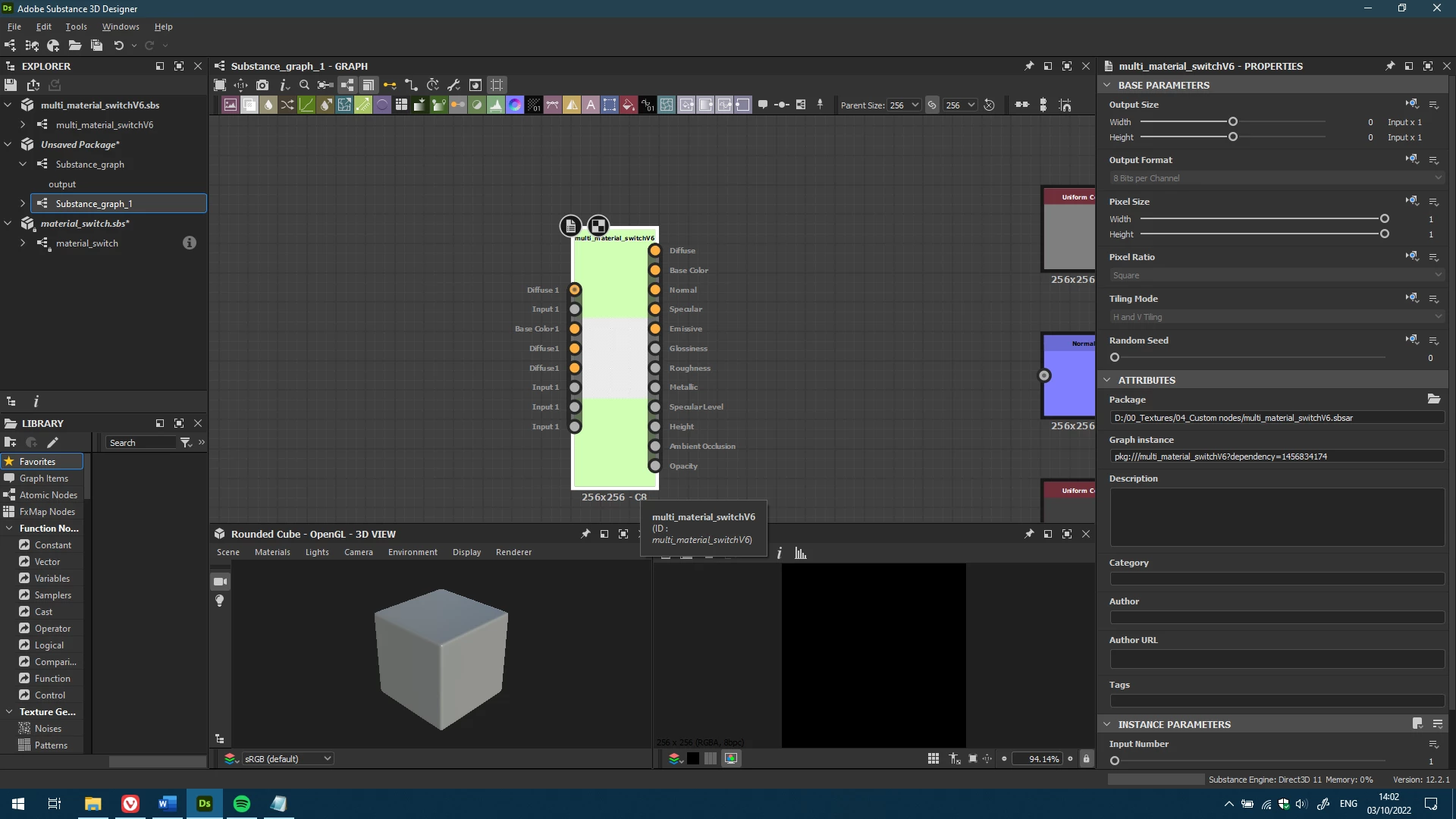
So far, I have run into the problem where some of the inputs are not detected, for example I have a normal input in the node editor, but it does not show up when I load the node in a different package. I have attached the sbs file so people can have a look.


My newest version I have taken the inputs and blends from the 'multi switch color' and 'multi switch grayscale' nodes and duplicated them across all the outputs.


In total I only have 4 color and 4 grayscale inputs, while when looking at the graph of the node there are clearly 5 outputs for color and 7 outputs for grayscale.
 

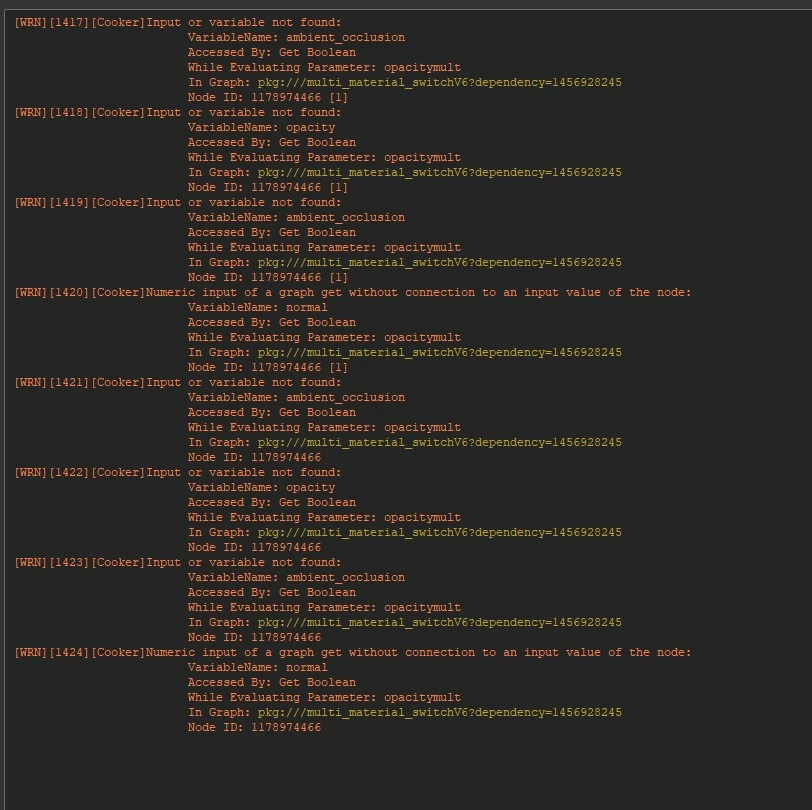
I have also some errors but I cannot find a lot of information about it, since the substance forums are not available anymore.
It also makes me wonder why there is not already an existing multi material switch.


What am I missing / doing wrong? And how do I fix it?


Ps. It also does not help that when looking online for help, the substance forums have not been migrated, or atleast put into read only mode, and you are getting redirected to Community.adobe.com.

This topic has been closed for replies.
Correct answer davescm

That's..., interesting. That works for me too, however when I publish the file, and then load the node by pressing the spacebar and looking it up, older versions would not show the normal input.

Any clue why that would be?


I have added an earlier version in sbsar format, which is on the Adobe Standard Material, and does not have the normal input when I load it via my custom nodes library

Could you confirm this for me?


If you look at the standard material switch node, you will see it has instance parameters which are booleans (True or False) to turn on/off each input.

Your graph is using the 'normal' Boolean input to switch the additional blend node - but that 'normal' boolean input is not set anywhere. If you add that boolean input parameter to the graph and set it to True then publish your sbsar , it will work (the same goes for the other inputs which have the additional blend nodes giving a default output).


Dave

1 reply

davescm
Community Expert
October 3, 2022

Hi

Your graph seems to load and work as expected here in v12.2.1. I got no errors and the switching works with 5 inputs


Dave


snowD
snowDAuthor
New Participant
October 4, 2022

Hey Dave,


Did you set the material to metallic roughness to get the normal input to show up?


Materials -> Default -> switch from Adobe Standard Material to Metallic Roughness


Or did you batch expose just the opacity in the blend node in the normal branch?


One or both cause me to have a normal map.

davescm
Community Expert
October 4, 2022

Hi

I did not alter the default material - just left it on Adobe Standard Material, nor did I alter any batch expose settings.

I just opened your graph then dragged the graph onto another graph, where all the expected inputs showed correctly, then I plugged some of the provided PBR materials into it.

Dave