
Participant
Sep 11, 2020 2:05 PM UTC
Answered

All my scans saved in Adobe Scan have disappeared
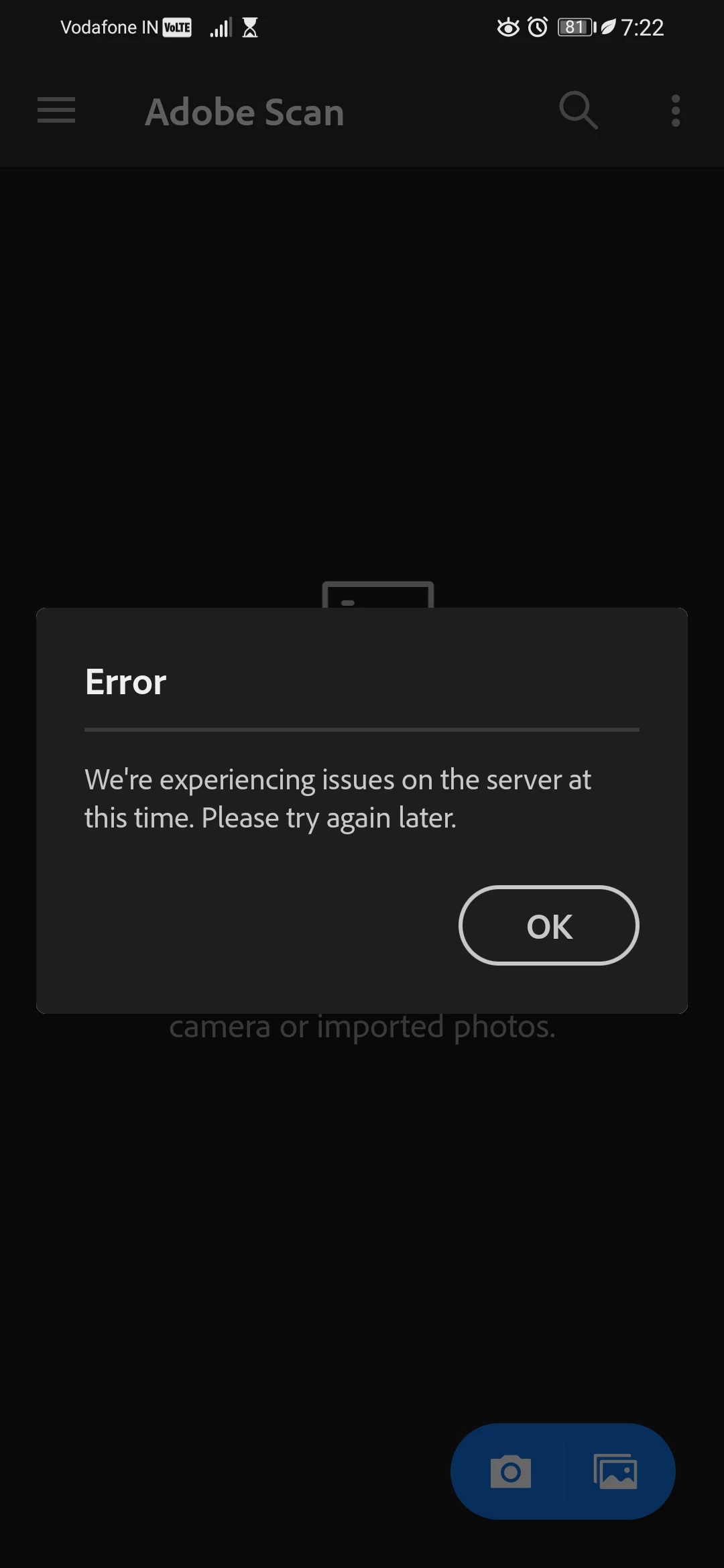
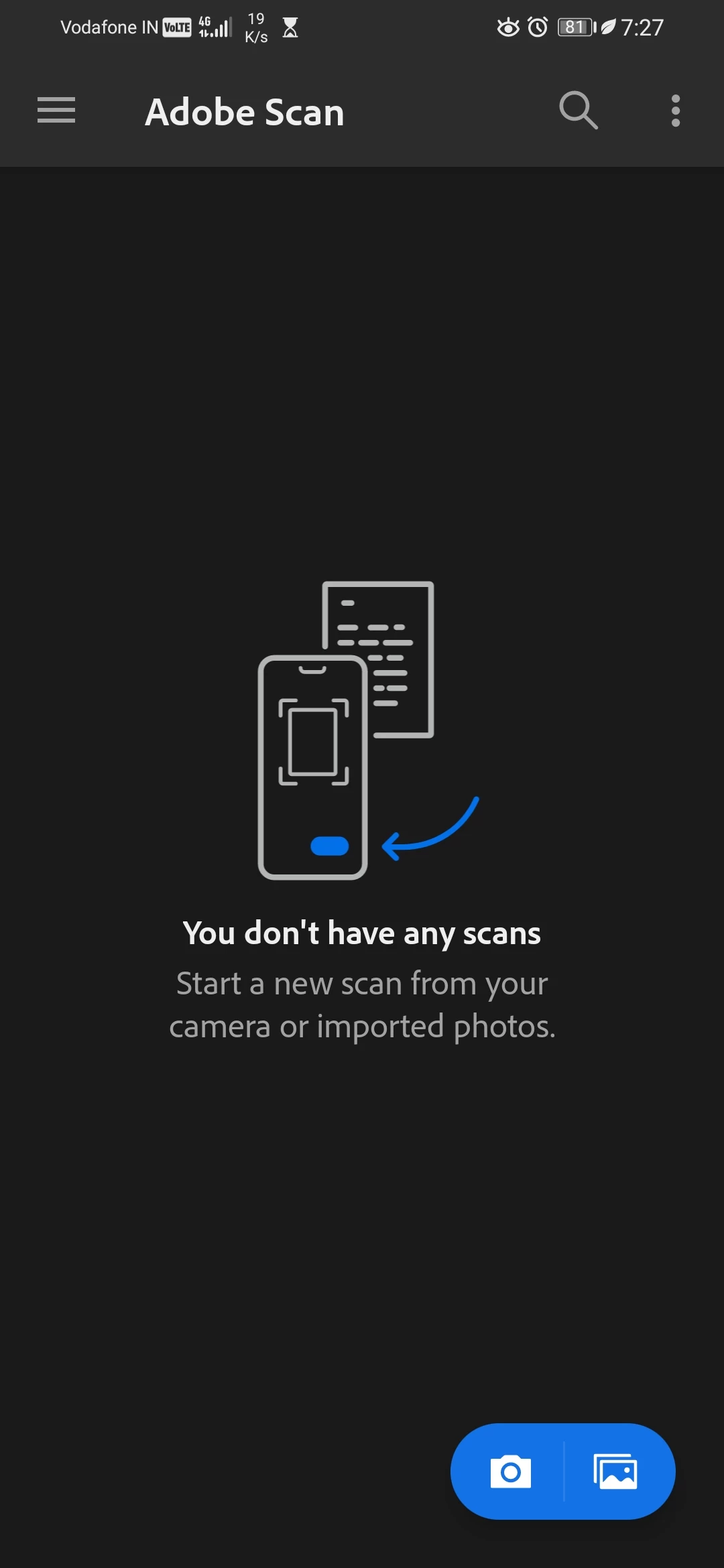
I had a lot of scans taken and saved in Adobe Scan but today when i went to Adobe Scan all my previous scans were not showing there, i don't know whether they have been deleted or not. annd when I opened my Adobe Scan app it is showing the error message we're experiencing some issues on the server at this time. Please try again later. So will I get my previous scans back? If yes, then when? And how cani fix this issue or when will this issue be fixed by Adobe. Here are the screenshots.
 

Ananjan5FB7Correct answer
Participant
Sep 12, 2020 3:05 AM UTC

Thanks everyone, but I fixed it, I just had to reinstall the app.

96 replies

Participant
Nov 11, 2026 5:40 PM UTC

Hi, I'm facing the same issue. I have been using Adobe Scan for the last 8 years, and all my important documents were stored there.


After reading the discussion in this thread, I realised that I am experiencing the same problem. Almost all my documents have disappeared, and only one document from 2019 is visible. The other hundreds of scanned PDFs are no longer accessible.


I would like to clarify a few things for the backend team before they investigate:


1. Same account: I have been using the same Adobe account (Google sign-in) for the last 8 years.


2. Personal account: I am not associated with any organisation. This is my personal account, where I had stored several very important documents, including bills, college mark sheets, and official government-issued documents.


3. Troubleshooting: I have tried uninstalling and reinstalling Adobe Scan, but the issue persists. I also checked Adobe's web interface, but the documents are missing there as well. My Adobe cloud storage shows 0% usage out of 120 GB, which suggests that my cloud storage is now practically empty.


4. Previous cloud synchronisation: All my documents had been synchronised with Adobe Cloud over the past 8 years. I have changed my smartphone multiple times during this period, but all previously synchronised documents were always available whenever I logged in from a new device. Everything was working fine until now, except that only one document remains visible.


Please investigate this issue urgently. These documents include important personal, academic, and government-issued records. I would appreciate it if the backend team could investigate whether my previously synchronised documents can be recovered from Adobe's cloud storage.


Thank you.

Translate
PriyankaVishwakarma
Community Manager
Community Manager
Nov 11, 2026 7:40 PM UTC

Hello @epic_Gem3cb3,


Thank you for sharing the detailed information, and I’m sorry for the worry this has caused. I understand how important your scanned documents are.


To investigate this further with our internal team, please send us the following, without including your email address or other personal information:

  • Your phone’s operating system (Android or iOS) and its version.

  • The Adobe Scan version you use (in the app: Settings > About).

  • The approximate date you first noticed the files were missing.


I will raise this issue with our backend team so we can review your account details and the missing Adobe Scan files. We will update you as soon as we have more information.


Thank you for your patience.


Regards,

^PV


Translate
Participating Frequently
Oct 22, 2026 2:49 PM UTC

 I am facing the same problem. My scans are no longer visible. 
They are also not present in the Adobe Scans folder. I have checked. I have also reinstalled the app, but there is no impact. 
Please help me out. it was years of data, and its just gone. 


Translate
Amal Jaiswal
Community Manager
Community Manager
Oct 22, 2026 3:23 PM UTC

​Hi @Anuraj Kumar 

Hope you are doing well, and sorry for the trouble. 

Our scanned documents might be missing due to app crashes, syncing issues, or because you are logged into a different account. To resolve this:

  • Ensure that you are logged into the same account on both Adobe Scan and Adobe cloud storage. Learn how to solve Adobe account sign-in issues.

  • Ensure correct account access when logging in with Apple ID.
    When you hide your email when logging in with Apple ID, a masked address creates a separate account, leading to potential confusion. To avoid this, show your original email to link existing accounts, or remember your login choice.

  • Visit Adobe cloud storage and go to Documents > Scans to check if your documents are saved there.

  • If the files still don’t appear, check that no files are still uploading to the cloud. Then, try restarting the app or your device, and clear the app’s cache to refresh its data.

For more information, please check the help page https://adobe.ly/4yE8X5t


Regards

Amal

Translate
Participating Frequently
Oct 22, 2026 5:21 PM UTC

Hi,
I’m logged in with the correct account. It’s the same account I have used for over 10 years. I have verified it multiple times. 
I have also checked the storage and deleted files, but they are simply not visible. 
Scans folder is empty. 
not sure why this is happening with my account. 

Translate
Participant
Sep 25, 2026 12:37 PM UTC

Hi, i have the same problem. App tells me that it did unexpectedly close, i can’t access my pdfs and i’m afraid uninstalling the app will remove them! What should i do?  

Translate
Meenakshi Negi
Community Manager
Community Manager
Sep 28, 2026 6:55 PM UTC

Hi Dreamy_user67c3,


Thank you for reaching out, and sorry to hear that you are experiencing the same issue.

Could you please confirm if you are still experiencing the same error when trying to access the application? Additionally, could you share the version of Adobe Scan and the operating system of your mobile device? It would also be helpful if you could provide a short video that illustrates the issue you're encountering.

In the meantime, please check your Adobe Scan file on the Acrobat web. Launch the Acrobat web application and sign in with the same credentials you used before. Go to the "Documents" tab and select "Scans" under the "Files" section on the left. Please confirm if you can access all your files. If the files are there, you can uninstall and reinstall the application. 


Let us know how it goes.


Thanks,

Meenakshi

Translate
Participant
Sep 25, 2026 11:03 AM UTC

even from the website it says ‘something went wrong’ now i just lost around 2 years worth of purchase orders :/ i dont know what to tell them at work lol this wont go well

Translate
Participating Frequently
Oct 28, 2023 11:33 PM UTC

Hello my files are visible in document cloud on my computer ("your documents > acrobat files > adone scan") and NOT in my adobe scan app in my phone. How can I bring my files back to the Adobe Scan app in my phone again? Both the adobe scan app on my phone and the document cloud on my computer use the same user id. 

Translate
Souvik Sadhu
Legend
Oct 30, 2023 12:32 PM UTC

Hi @hun33081936pbzx,


Hope you are doing well. Sorry for the trouble.


Would you mind sharing screenshots of what you see on both the desktop app and on the your phone for me to share it with the team.


This helps us investigate the topic further.


-Souvik

Translate
Participating Frequently
Oct 30, 2023 1:00 PM UTC

Hello @S. S 

Thank you for the reply. Please find the screenshots attached.


Translate
Participant
Oct 23, 2023 8:27 AM UTC

I have a major problem, years of scans suddenly disappeared from my Adobe Scan mobile and also from Adobe Cloud. There was recently a new scheme to use a Business account and a personal account. But all my scans have disappeared! There is nothing in the deleted folder. Where are my files? Please help!

Translate
Participant
Sep 3, 2023 7:22 AM UTC

I have the same issue! Months worth of research for my MA dissertation which is due in a week! I can not travel again to scan these documents which have just vanished!!! they were there this morning then suddenly gone. Please HELP!

Translate
Souvik Sadhu
Legend
Sep 3, 2023 4:22 PM UTC

Hi @Marwa32045134aq63,


Would you mind sharing the information asked above for better understanding and assistance?


-Souvik

Translate
Participant
Oct 16, 2023 6:39 AM UTC

1. Have you checked the different accounts you might have used with Scan (Sign in with Adobe versus social sign-in)?


Yes, I have. 


2. Which platform do you experience the issue with? Scan Android, Scan iOS, DC web?


Scan iOS


3. Are all the scanned files missing, or only some files?


All


4. When did the issue start? Any details about any actions taken then?


Just noticed it today: 10/16/23 when I went into the app.


5. Scan app build version, device model, and OS version.


23.01.24; iPad Pro, iPadOS 16.6.1


Translate
Participant
Jun 30, 2023 10:26 PM UTC

Hello I have the exact same problem and I would urgently need a solution for it what can I do I tried every method that was mentioned below but nothing works

Translate
ZoeyFarmGirl
Participant
Aug 6, 2023 6:06 PM UTC

I have the exact same issue. I've scanned files for years and now they're all gone - but they were there the last time I checked! Please help these were really important files!!! 

Translate
ZoeyFarmGirl
Participant
Aug 6, 2023 6:10 PM UTC

@S. S - Forgot to tag.

Translate
Participating Frequently
Jun 19, 2023 4:42 AM UTC

I have same bug, I have been scan many files yesterday, but now I open my app files are all disappeared.


1. Have you checked the different accounts you might have used with Scan (Sign in with Adobe versus social sign-in)?

Yes, and I really sure I use this account for scan only!
2. Which platform do you experience the issue with? Scan Android, Scan iOS, DC web?

iOS
3. Are all the scanned files missing, or only some files?

All the scanned files missing.
4. When did the issue start? Any details about any actions taken then?

Today, I just scan files and open app today, then I found my files are all missing.

Yesterday I have opened the app and the files are alive, but today they are missing.
5. Scan app build version, device model, and OS version.

app version is 23.06.06

device model is iPhone 11

OS version is iOS 16.1.1


Hope the issue can fix.

Translate
Souvik Sadhu
Legend
Jun 19, 2023 1:22 PM UTC

Hi @wu30581630o2ql,


Sorry for your experience with Adobe Scan.


Can you check to log in here: https://acrobat.adobe.com/link/documents/ in the Adobe Scan folder if the files are there? 


Look forward to hearing from you.


-Souvi

Translate
Participating Frequently
Jun 19, 2023 1:38 PM UTC

Hi @S. S 

Thank you for the answer, and I check the link I saw an empty folder and the folder's modify time is today, but I do not modify anything, I just open the app to take the files I scanned yesterday.


Thanks.

Translate
habonaama
Participant
Jun 7, 2023 3:07 PM UTC

Important docues. Ffffuk adobe ..

 I miss small companies ... buy the way i am happily using ur apps for free . Fk u again .

Translate