Participant
October 17, 2019
Answered

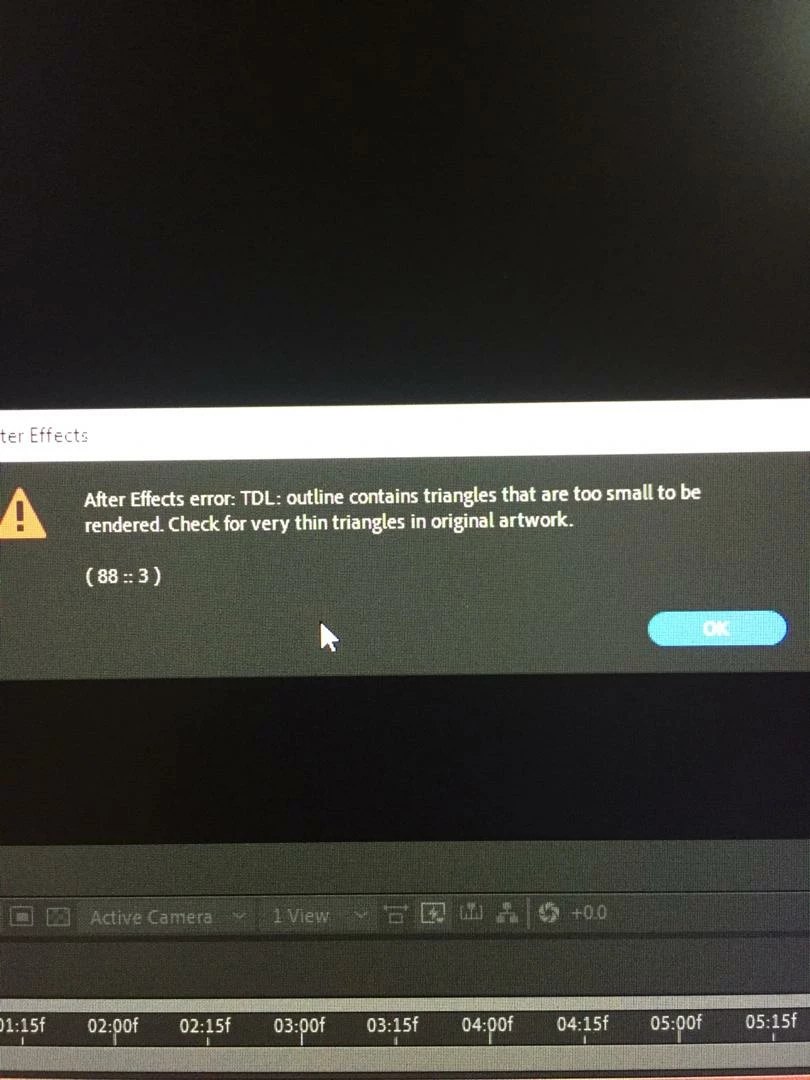
after effect error (88::)

  • October 17, 2019
  • 3 replies
  • 2416 views

i have this message in after effect after choose 

( enable per character 3D
    Correct answer tahirasgarli

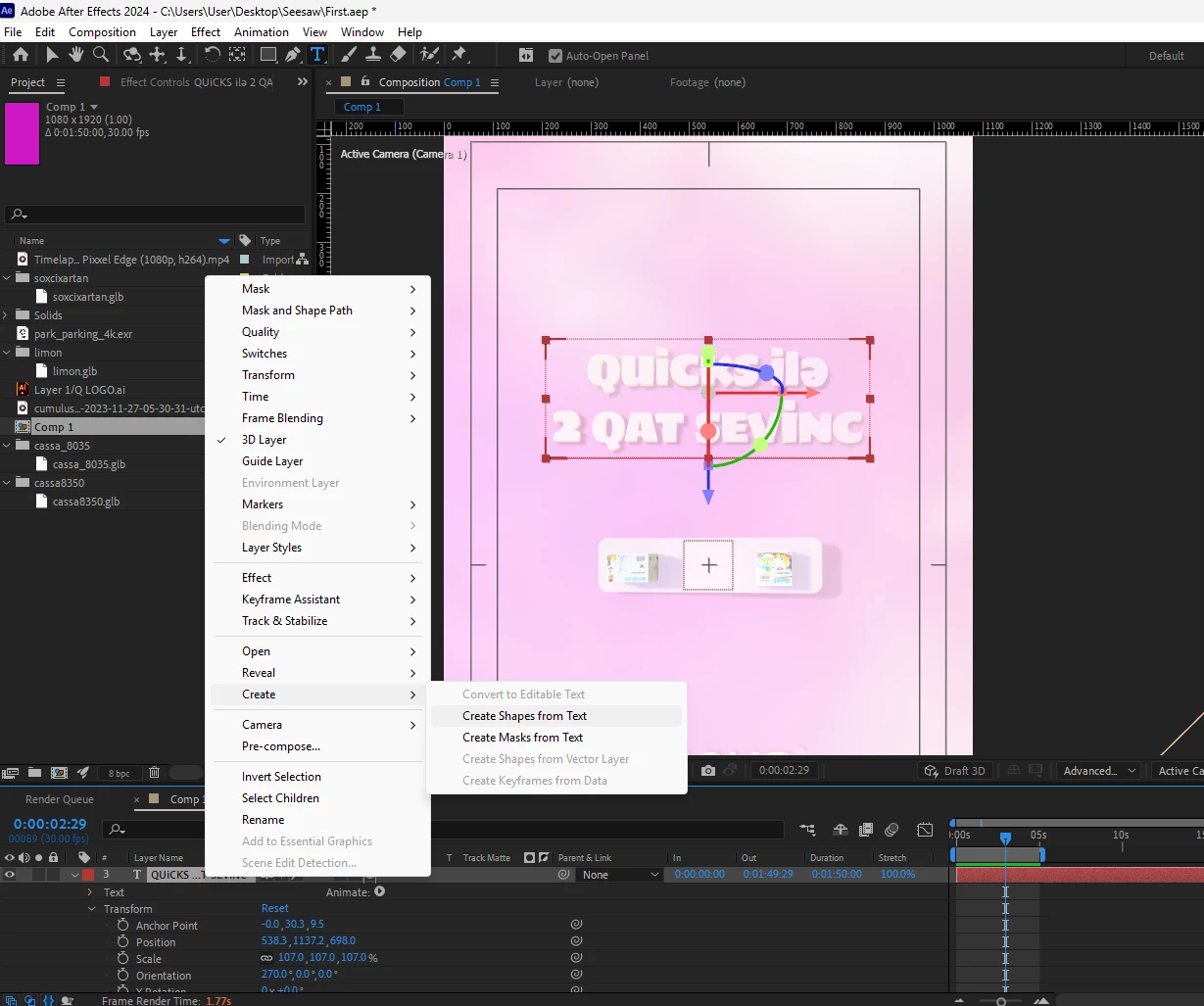
    I think the problem is the font type. I solved the problem by changing the text layer to shape. Try this.
    3 replies

    tahirasgarliCorrect answer
    Participant
    March 3, 2025

    I think the problem is the font type. I solved the problem by changing the text layer to shape. Try this.

    nishu_kush
    Legend
    October 18, 2019

    Hi there,


    Sorry for the trouble. We would need more information to diagnose the issue.
    1. Which version of After Effects you are using? Here is how you can find that: https://community.adobe.com/t5/After-Effects/FAQ-How-to-find-the-exact-version-of-After-Effects-you-re-using/td-p/9972137
    2. Which 3D Renderer you are working with? Is it Classic 3D, CINEMA 4D or Ray-traced 3D?
    3. Are you getting this issue with a particular font?
    4. What is the size of the text?
    5. Is there any camera in the composition?


    Thanks,
    NKush

    Participant
    July 9, 2021

    Pour ma part, c'était une précomposition avec des calques de forme en 3D classique qui faisait planter le software.
    J'ai du désactiver la 3D pour pouvoir calculer quelque chose...
    J'ai dû faire sans 3d dommage...

    Mylenium
    Legend
    October 17, 2019

    It pretty much means what it says - the font you are using is unsuitable. Either it indeed does contain too small areas that don't produce sufficient tesselation or it's simply a "bad" font with overly complex contour paths, open paths, duplicate ancher points. In the latter case the only way out - if you really need to use the font - would be to create the artwork as vectors in Illustrator, clean it up and import it into AE to be animated as normal 3D layers individually. If the font isn't critical, try to switch to a different font. Also try out different weights on your current font if avialable. Skinny "narrow" fonts may not work, but regular and bold versions might due to increasing the available areas.


    Mylenium
