nishu_kush
Community Manager
Community Manager
June 12, 2025
Question

After Effects 25.3 is now available to download!

  • June 12, 2025
  • 26 replies
  • 8144 views

Welcome to After Effects 25.3


A new update has arrived—After Effects 25.3 is now officially live. While this version does not introduce a wide range of new features, it focuses on addressing key issues reported by users. Several significant bug fixes have been implemented to enhance overall application stability, reliability, and performance.


New in 25.3


Here are the new features coming with version 25.3
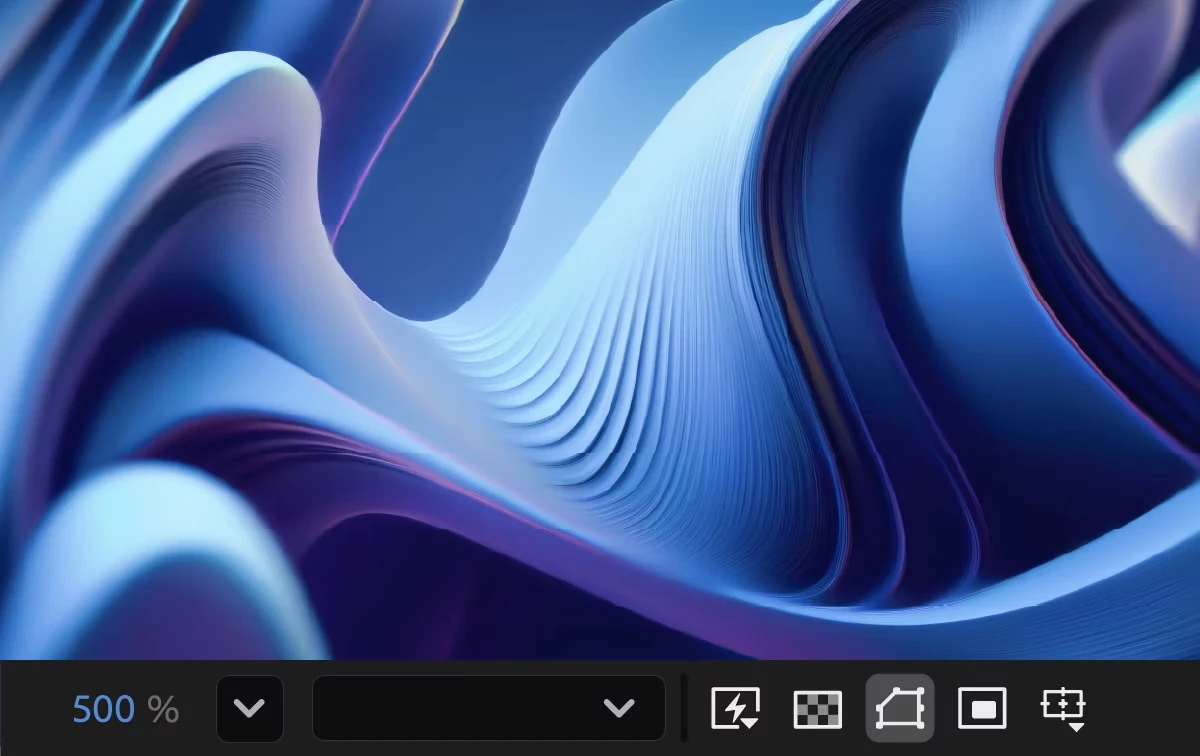
 

Smooth Zoom

Experience smooth and fluid magnification while scrolling, using pinch-to-zoom, or scrubbing with the Zoom tool in the CompositionLayer, and Footage panels.

Reveal projects in the File System

Instantly reveal your project file's location, saving you time and effort by eliminating the need to search through the system folders manually.


Fixed issues in 25.3

 
  • Selecting Help > Reveal Logging Files more than 24 hours after enabling logging no longer causes After Effects to crash.
  • Viewport interactions no longer experience lag on systems with AMD GPUs.
  • Cache Before Playback in the Preview panel now functions correctly, ensuring the timeline fully caches before playback begins.
  • The view no longer shifts left when resizing the Composition, Footage, or Layer panel with rulers visible.
  • The Animation Options name in the Timeline panel now correctly updates in the Properties panel when changed to None.
  • Improved selection and interactive performance when working with many Shape layers.
  • The Info panel now correctly displays over-range values for colors when hovering over a solid in a 32-bpc composition.
  • The Render Quality slider is now responsive when adjusting in Advanced 3D comps that contain many 3D Shape layers.
  • The properties of selected layers now continue to be shown in the Properties panel when orbiting or moving the Default camera view.
  • The keyboard shortcut for Split New Viewer and Toggle Lock now matches the View > Split with New Locked Viewer menu command.
  • The warning when deleting an in-use footage item now correctly refers to the number of instances, rather than the number of compositions.
  • Alt-double-clicking the Zoom tool now instantly centers the view without delay.
  • After Effects no longer crashes when using Advanced 3D on systems where the Windows user folder name contains Unicode characters.
  • Dragging files from the list of files into the thumbnail or summary area now correctly moves them to the top of the hierarchy.


26 replies

Participant
August 2, 2025

Why Braw doesnt work with this update ?

nishu_kush
Community Manager
Community Manager
August 4, 2025

It seems to be working fine on my end. Are there any error messages?


Thanks,
Nishu

rtdc
Known Participant
July 29, 2025

@nishu_kush Why Adobe suddenly decided to destroy previous zoom behavior?
Photoshop and Illustrator both use Alt + Zoom to zoom on cursor. Why break this behavior across CC apps? 
Even with Legecy setting turned on, zooming (followong cursor) doesn't work using Alt + Scroll like it was before. I understand that you can now simply point and zoom on cursor without using Alt key at all, but it breaks my brain. I'm still trying to use Alt key because it is engraved into my brain, and it doesn't do what I want. Why for Legacy setting you couldn't fallback to ALT key behavior?

Participant
July 22, 2025

After Effects 25.3 is out now—download to access new features and improvements!

Participant
July 16, 2025

When attempting to launch Adobe After Effects 2025 on Windows 11, the following error message appears:

C:\Program Files\Adobe\Adobe After Effects 2025\Support Files\VideoFrame.dll is either not designed to run on Windows or it contains an error. Try reinstalling the program using the original installation media or contact your system administrator or the software vendor for support. Error status 0xc000012f.

rjmora86
Participant
July 22, 2025

I had the same issue.
Finally was able to fix this issue doing using Adobe Creative Cloude Cleaner tool
https://helpx.adobe.com/creative-cloud/kb/cc-cleaner-tool-installation-problems.html

Hope that helps

Known Participant
July 7, 2025

Wouldn't it be nice to have smooth zoom but without the modifier key functionality being disabled?

Sterphy
Known Participant
July 1, 2025

Adobe really taking "move fast and break things" to the extreme. 

Joe_wpi
Inspiring
June 27, 2025

Blank frames, Glitched super contrast Frames, Basic Masks not working, Lumetri causing strech/scaling (very old glitch somehow re-introduced). Mask's tracked from Mohca AE randomly do not work, you see the outline, and if you increase the expansion by 100 the mask will work 100 times the size you want it to, which is not helpful at all. I cant believe Adobe released this build and havent issued refunds to customers that downloaded it. The most basic things are impossible on all of my workstations. Just trying to Ram preview footage without any effects on it cause glitched and dropped frames, ADOBE PLEASE TELL US HOW THIS LEVEL OF MESSUP GOT RELEASED. I cant go more than 5 minutes of the workday without encountering a project breaking bug.

Participant
June 27, 2025

I love that the feedback is "oh have you checked your drivers"... you've got to understand this isn't helping the matter. 


There are complaints across the board how 25.3 is unusable it's broken, it shouldn't have gone live. Yet, the update is still live, it shouldn't even be up. 

Participating Frequently
June 27, 2025

Thank you, because its really unproffesional for Adobe not understanding that 25.2 had zero problems until 25.3 damaged the cache and rotoscope functions.

Sterphy
Known Participant
June 27, 2025

Well, I wouldn't say it had zero problems

Ando0o0
Inspiring
June 25, 2025

PROFESSIONAL ARTISTS..... ATTENTION.... DO NOT UPDATE!!!! It is unuasable even with Pro res files. Yes Mp4 is problematic but this shouldnt be happening for Pro res files on mac. Even happend when you turn off mercury acceleration and use software render only. Roto brush will kill your footage. 

caroline_edits
Community Manager
Community Manager
June 25, 2025

Hey Ando0o0,

Let us know if you want some help troubleshooting your project with pro res files! You can make your own post on this community board with some details about the problems you're seeing. We'll do our best to help.


If rotobrush is causing problems with your footage, my first suggestion would be to check your GPU driver for updates. If that doesn't work, let us know!


Happy to help,

Caroline

Ando0o0
Inspiring
June 25, 2025
Thanks for the suggestion. There are no driver updates for M1 macs. Problem
does not happen in 25.2 so its just a software breaking update. Happens
with MP4, Pro Res, MXF, and DNxHD. The improvements are cool but 25.3 is
not recommended for professional use.
_nicdean
Community Expert
Community Expert
June 24, 2025

Keyboard shortcuts don't work with "Reveal projects in the File System". Please add this to the Keyboard Shortcut Editor

caroline_edits
Community Manager
Community Manager
June 24, 2025

Hey NicDean, thanks for the feedback! I saw you just created a post in the "Ideas" tab on the forum. Our product team checks that page regularly, so we'll get the right eyes on it. I upvoted it for you as well.


Thanks again for the feature request!

Caroline

_nicdean
Community Expert
Community Expert
June 24, 2025

thanks + you're welcome! Tryna make it as easy as possible to track in Jira and get fixed