
Answered
After effects CC: How to render a composition without 'square pixels' enabled and not changing footage aspect ratios?
Hi there,
The last time I used Adobe After effects was in 2004 and I returned to use it recently and I forgot about some good practices.
I have a project with 5 compositions with the following settings:
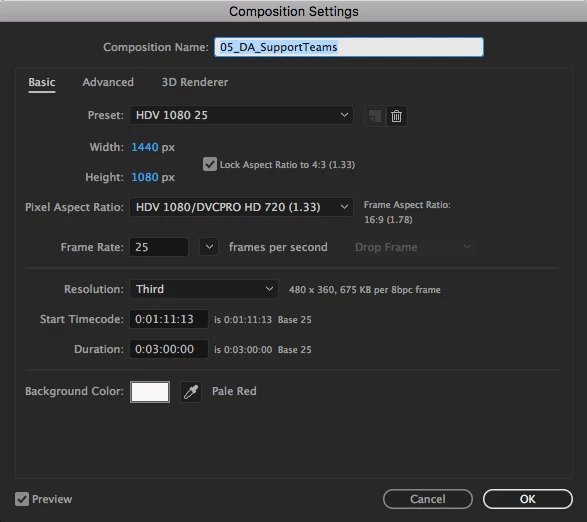
In the preview I manually adjusted the footages scale and it looks like the original image in illustrator and png files.
But when I render with the settings below:

The output file appears with different aspect ratio, with a width higher than expected.
Now I know I should have used 'squared pixel', but if I try to use it in the current composition, every footage gets messed up with sizes and positions.
Is there a way to fix the rendering output without enabling squared pixel and !manually adjusting size and position of every layer?
Thanks!
 AdChoices