

MARK18676640
Participating Frequently
July 24, 2023
Question

After Effects error: Code (A_Err_GENERIC) with Cineware and AE 23.5

  • July 24, 2023
  • 1 reply
  • 2194 views

I want to open an AE file that uses an imported C4D file and camera that I created just 2 weeks ago, but I can't open it anymore - neither on my Mac Studio nor on my MacBook Pro, which is quite embarrassing. The error message that appears does not help much, since both C4D 2023.2.1 and the Cinema 4D add-on for AE are installed. It's really strange, because it worked just 2 weeks ago! 
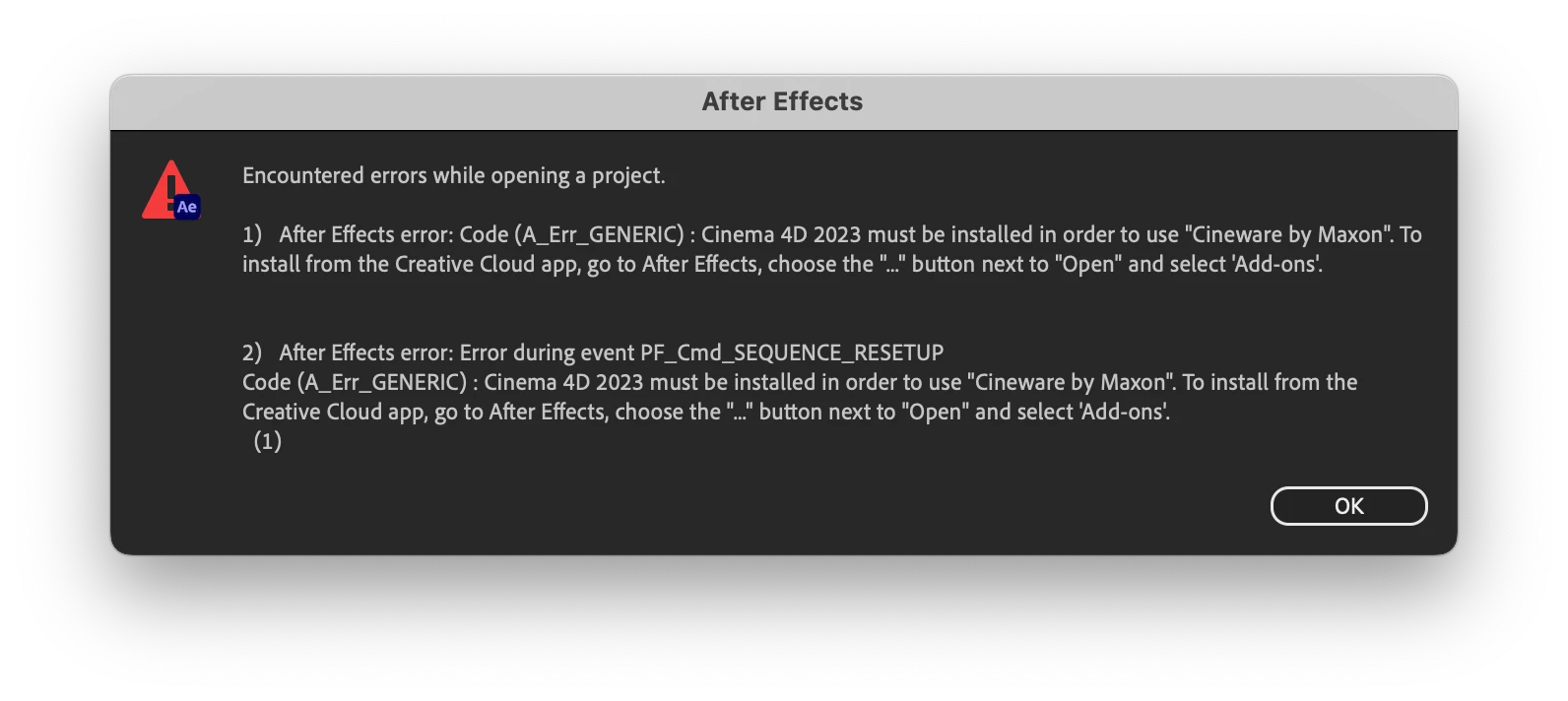
I'm not sure if this error occurs due to the AE update to version 23.5. But even if I update to the latest version C4D 2023.2.2 or return to the previous AE version 23.4, it now doesn't work anymore. 


I'm pretty stuck here. Any help/suggestions?

This topic has been closed for replies.

1 reply

nishu_kush
Community Manager
Community Manager
July 25, 2023

Hi Mark,


Sorry for your issue.

Can you try the suggestion mentioned in the following thread: https://community.adobe.com/t5/after-effects-discussions/after-effects-aegp-plugin-cineware-scenelayer-no-cinema-4d-installation-was-found-5027-12/td-p/10988477

Let us know how it goes.

Note: Moving this thread from Bugs to Discussions for troubleshooting.


Thanks,

Nishu

MARK18676640
Participating Frequently
July 25, 2023

Hi Nishu,

thanks for your reply. Unfortuantely this does not work. I can't apply the Cineware effect to bring up the Effect Controls panel – same error. Working with the newest versions Cinema 2023.2.2 and AE 23.5. It's really strange, because this has never been an issue before. 

ToolfarmJP
Community Expert
Community Expert
July 26, 2023

Would you update it from maxon.net?


https://www.maxon.net/en/downloads