


Inspiring
November 27, 2023
Answered

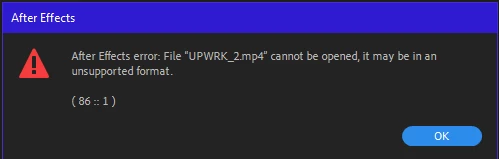
After Effects error: File "name.mp4" cannot be opened, it may be in an unsuppoted format. (86 :: 1)

  • November 27, 2023
  • 21 replies
  • 3610 views

Recently, After Effects has been giving errors with almost all video file formats.
Does anyone know how to solve this issue?

P.S.: I've already tried fixing it using YouTube tutorials (changing the file extension to .avi, running the video through Media Encoder, restarting the computer), and none of it helps.
The Error:

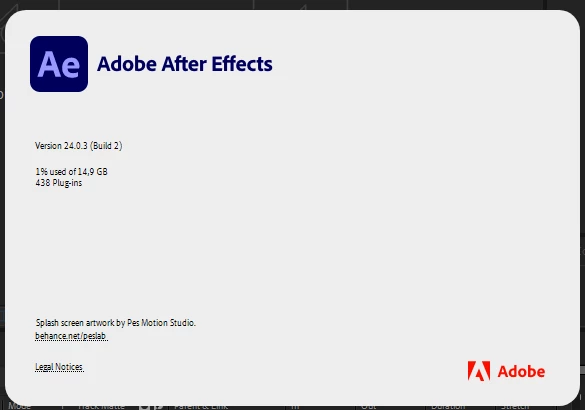
My AE version:
 

This topic has been closed for replies.
Correct answer ValeriiN

So, the issue is resolved.
Honestly, I don't know how, but after the recent update, everything fixed itself.
Now, I can import all video formats again.
Thank you all for your attention.

21 replies

ValeriiNAuthor
Inspiring
November 29, 2023

I cleared the media cache, as you advised, but it didn't help 🤷
I also use Media Encoder and Premiere Pro (the latest versions), and I don't encounter such problems with these programs;
all video formats are imported without errors.

Participating Frequently
November 29, 2023

Hi @ValeriiN ,

Thanks for higlighting it. We haven't seen any such import issue internally of late, so we believe this may be related to some specific system/product state.  

Can you try clearing media cache ?You can check this old article for steps https://community.adobe.com/t5/after-effects-discussions/faq-how-to-clean-delete-or-trash-media-cache-files-in-after-effects/m-p/10634312

Moreover, please see if you can reproduce this issue on any other system too, and probably install Premiere Pro/Media Encoder from CC and verify there too ? 

We will continue try to reproduce this locally meanwhile.  

Thanks, 
Mayjain

ValeriiNAuthor
Inspiring
November 29, 2023

Sure, here is my CPU: AMD Ryzen 3 2200U with Radeon Vega Mobile Gfx   2.50 GHz.
It's very strange; last week, After Effects was working fine, and there were no such errors 🤔 🤔

November 28, 2023

I did receive the files, thanks. There are some warnings that we think might be causing the issue:

ippInit warning: ippStsNonIntelCpu: The target CPU is not Genuine Intel

Can you tell me more about your CPU? I can't imagine it's changed lately but potentially the newer AE versions are requiring something that your CPU doesn't support.  
ValeriiNAuthor
Inspiring
November 28, 2023

Hello.
Have you received my Reveal Logging File?
I've probably watched all the tutorials on YouTube, but nothing seems to help.
I can't use the program fully 😞

ValeriiNAuthor
Inspiring
November 27, 2023
November 27, 2023

Thanks. I was able to open the file on my Windows machine in AE 24.0.3. The built in windows video player wanted a HEVC codec installed to play it back though. Any chance you've installed other codecs recently that might be interferring? If you could enable logging (Help -> Enable Logging), reproduce the error, then find the log file (Help -> Reveal Logging File) and find the After Effects Log.txt file that might have something in it to tell us what's failing. 

ValeriiNAuthor
Inspiring
November 27, 2023
November 27, 2023

Can you share any files as samples for us to test? 

ValeriiNAuthor
Inspiring
November 27, 2023

Nope.
All files in formats such as .mov, .mp4, .avi, etc. are directly on my PC.