

After Effects referencing and old font that is no longer available
Hello Adobe Community,
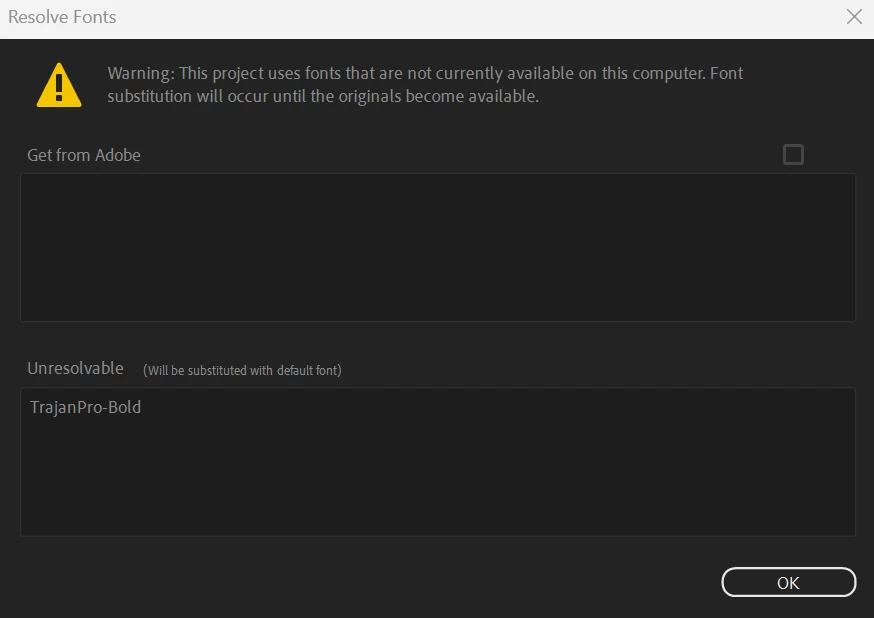
After Effects keeps generating an error message of a font that was discontinued over a year ago. In fact, this font has been completely replaced with "Trajan Pro 3 Semibold" across continuing projects. This particular project has no instance of selecting the Trajan Pro Bold in any way, shape. or form, not in any composition, not on any layer.
Unfortunately, this font can no longer be activated in CC just to simply load the font so its not looking for a font that is not even being used in the project. I believe it is a bug, because 'all' text has been checked three times over. Only Trajan Pro 3 Semibold and Eras Medium ITC Regular are used in this project, [period].
A snippet is attached. How do I simply tell AE to ditch the error message entirely?
Thank you for any help.
 AdChoices