dsdurrant
Participant
December 20, 2018
Question

Animating Line with 3D Tracking Help

  • December 20, 2018
  • 3 replies
  • 2356 views

Hey guys, I've searched and searched but can't find an answer to this particular question. I'm trying to animate a line along the path of a flying disc. I regularly do this from stationary cameras and use a solid layer with a pen tool drawn path. I generate a stroke and animate it with key frames along the path. Now, I'm trying to mimic this same effect, but with a camera that is zooming and following the frisbee through the air.

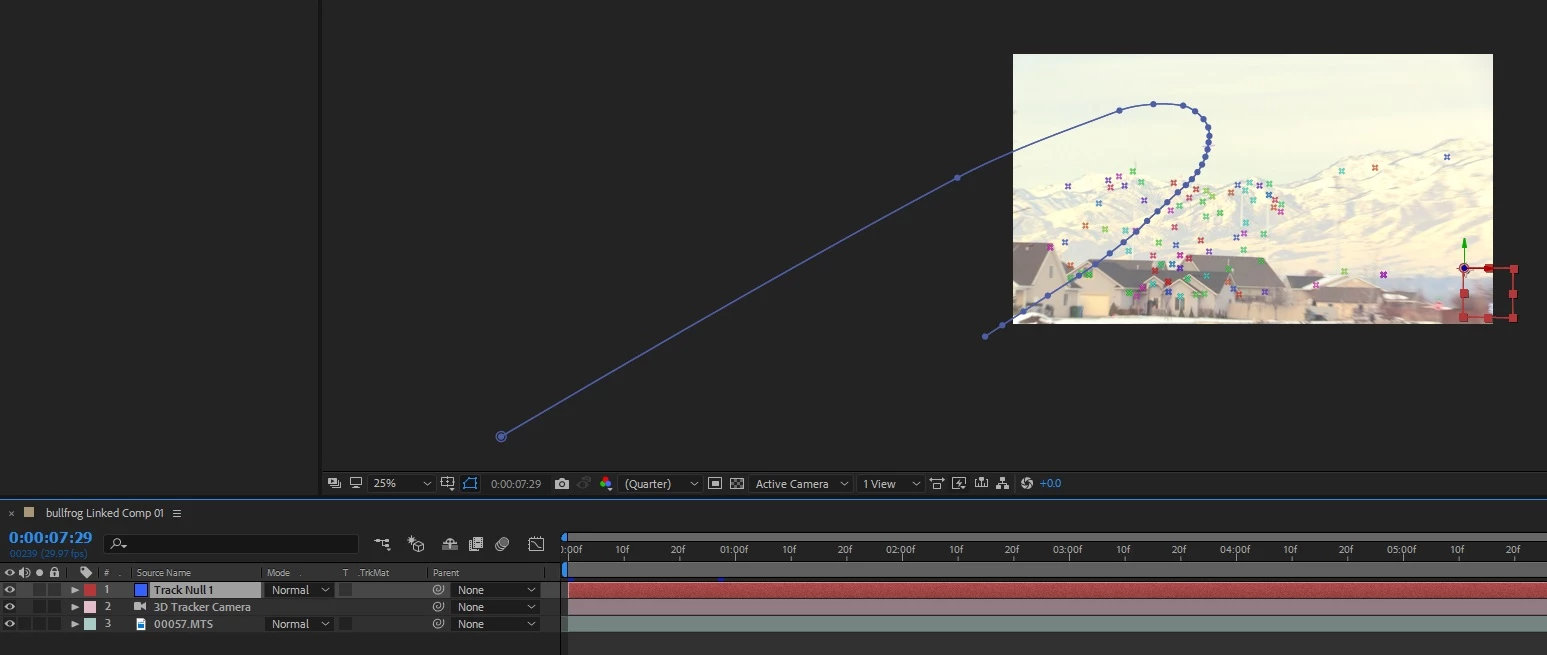
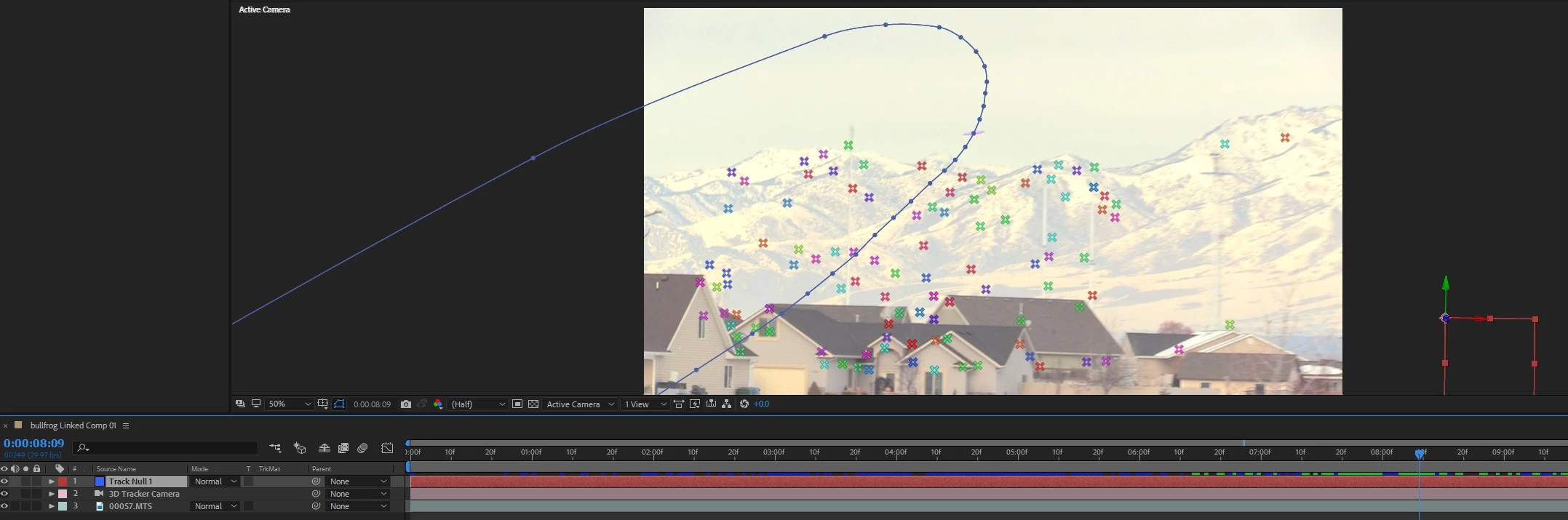
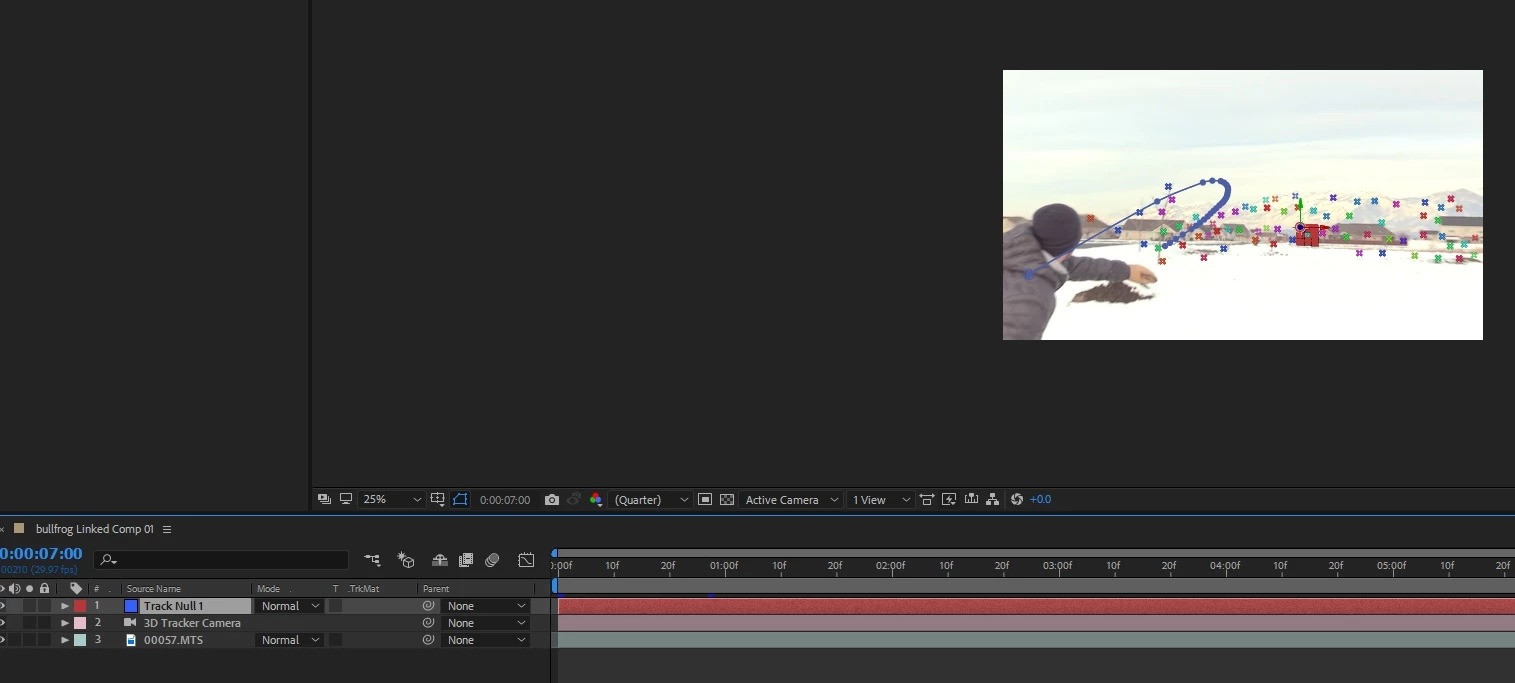
I have camera tracked the clip and have some good 3D tracking points. I selected three of them and created a null layer. On this null layer I drew a path that follows the flight of the disc through the air with the 3D tracking. What I cannot figure out is how to properly animate a line in 3D space that follows the flight of the disc. I tried creating a solid layer from the 3D tracked points, but the more the camera zooms in, the more the solid gets blurry and the generate stroke gets very blurry and doesn't work.

Is there a way to make a shape layer and attach it to the 3D traced path? Can I use trim paths tool to animate the line through the air while the camera zooms. The line will be leaving the frame as the camera zooms, and that is fine. I don't want the line itself to become blurry from zooming, but to just remain locked to the 3D tracked background.

TL;DR - Need to animate a line that follows a frisbee through the air. I 3D tracked the scene and created a null layer. Then drew a path on the null (seems to be paired to the 3D camera). The path zooms with the camera. I need to animate along this path without the animated line getting blurry as it zooms in.

EDIT: Something like this would be amazing. Hole-by-Hole flyover with ball trace animation sample on Vimeo

Thanks!!
This topic has been closed for replies.

3 replies

Mo Moolla
Legend
December 22, 2018

Did this test for you. Line remained perfectly crisp throughout the cam movement. No particles used. The line was a simple pen line drawn.

I will upload the vid tomorrow as its 3am here and I need to get some sleep

Mo

Community Expert
December 22, 2018

Just looking at your shot I would probably motion stabilize the shot so there is no motion in the shot, then just draw a path the way you want it to be, then add a null and tie the position of the null to the Anchor Point of the motion stabilized shot, then parent the path and the stabilized shot to the null. This will put the motion back into the footage and add the camera motion to the shape layer.

I think it might be a lot easier than trying to do some camera tracking. I would have to actually see the shot to be sure.

Mo Moolla
Legend
December 22, 2018

Rick Gerard​ I was wondering why the OP camera tracked with 3D points when I saw the pics. I also would just motion track but like u said it’s difficult to make the call without seeing the shot. Maybe it needs stabilization etc.

OP can u upload a small clip showing us the shot plz

Mo Moolla
Legend
December 21, 2018

Is your DOF (Depth of Field) enabled on your camera settings?

If its is the closer the camera moves to the object the more blurred it will get.

You can counter this by key framing the focal point of the camera

The zoom on the camera will also affect this so please check that setting as well

Mo

dsdurrant
dsdurrantAuthor
Participant
December 21, 2018

It is not. But it still gets blurred when it's moving in, and the stroke gets bigger. Is there anyway to have a layer be 3D, moving with the camera tracker, but not change stroke width? The camera does have a lot of zoom, from about 1000px to 20000px, so the change is pretty drastic. Looking for a way to draw a line that doesn't change width, but still moves around as the camera moves.

Participating Frequently
December 21, 2018

Hi. Two thoughts: use a particle system that's creating a solid line as the emitter travels, or have a look at

Buy Red Giant Trapcode 3D Stroke | 3D Lines Plugin for After Effects

dsdurrant
dsdurrantAuthor
Participant
December 21, 2018

I will look more into a particle system, good idea. I watched some videos on the Trapcode 3D Stroke, but I'm not seeing how I would be able to apply it to a 3D camera that is moving without it still getting blown up in size. Hmmm.