Participant
April 16, 2020
Question

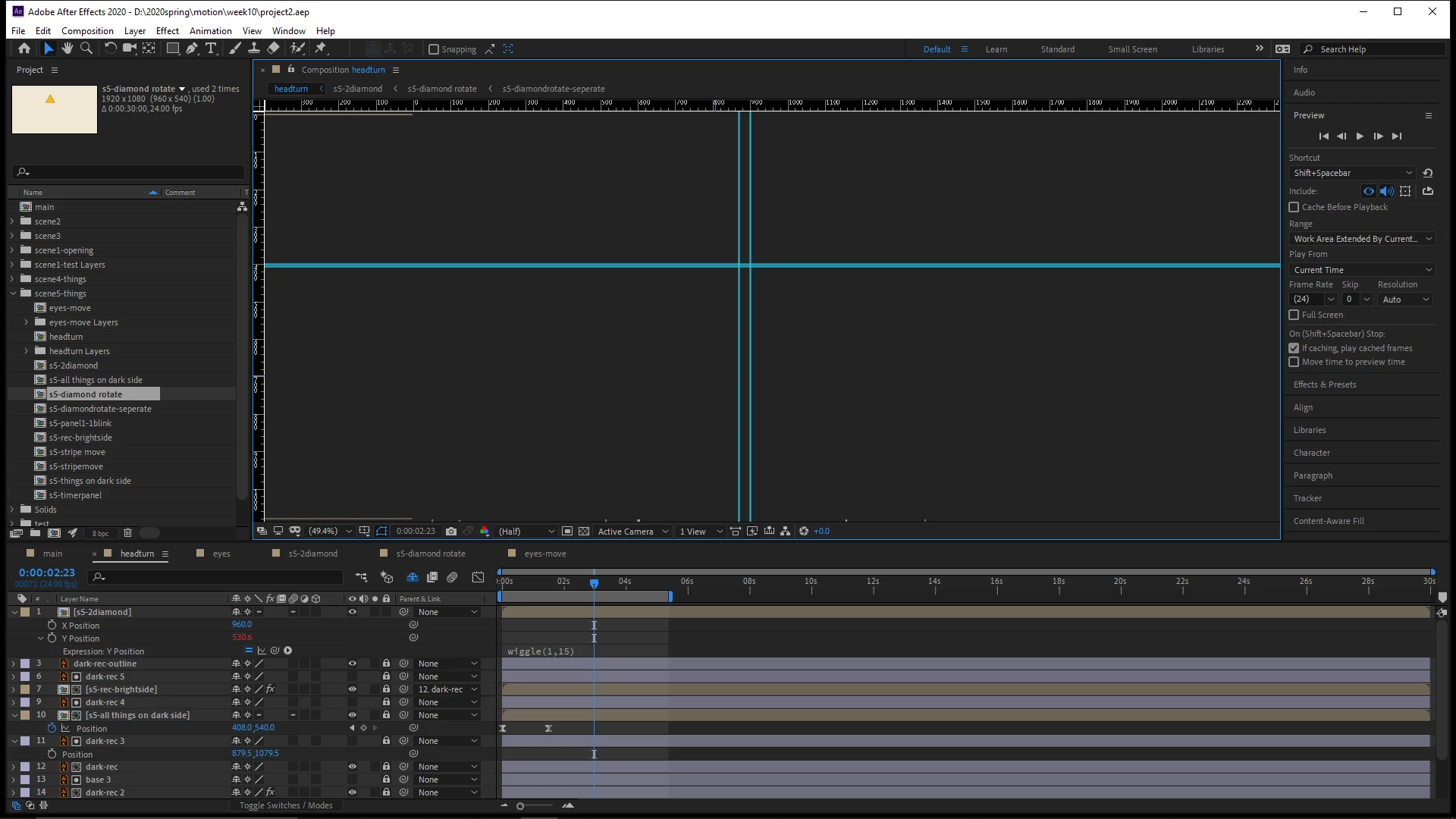
Black screen in AE

  • April 16, 2020
  • 1 reply
  • 384 views

I am running into issue that I cant see anything in my ae preview windows. 

I know this question has been asked before and I tried every solution but none of them worked!

And I tried open my other project in ae, the preview window is not black, it work perfectly. 

Maybe I guess it's my project went wrong, or something else.

Could anyone know how to fix this?

Thank you so much!
This topic has been closed for replies.

1 reply

nishu_kush
Legend
April 16, 2020

Hi there,


Sorry for your issue.

Did you try the suggestion mentioned in the following community post: https://community.adobe.com/t5/after-effects/composition-screen-frozen-and-not-displaying-timeline/m-p/10963374?page=1#M105479

If yes and it didn't help, please share the following information so that we can investigate further

What is the exact version of After Effects are you using: https://community.adobe.com/t5/after-effects/faq-how-to-find-the-exact-version-of-after-effects-you-re-using/td-p/9972137?page=1

Are you getting this issue with a particular project? Do you get the issue in a new project as well?


Let us know, we're here to help.


Thanks,

Nishu


HHzzzAuthor
Participant
April 16, 2020

Hi Nishu,

I tried reset the trash preference in ae, but the problem is still the same. 

And there is a loading bar in the preview window.

One more issue is that I tried to quit After Effects, my computer is not responding, which means my computer stucked 

in closing ae. However, when I open other project, everything works fine, no black screen, no stucking situation.

I am using Alienware Aurora R8. But when I open the same project in my macbook, no black screen happened.

Maybe it's something went wrong with my computer?

My after effects version is 17.06. 

Thanks!