


Participant
Aug 25, 2020 11:07 AM UTC
Answered

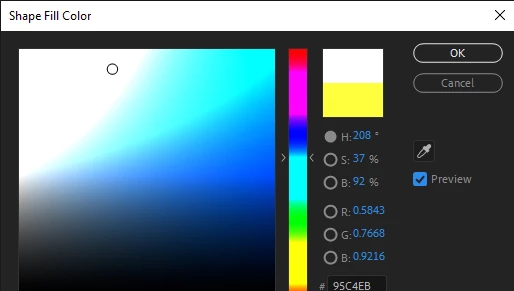
color picker gets weird

can you guys tell me how to make it to default?

this color picker made me so crazy.

i use after effect 2020

i tried to reset preference setting but nothing happen
EDIT:

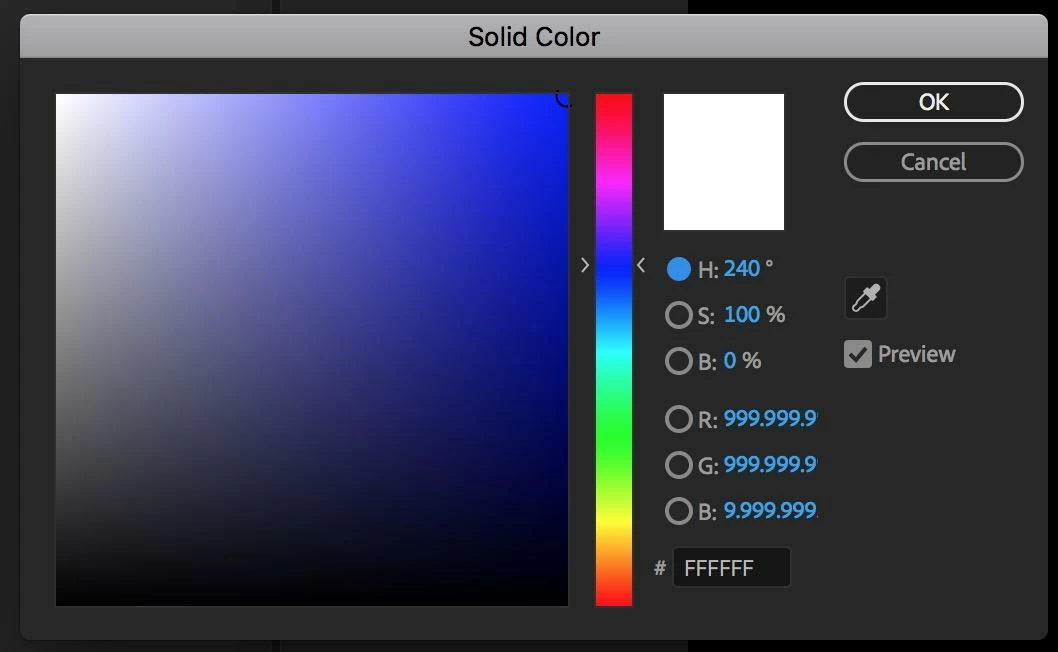
so what it make me crazy is the preview of the color

so here is the comparasion of what i meant by 'default'
Rick GerardCorrect answer
Community Expert
Aug 25, 2020 6:06 PM UTC

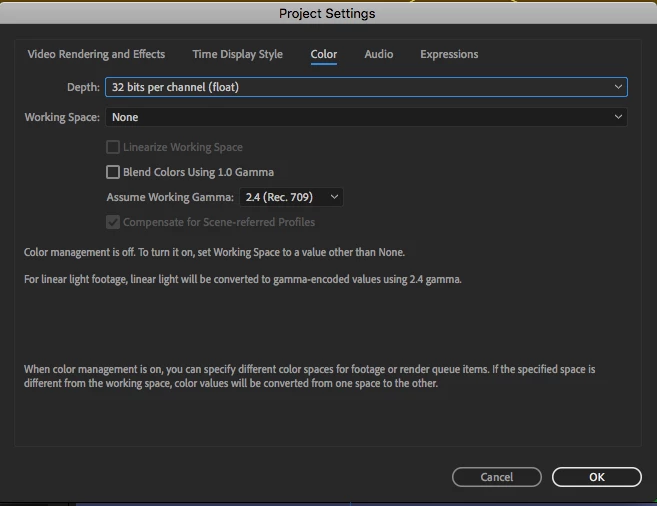
It looks to me like your Project Settings / Color panel is fouled up. You can find it by pressing Shift + Alt/Option + Ctrl/Cmnd + k and opening Color. The working space is probably set to something other than NONE. Unless you are using color management throughout the entire production pipeline and you know what you are doing the Working space should always be set to None.

7 replies

Rick GerardCommunity ExpertCorrect answer
Community Expert
Aug 25, 2020 6:06 PM UTC

It looks to me like your Project Settings / Color panel is fouled up. You can find it by pressing Shift + Alt/Option + Ctrl/Cmnd + k and opening Color. The working space is probably set to something other than NONE. Unless you are using color management throughout the entire production pipeline and you know what you are doing the Working space should always be set to None.

Translate
Participant
Aug 26, 2020 3:42 AM UTC

It works! thank you very much 🙂

Translate
Mo Moolla
Legend
Aug 25, 2020 2:07 PM UTC

Hi


I am trying to understand what you want to make "default" and why has the color picker driven you crazy. 

I dont see anythig wrong woth the pic you posted.

As @davidarbor has mentioned the only area you can change is the 32bpc (bits per channel) settings.


Mo

Translate
Participant
Aug 25, 2020 2:46 PM UTC

post has been edited

sorry the question is not clear 🙂

Translate
Inspiring
Aug 25, 2020 12:56 PM UTC

Are you talking about the crazy colors or the RGB decimal values? If it's the decimals, then that indicates that you're working in 32-bpc. At the bottom of your Project panel does it say "32-bpc?" If so you can click that button to change the setting, or a handy shortcut (and maybe what you did accidentally is) hold "Opt" while clicking it to switch project bit depths.


If you're talking aobut the weird colors then I would check your monitor settings or GPU driver. Do any other colors look like that?

Translate
Participant
Aug 25, 2020 2:44 PM UTC

no, only color picker in after effect gets this weird looking

i changed the depth color but nothing happen

Translate