


Inspiring
February 6, 2024
Answered

GLB object cast shadow

  • February 6, 2024
  • 1 reply
  • 1667 views

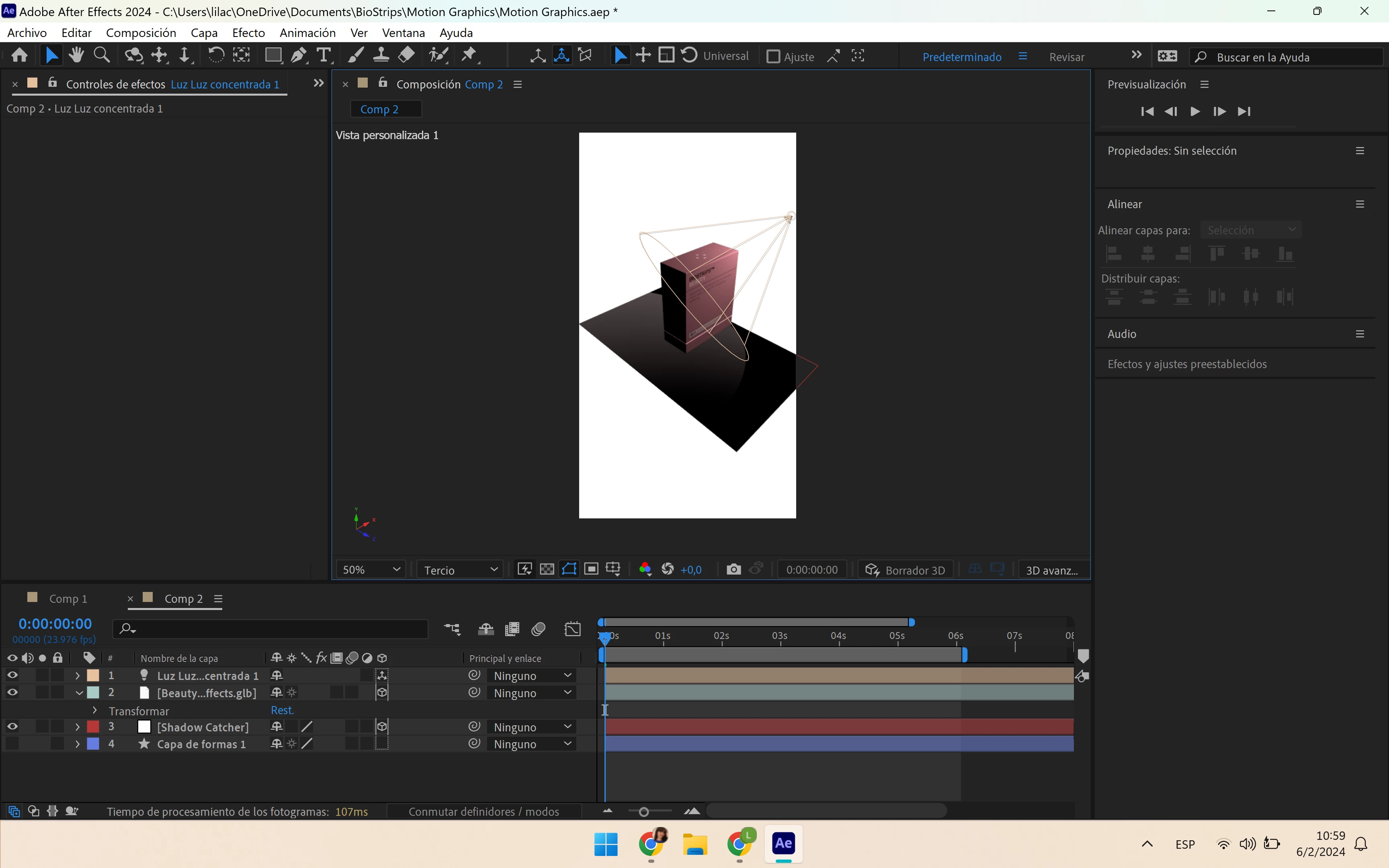
Hi! I'm new to working in the 3D workspace and I'm running into an issue. 


I am using a very simple 3D object in .glb format. I want this object to cast a shadow. I have created a point light and shadow catcher from a white solid (and enabled Accept Shadows), but this doesn't seem to work with the Advanced 3D engine. When I switch to classic 3D, my object no longer appears.  I can cast shadows on the shadow catcher from other 3D layers made in AE but not from imported 3D objects. Since AE accepts importing 3D objects I'm guessing casting a shadow is surely possible?


Thanks in advance for any help!


This topic has been closed for replies.
Correct answer Rick Gerard

The Advanced 3D workspace is in its infancy. Direct use of 3D lights on 3D objects is not yet supported. Object-based lighting is. There is a good explanation of the workflow by Eran Stern right here on the forum. You'll find it here: Image-based Lighting in After Effects - Video Tutorial by Eran Stern

1 reply

Rick GerardCommunity ExpertCorrect answer
Community Expert
February 6, 2024

The Advanced 3D workspace is in its infancy. Direct use of 3D lights on 3D objects is not yet supported. Object-based lighting is. There is a good explanation of the workflow by Eran Stern right here on the forum. You'll find it here: Image-based Lighting in After Effects - Video Tutorial by Eran Stern

chamililaAuthor
Inspiring
February 6, 2024

Thank you so much!