


Participant
November 28, 2018
Answered

motion blur darkens footage in after effects cc 2018

  • November 28, 2018
  • 5 replies
  • 3400 views

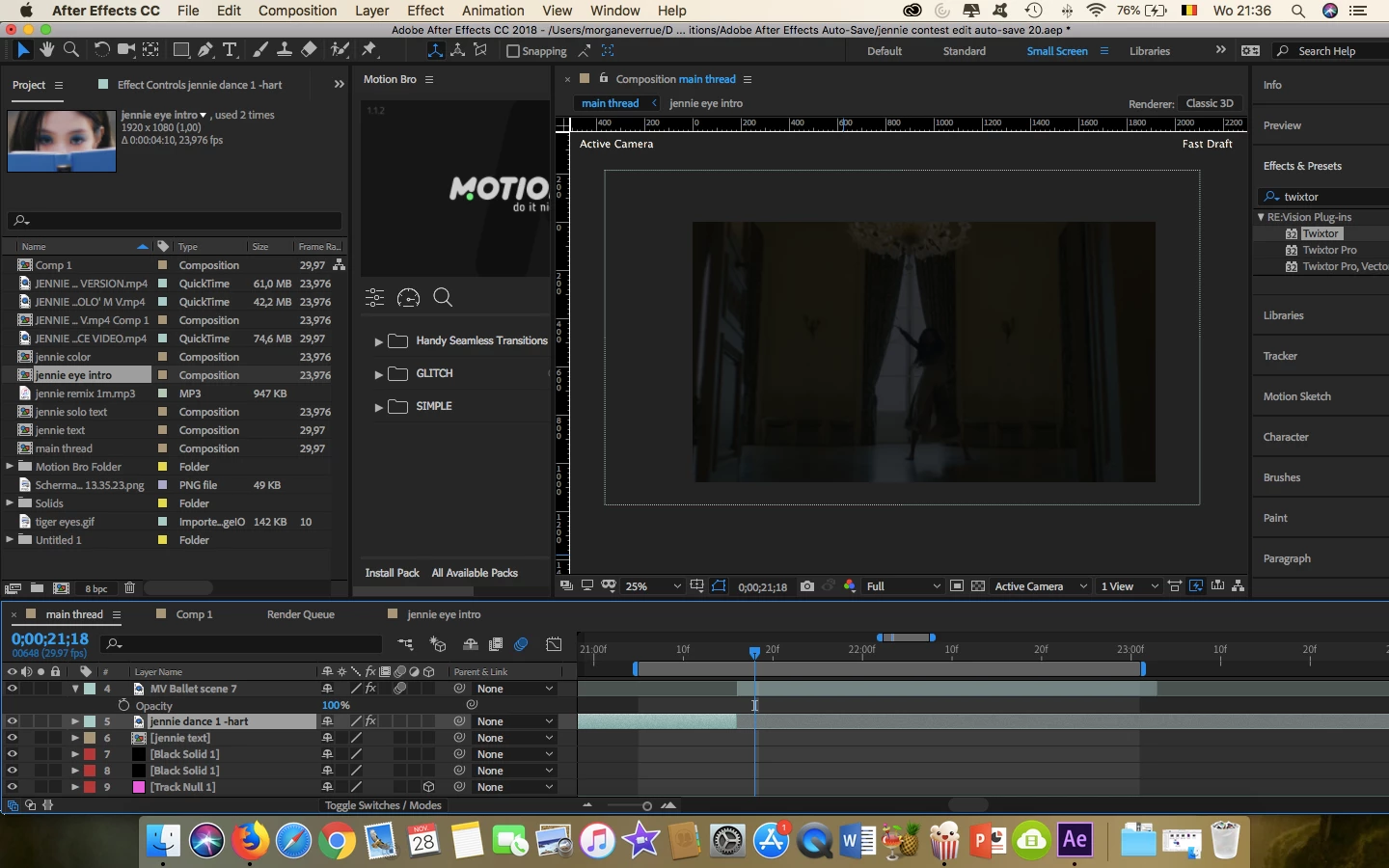
Whenever I try to put motion blur on my footage, it darkens it while the opacity is still at 100%.

I did add a twixtor effect but I'm not sure if that's the problem because when I delete the effect, it remains dark.

What am I doing wrong?
This topic has been closed for replies.
Correct answer Mo Moolla

Twixtor is causing this issue. Its an interpolation problem.

I also apply Twixtor to a solid and never to footage unless I do it in PP

Try adding Twixtor to a solid layer and set footage as source.

Rick Gerard

5 replies

Participant
April 28, 2021

I have the same problem except when I turn off twixtor, the footage is still dark. I tried pre composing and then adding motion blur but it's not working. 

Mo Moolla
Mo MoollaCorrect answer
Legend
November 29, 2018

Twixtor is causing this issue. Its an interpolation problem.

I also apply Twixtor to a solid and never to footage unless I do it in PP

Try adding Twixtor to a solid layer and set footage as source.

Rick Gerard

Participant
December 3, 2018

This helped, thank you

Participant
November 29, 2018

yes i need to use motion blur on that

Community Expert
November 29, 2018

I don't see any keyframes for position or scale so Motion Blur has no motion in Layer 4 to work with. It should not be doing anything to the layer. If you disable Twixtor by just clicking the FX icon in the timeline does the layer return to normal? If it does then there is some weird interaction going on with Twixtor and Motion blur.

I never apply Twixtor directly to the footage. I apply it to a solid then set the footage layer as the source. It solves a bunch of potential problems, especially when you really mess with the speed of the clip. It also respects the in-point of the layer. Give that a try. If you need to adjust the position or scale, or even animate anything else in the footage just apply those transforms to the solid layer.

I cannot reproduce the error with Twixtor or Twixtor Pro.

Community Expert
November 28, 2018

thibautv959047  wrote

...

I did add a twixtor effect but I'm not sure if that's the problem because when I delete the effect, it remains dark.

What am I doing wrong?

I don't know because I can't see the modified properties of the layer that is giving you problems. Select the layer, press the U key twice to reveal all modified properties, purge all memory and disk cache and start turning things off or resetting parameters until the problem goes away. if you can't figure out post a screenshot that shows us what you have done to the layer. There is a really good chance it's just user error.

Participant
November 29, 2018

@RickGerard here's a screenshot from the other properties

It only happens when I enable the motion blur for all layers, not for one single layer

it's really strange

Dave_LaRonde
Inspiring
November 28, 2018

It looks like you're just cutting from shot to shot.  Do you need the motion blur on that layer?