
MG APEX G.
Participant
March 18, 2019
Answered

Quicktime MOV ANIMATION quality

  • March 18, 2019
  • 2 replies
  • 3598 views

I'm actually working with AfterEffects CC 2019 v16.0.1 and i'm unable to control the Basic Video Settings of a Quicktime RGB+Alpha Animation codec. I would like to bring the Quality down to 50% but the slider is disabled. i know in older versions this was still posible,
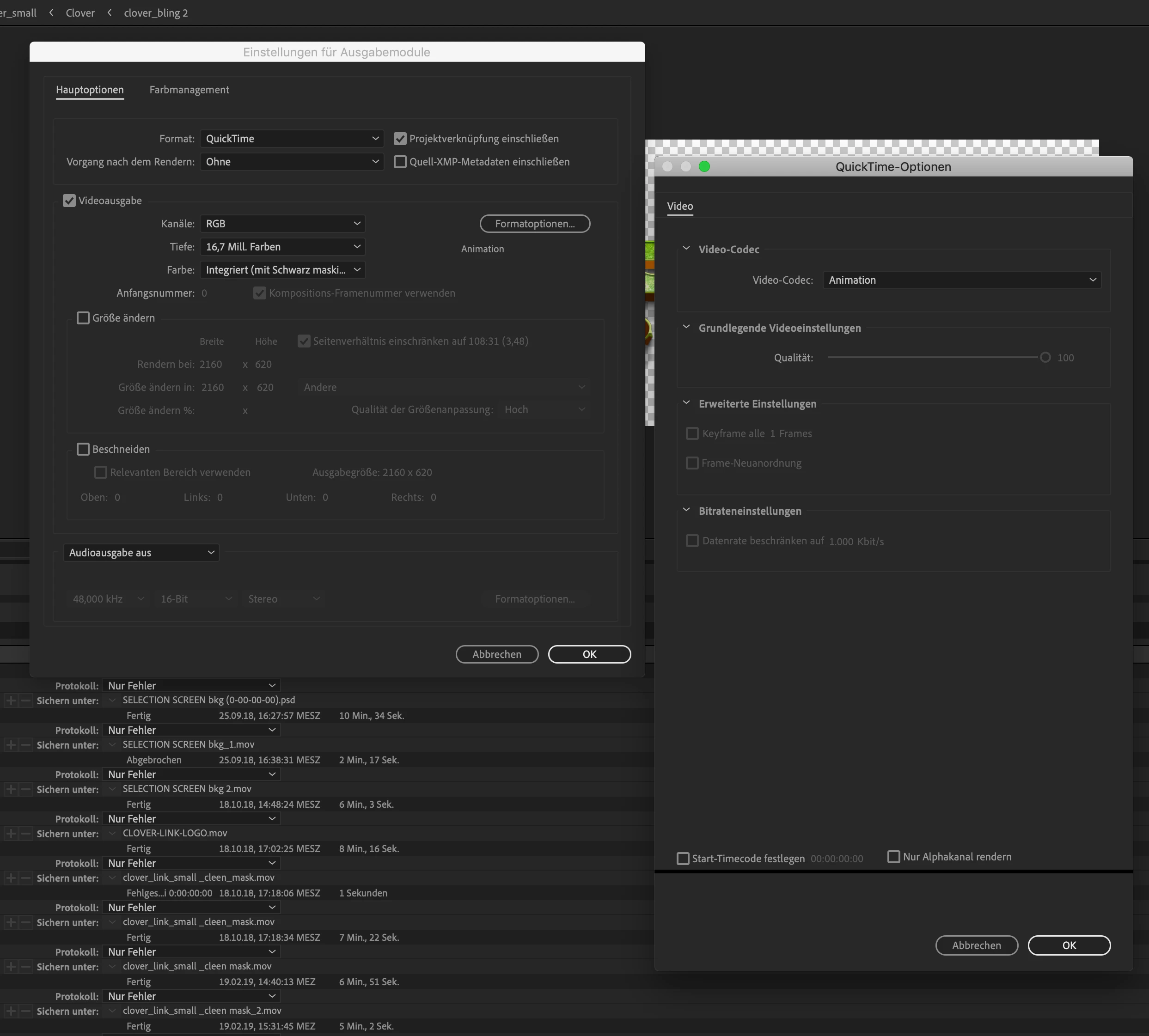

im working with an IMac 5k and allrady tryed to install AppleIntermediateCodec but it stops in the instalation (it says there is no need to upate there) so how do i get it to work ?

is there annywere a guide to solve this, its inportend to keep the animation codex and movi file format with RGB mask, seems our programers are not able to change that
like i said in older versions no prolem in newer versions not able to change that sadly i can only work what my company provides me and want not to pay for a older cs =/

so hoping to find a way to get around that issu

    This topic has been closed for replies.
    Correct answer Mylenium

    Unfortunately not. all that stuff is handled through a compatibility layer ever since Apple declared QT dead and thus some settings are simply not available. If it's that critical, you will have to rely on external tools to convert your footage to the required specs. Can't see why this should be a problem, though. Unless you also reduce the color palette, the Animation CoDec's quality setting usually has little to no effect on the actual output file size.

    Mylenium

    2 replies

    Shivangi_Gupta
    Community Manager
    Community Manager
    March 18, 2019

    Hi MG APEX G.,

    Thanks for reaching out. I understand that you are trying to export an After Effects composition in Quicktime format with RGB+Alpha Animation codec.

    As Mylenium suggested above, the option to change the quality values with the Animation codec is unavailable, because it is already a compressed codec.

    Under Quicktime format, only GoPro CineForm codec offers us to make changes to the quality. It is mainly used for the high-resolution files for films and television industry. You can have a look at this article for reference: Using the GoPro CineForm codec in After Effects

    Thanks,

    Shivangi

    Mylenium
    MyleniumCorrect answer
    Legend
    March 18, 2019

    Unfortunately not. all that stuff is handled through a compatibility layer ever since Apple declared QT dead and thus some settings are simply not available. If it's that critical, you will have to rely on external tools to convert your footage to the required specs. Can't see why this should be a problem, though. Unless you also reduce the color palette, the Animation CoDec's quality setting usually has little to no effect on the actual output file size.

    Mylenium