
Participant
May 29, 2022
Question

Removing Shadow of Object From Film

  • May 29, 2022
  • 2 replies
  • 1846 views

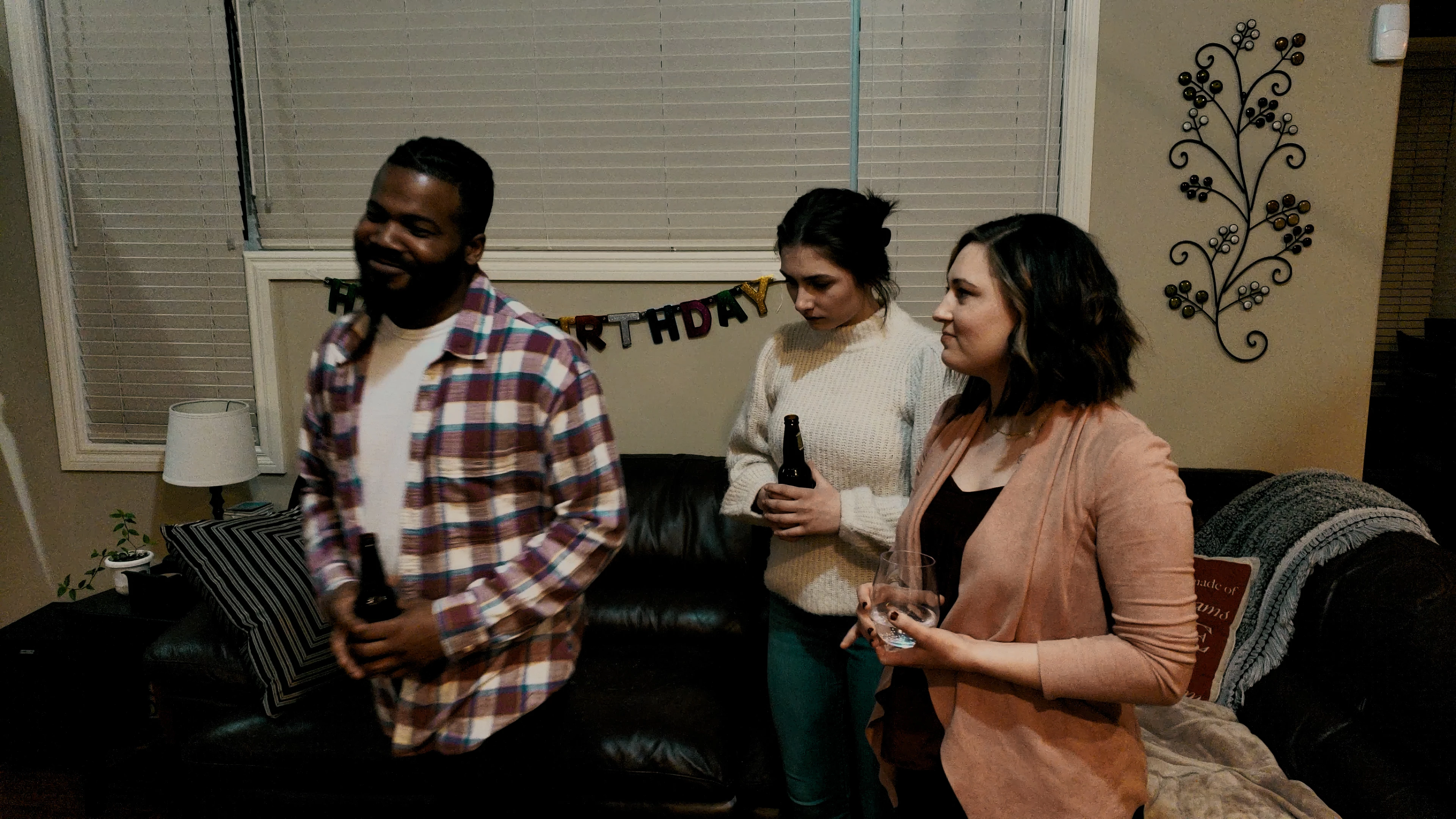
I have a fairly basic skill level at Premiere Pro, and have just completed my first independent film.  Unfortunately, there are a few instances from a few takes where the shadow of our boom mic appears.  What's the easiest or best way to remove this shadow without impacting the background surrounding the shadow?

I've used the opacity tool to create a mask around the shadow, but the shadow moves... thus I drew a bigger mask.  I've tried a few lighting adjustments, but any slightly better adjustment seems to degrade the background.

Anyone know the best way to tackle this?

As you can see below in the upper right of the screen above the ladies' heads, the boom passes over the blinds and the wall... and sometimes moves... or, the camera is moving - this is a moving shadow.
This topic has been closed for replies.

2 replies

Community Expert
May 30, 2022

If the camera is not moving, the easiest thing to do is to find a frame where there is no shadow, duplicate the layer, use the Layer/Time/Freeze Frame menu to create a clean frame on the top copy of the layer, then add a mask so the action can continue below the repaired section of wall.


If the camera moves and the shadow does not fall on an actor, you can use a similar technique. You have to do some motion tracking or camera tracking to make the repair follow the camera movement. It gets a little more complicated.


On some shots, but not on the shot you embedded in your post, Content-Aware Fill may be a viable solution, but it can be slow, requires a specific set of circumstances in the shot, and may need you to create reference frames. You might be able to make CAF work on your example shot, but the other techniques would be faster and more reliable. 


Suppose a blood shadow crosses an actor's face. In that case, you are faced with many problems that require many techniques, including Motion Tracking with Mocha AE, Rotoscope, the use of the Clone tool, and a combination of several other workflows. I recently worked on a feature film that had a similar problem, removing something from an actor's face, and it took me about 200 hours to repair about three minutes of video. If you have a boom shadow moving across an actor, we need to see the whole shot to point you to an efficient solution.

Community Expert
May 30, 2022