Debbie8675309
Participant
January 27, 2020
해결됨

Resizing layers to match - can't locate layer to resize :(

  • January 27, 2020
  • 1 답변
  • 576 조회

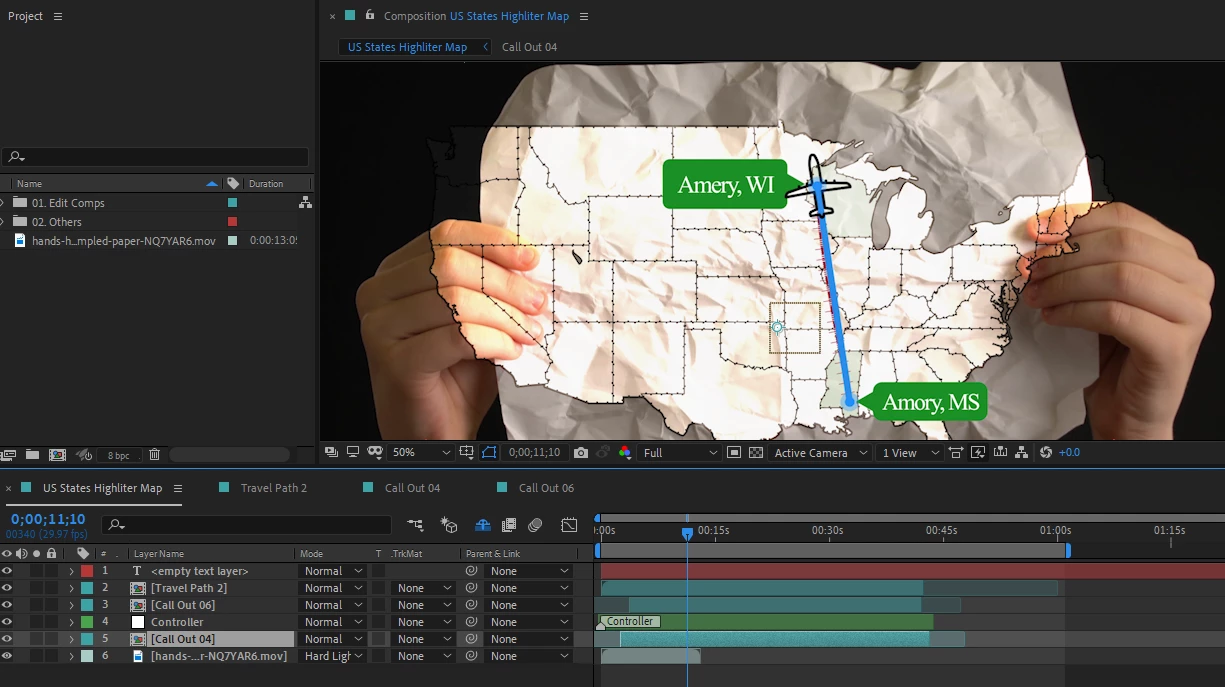
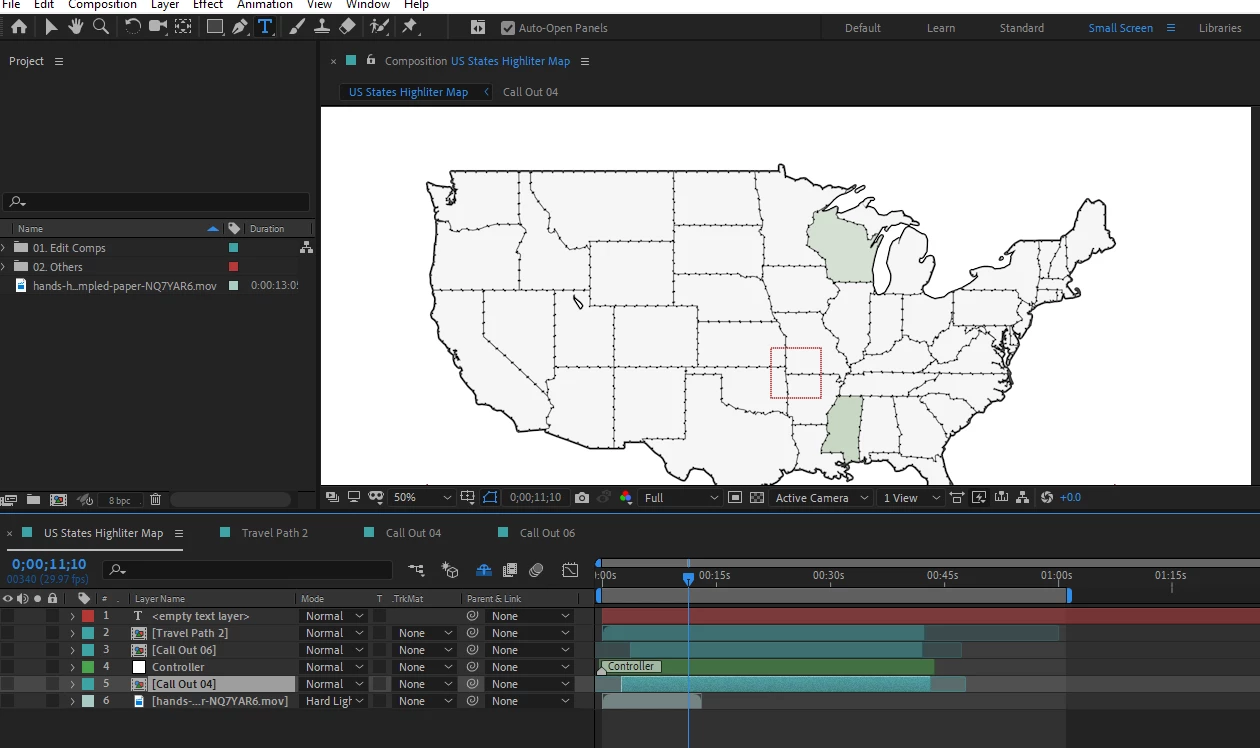
Hi!  Newbie here, I can't seem to figure out how to resize this map to overlay on the crumpled paper.  I turn off the view on all the layers and the white map is still there, I have no idea where to go to transform it... any advice is appreciated. 


이 주제는 답변이 닫혔습니다.
최고의 답변: Rick Gerard

If this is a template with a bunch of hidden layers you should look at and share a flowchart so you know where the original layers are. The project is also going to require some roto work if the footage with the crumpled paper and hands is yours. If you need help finding things when you have a bunch of nested comps please post the floe chart. I worked on a composite the other day that had a flowchart with about 80 different layers hidden in about 20 comps all hidden in just 5 nested comps in the main comp. 


I'm not sure what the template is trying to do but if it were my project there would be only four layers in the master comp at this point. The top layer would be a track matte that follows the crumpled paper and the hands. The second layer would be a nested comp with the animated map, the third layer would be the footage of the paper and the hands, and the fourth layer, with the visibility (eyeball) turned off would be a nested comp created using a copy of the track matte and the original footage that just shows the crumpled footage against a 50% gray background that I could use as a displacement map for the second layer (the map). If I get time later today I'll post a flow chart of what that setup would look like.


1 답변

Community Expert
January 27, 2020

You may have hidden Layer Controls in the View menu so you cannot see the layer handles when you click on the layer.

The keyboard shortcut on the right is Shift + Ctrl/Cmnd + h.

The Hide Shy Layers button is also enabled (blue) and that would hide layers in the timeline. It looks like you are following some kind of tutorial and that there are a lot of steps to go. If you are then please make sure that the tutorial is being presented by someone that knows what they are talking about. I see a lot of confusing stuff in your screenshot.


Debbie8675309
Debbie8675309작성자
Participant
January 27, 2020

Rick, 


Thank you so much!  Yes, it is a hidden layer, the shy layer.  


I am using a template for the map with limited instruction.. and trying to tie it to the video of the crumpled paper on my own... not an ideal first time users undertaking... I am using Abobe.com  tuturials as I go along.. but maybe I am not going to make this work with the setup on the map template...  there are a lot of hidden layers and I am still unable to resize the map and all the animations together as a group.


If it is not too much to ask could you tell me what looks confusing to you, so I know what it not a standard practice - that way I can learn what should be a red flag and not standard practice.


Debbie

Community Expert
January 27, 2020

If this is a template with a bunch of hidden layers you should look at and share a flowchart so you know where the original layers are. The project is also going to require some roto work if the footage with the crumpled paper and hands is yours. If you need help finding things when you have a bunch of nested comps please post the floe chart. I worked on a composite the other day that had a flowchart with about 80 different layers hidden in about 20 comps all hidden in just 5 nested comps in the main comp. 


I'm not sure what the template is trying to do but if it were my project there would be only four layers in the master comp at this point. The top layer would be a track matte that follows the crumpled paper and the hands. The second layer would be a nested comp with the animated map, the third layer would be the footage of the paper and the hands, and the fourth layer, with the visibility (eyeball) turned off would be a nested comp created using a copy of the track matte and the original footage that just shows the crumpled footage against a 50% gray background that I could use as a displacement map for the second layer (the map). If I get time later today I'll post a flow chart of what that setup would look like.