
chrisd11592954
Inspiring
May 8, 2024
Question

AE Beta crashes and cannot open

  • May 8, 2024
  • 26 replies
  • 2587 views

I updated AE Beta to the last version a few weeks ago and it simply crashes everytime I launch it.

(System Apple m2 max, last OS version.)


Every time the same crash message :
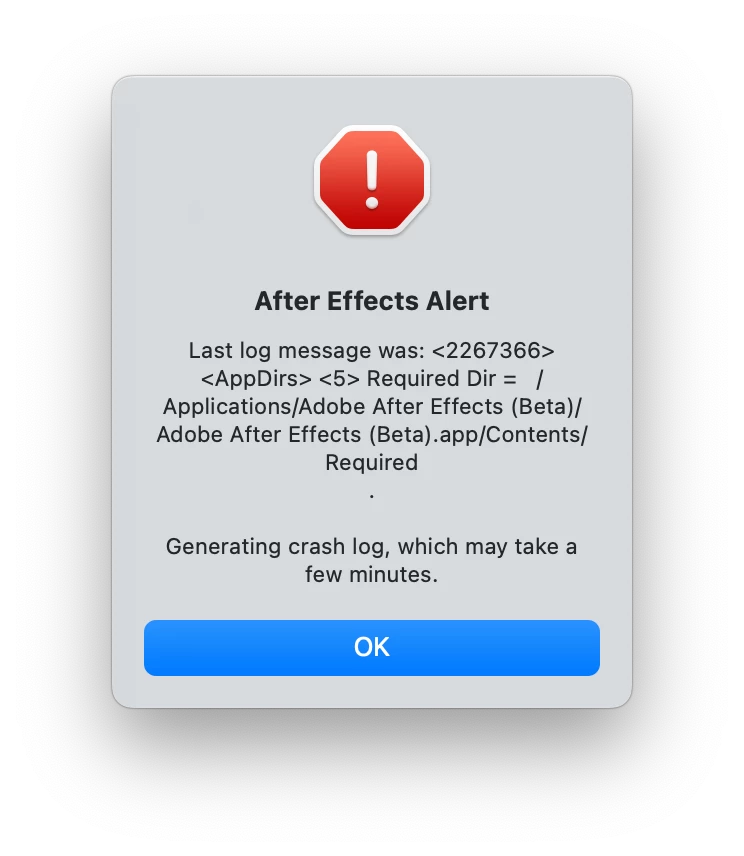
 

 I avoid updating AE regular to the last version, cause if this happens too I won't be able to work anymore...

26 replies

chrisd11592954
Inspiring
September 16, 2024

Hi John,


I updated to AE beta 25, and I still have the immediate crashing problem.

I removed the insta360 plugin from mediacore, tried to start with and without 3rd party plugins, but the app still crashes directly...Would you have any solutions ?

chrisd11592954
Inspiring
May 15, 2024

Hi John,


I tried Safe mode and disabling third-party plugins, but it stills crashed right after...

JohnColombo17100380
Community Manager
Community Manager
May 10, 2024

Ah, thank you for that background, @chrisd11592954.

quote

how removing the insta360 plugin from premiere and premiere beta would impact AE beta ?


By @chrisd11592954


Plug-ins are generally installed in a location that is shared by both After Effects and Premiere Pro, and will be loaded by both if both apps support the plug-in. The Insta360 plug-in is supported by both Premiere and AE.


Does After Effects (Beta) launch successfully if you use Safe Mode? Hold ⌘ + ⌥ + ⇧ immediately when launching After Effects (Beta) and then choose "Start in Safe Mode". You'll then be shown a dialog that allows you to disable 3rd party effects—I would first try leaving 3rd party effects enabled to see if After Effects will launch with them, as it would help narrow down the potential cause of the crash if it does launch with them enabled.


- John, After Effects Engineering Team 

chrisd11592954
Inspiring
May 10, 2024

Sorry i didn't finish my sentence...the problem in premiere pro and beta is that since updates a few weeks ago, mp4 files cannot be imported, or read when opening a project using mp4 files.

https://community.adobe.com/t5/premiere-pro-bugs/i-updated-premiere-pro-and-premiere-pro-beta-and-since-then-i-can-t-import-or-read-mp4/idi-p/14601083

chrisd11592954
Inspiring
May 10, 2024

Hello John, thanks for answering.


The insta360 reframe plugin is installed in premiere pro and premiere beta. They do not crash and the plugin works normally.

I have another problem in premiere which I reported in the premiere pro section, which is that mp4 files and


With AE, 2024 works normally, but since around 4-6 weeks, since my last update of AE Beta, it simply and systematically crashes when starting...


So I don't understand, how removing the insta360 plugin from premiere and premiere beta would impact AE beta ?


Thanks,


Chris

JohnColombo17100380
Community Manager
Community Manager
May 8, 2024

Hi @chrisd11592954,

Thank you for reporting this issue. I do see some crashes from you in our system, but they appear to be mostly from Premiere (Beta) and Media Encoder. Have you been seeing crashes in those apps as well?


The crashes appear to be caused by the Insta360 plug-in. Do you have that plug-in installed? If so, does uninstalling it allow After Effects to launch?


Thanks again for reporting this issue and for any further information you can provide,

- John, After Effects Engineering Team