


Community Manager
March 18, 2024
Question

Feature Focus: New After Effects Spectrum UI & Windows UI Performance Improvements

  • March 18, 2024
  • 22 replies
  • 16380 views

Today, we’re proud to announce a new look for After Effects in Beta!
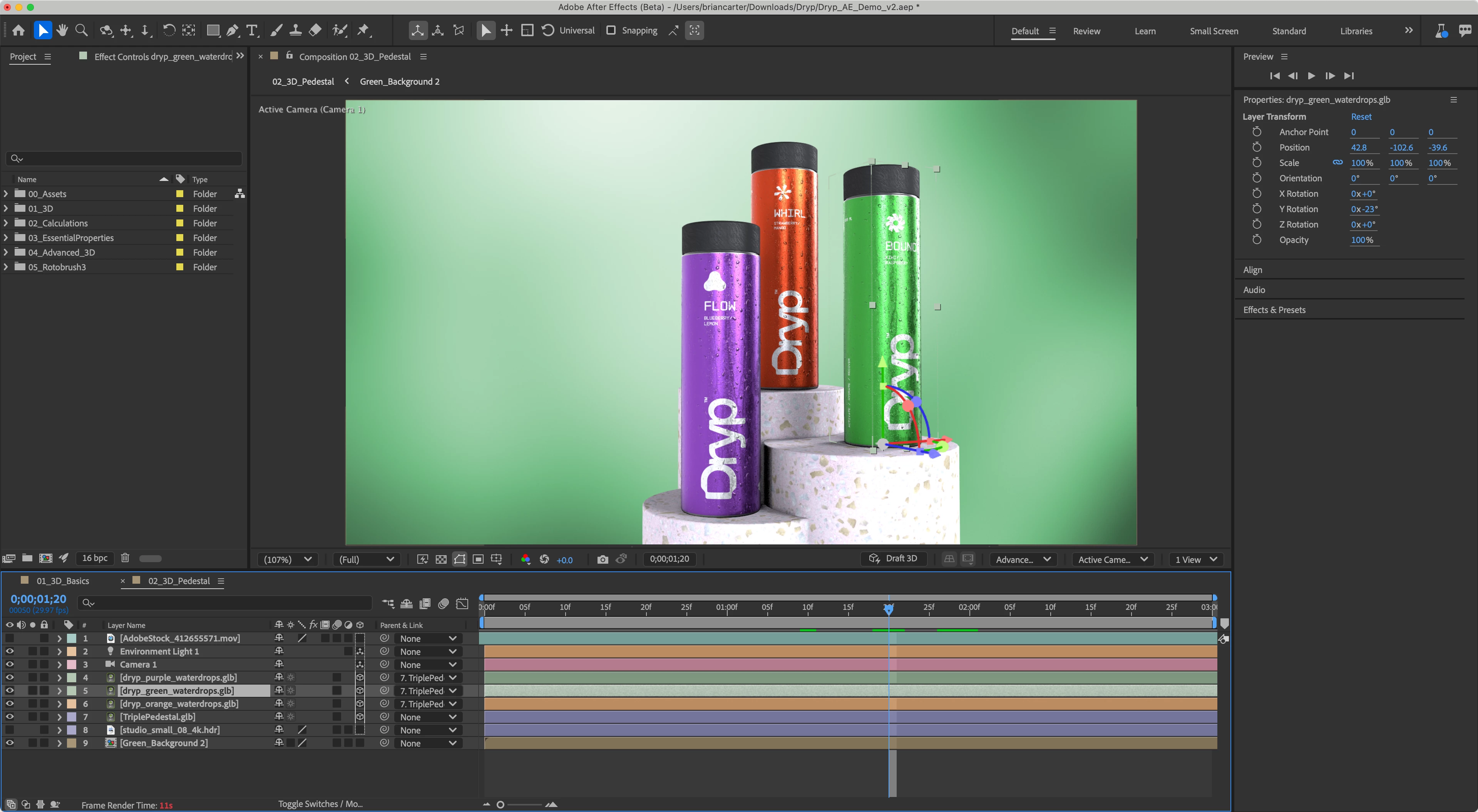
 

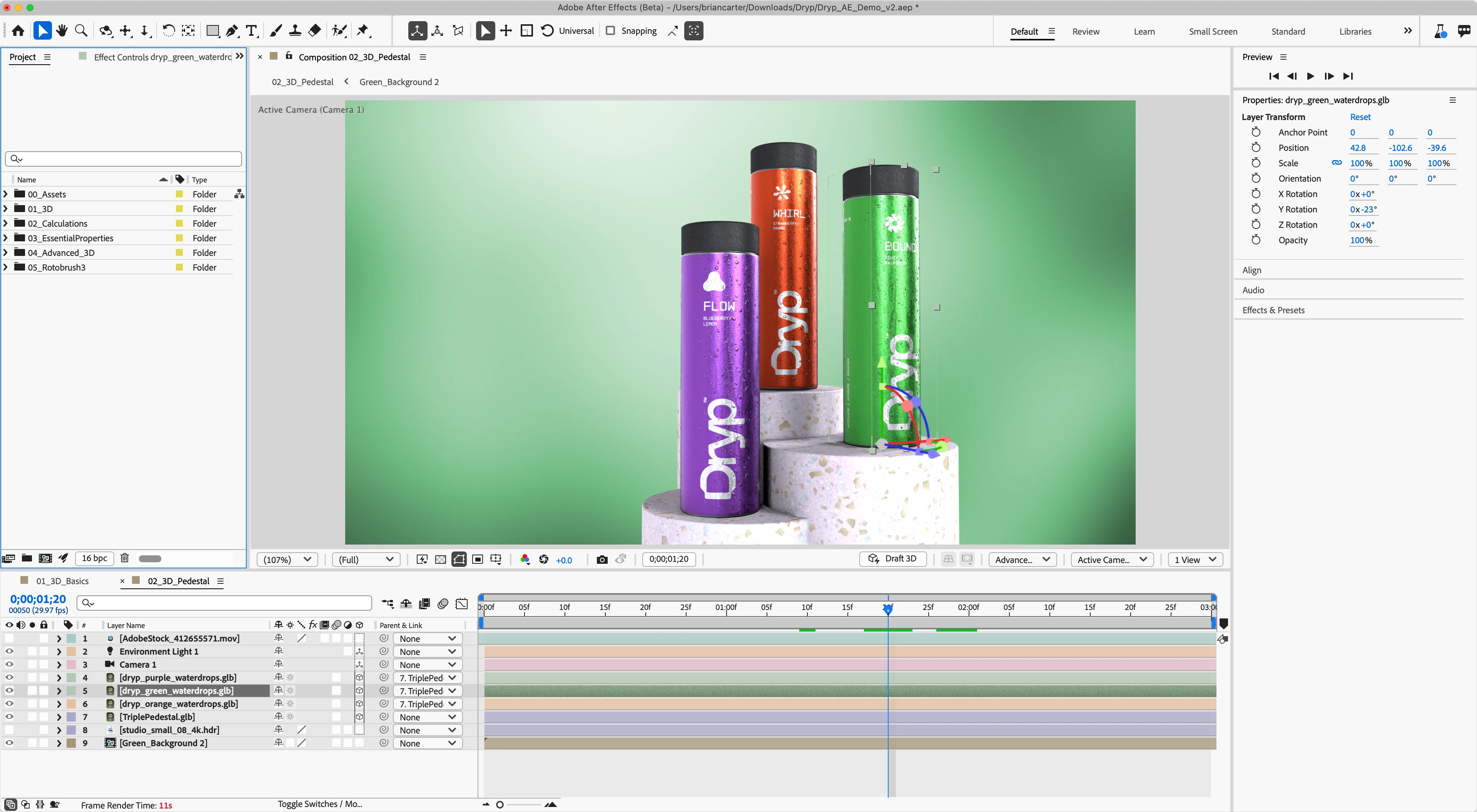
As of Beta Version 24.4 build 20 — available today — After Effects is themed and styled using Adobe’s Spectrum design with a new modern look across the entire app.
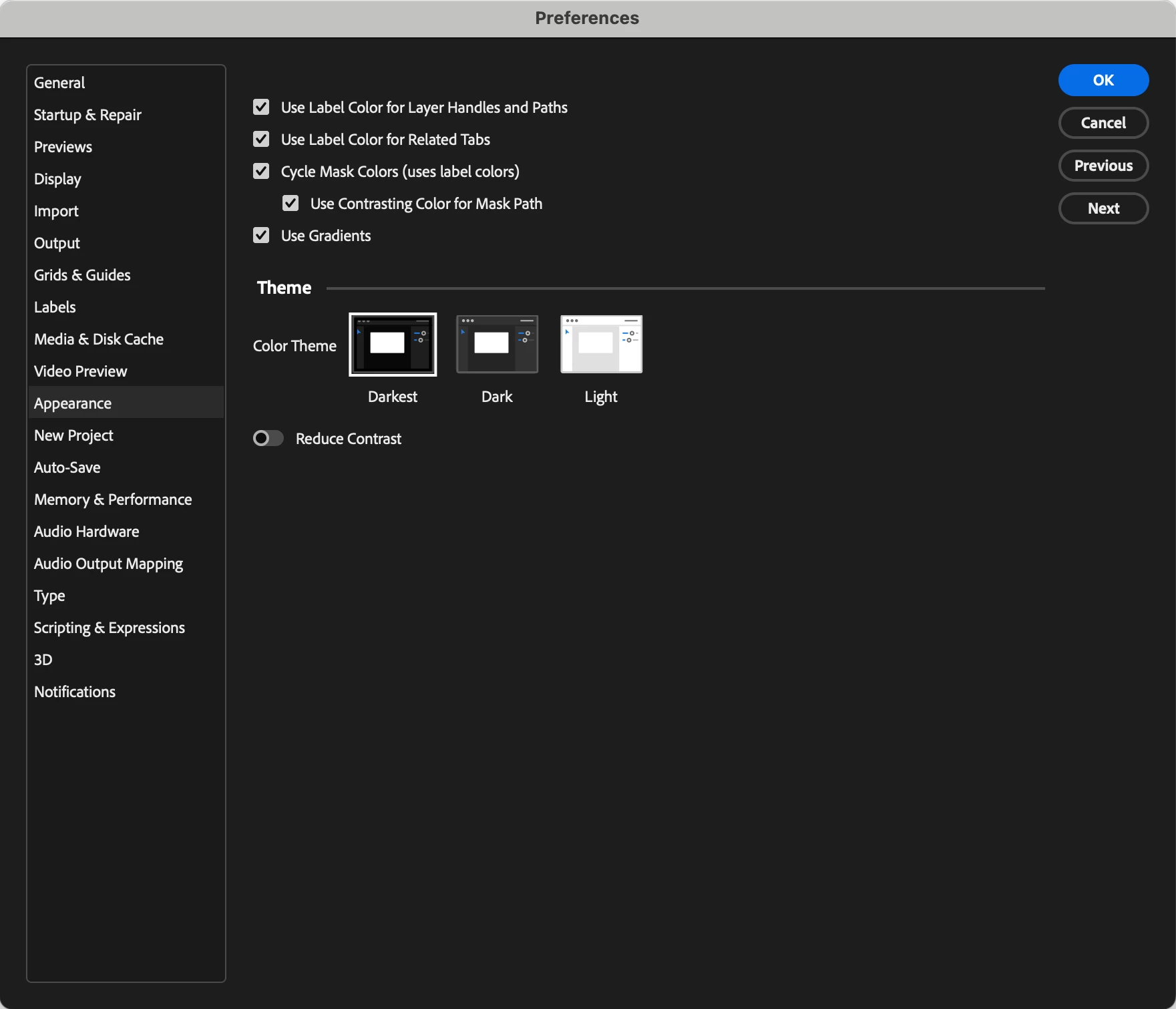


After Effects Beta now ships with three different themes: Darkest, Dark and Light. There’s also a new toggle for switching between a high-contrast mode for easier visibility and accessibility or a low-contrast mode for focusing on your content.
 

Additionally, we’re also shipping GPU-accelerated UI performance improvements on Windows computers. This improvement may be most noticeable in timeline interaction, comp overlay drawing, and on multiple monitors. 

This is a beta release with additional fixes and changes rolling out in the coming weeks. Please let us know if you encounter any issues — particularly with specific GPUs — or have suggestions. Feedback from our beta community is appreciated and essential for building better and stronger versions of After Effects. We’re so excited for you to try the After Effects Beta and can’t wait to hear what you think!

Known issues:
Users with some older Intel Integrated GPUs may experience some instability with our updated overlay — work is in progress on this, and we will update when this is fixed. If you experience any instability, please let us know. 


We have done testing with ScriptUI but can't anticipate every third party script out there, please let us know if there are scripts that are not working. In some cases, the script developer may need to update their script. 

We have tracked down an issue with some third-party scripts that use png files on Windows that causes an "Unexpected Data Type" error. We are currently investigating. 
If you delete the ModifiedWorkspaces and OriginalUserWorkspaces folders in the preferences to reset the workspaces, you should be able to open After Effects (Beta) without encountering the error. If you then open third-party panels one at a time, you will be able to determine which one(s) are causing the error, which should allow you to continue using the Beta.
Update: this issue has been fixed in build 28.

We have also fixed an issue with single character buttons not rendering the character.

22 replies

Inspiring
March 7, 2025

hi!

I use a graphic tablet, therefore: no scroll wheel on a mouse! This scrollbar is pretty tight/narrow to grab with the cursor. Would be nice if it could be a couple pixel wider.

Known Participant
March 13, 2025

For me it's fine, I even think it should be narrower.

What you ask is perhaps to widen the action area that is different from what is visually represented.

Inspiring
March 13, 2025

ok. Lets make the action area wider 🙂

Known Participant
February 20, 2025

Is it possible to add more margin to this line of buttons so that when they are activated they do not overwhelm with the blue line of focus? Thanks!


Inspiring
January 17, 2025

Still struggle with many 3d layers or many layers in general on Windows. Are you guys still working on UI performance becasue its still not realtime when working with 100+ layers. It still becomes a slideshow and incredibly difficult to work with. 

Known Participant
June 12, 2024

Are there plans for the right click menu to respect the OS theme color? thanks.

hellopaul4
Inspiring
June 10, 2024

The weird look of Ray Dynamic Color is no longer an issue, because if I try to create a new colour palette (by clicking the + icon) AE hangs completely, and a force-quit is required. The authors of the plug-in know about this, but seem to be hoping that Adobe will fix/change whatever causes the issue: https://aescripts.com/ray-dynamic-color/ (look in the Comments tab)

So Ray Dynamic Color is completely dead...at least for now.


JohnColombo17100380
Community Manager
Community Manager
June 10, 2024

Hi @hellopaul4,

We've been in touch with the authors of Ray Dynamic Color and are investigating the bug causing the script to hang.


Cheers,

- John, After Effects Engineering Team 

Participant
June 2, 2024

please dont remove the Enable_Theme_Colorizing true from debug database view in console. i like the colorful ui

hellopaul4
Inspiring
June 3, 2024

@The37784462b4hm  I enabled "Enable_Theme_Colorizing" but nothing changed - I assume that should make the "change highlight colour" box appear in the Prefs > Appearance? I haven't seen that box for years, and it does not appear if I set Enable_Theme_Colorizing to "true". If I recall correctly, there used to be something somewhere in the prefs file which cold maybe be edited to change that highlight colour.

hellopaul4
Inspiring
June 1, 2024

In both AE and PPro, I used to open the console, find the UI font size setting, and set it to something a bit larger to make everything easier to read on my 32" 4K monitor. That font size thing has now gone away from the console; will it ever return - or might we be getting something in the prefs to set UI font size maybe?

Participating Frequently
May 11, 2024

I am experiencing a bug where the ScriptsUI drop down menus appear as if they are all expanded even though I have not touched any of them.
It only looks like the menus are expanded on the screen, not that I can actually click on them to make a selection.

Community Manager
May 30, 2024

@tsuku_si We have reached out to the developer of Sweet to see if we can get a repro scenario to help resolve this issue. Thanks for bringing it to our attention.

All the best,Jessica McMillan - AE Engineering
hellopaul4
Inspiring
May 10, 2024

Ray Dynamic Color looks dreadful in the new UI:


Rene Andritsch
Community Expert
Community Expert
May 10, 2024

This will affect many scripts I suppose. I think Spectrum UI works for mobile Platforms to simplify the UI for the smaller screen or web apps like Adobe Express but in my opinion this is not the case with Desktop Apps.

Known Participant
May 21, 2024

I think they'll just have to update their script.

The Spectrum design must be respected 100%, all Adobe apps must be consistent in their design, from mobile to PC.

Participating Frequently
April 4, 2024

Is it possible to remove some (or all) of the roundness from the new buttons on script UI panels?


Compare the buttons on the left to the drop down menus of the Brushes panel on the right. The ones on the right look a lot better. Something about the 100% roundness (and the bold text) just makes the UI not look as good.


Especially when factoring in minimum size buttons, which just become circles (like the button in the upper right of the UI)

Community Manager
April 4, 2024

Hello @ajk48n3 

We will have an update that will go out probably in the next week in relation to button shapes choosing a style that is closer to the old skin from our new version. Will update here when that goes to public beta!

Still looking into solutions for the single character/image buttons not fitting/displaying the element.

All the best,
Jessica

All the best,Jessica McMillan - AE Engineering
Dan Ebberts
Community Expert
Community Expert
May 21, 2024

I just did a detailed compare of the UI for one of our scripts (2024 on the left, Beta on the right) and besides the single character button issue I also notice an issue with our color palette buttons getting spaced differently which messes up the alignment with the associated checkboxes. Has anyone else run into this and/or is there a possible fix in the works?