


Participant
October 20, 2025
Answered

Adjusting input level from USB line source.

  • October 20, 2025
  • 2 replies
  • 142 views

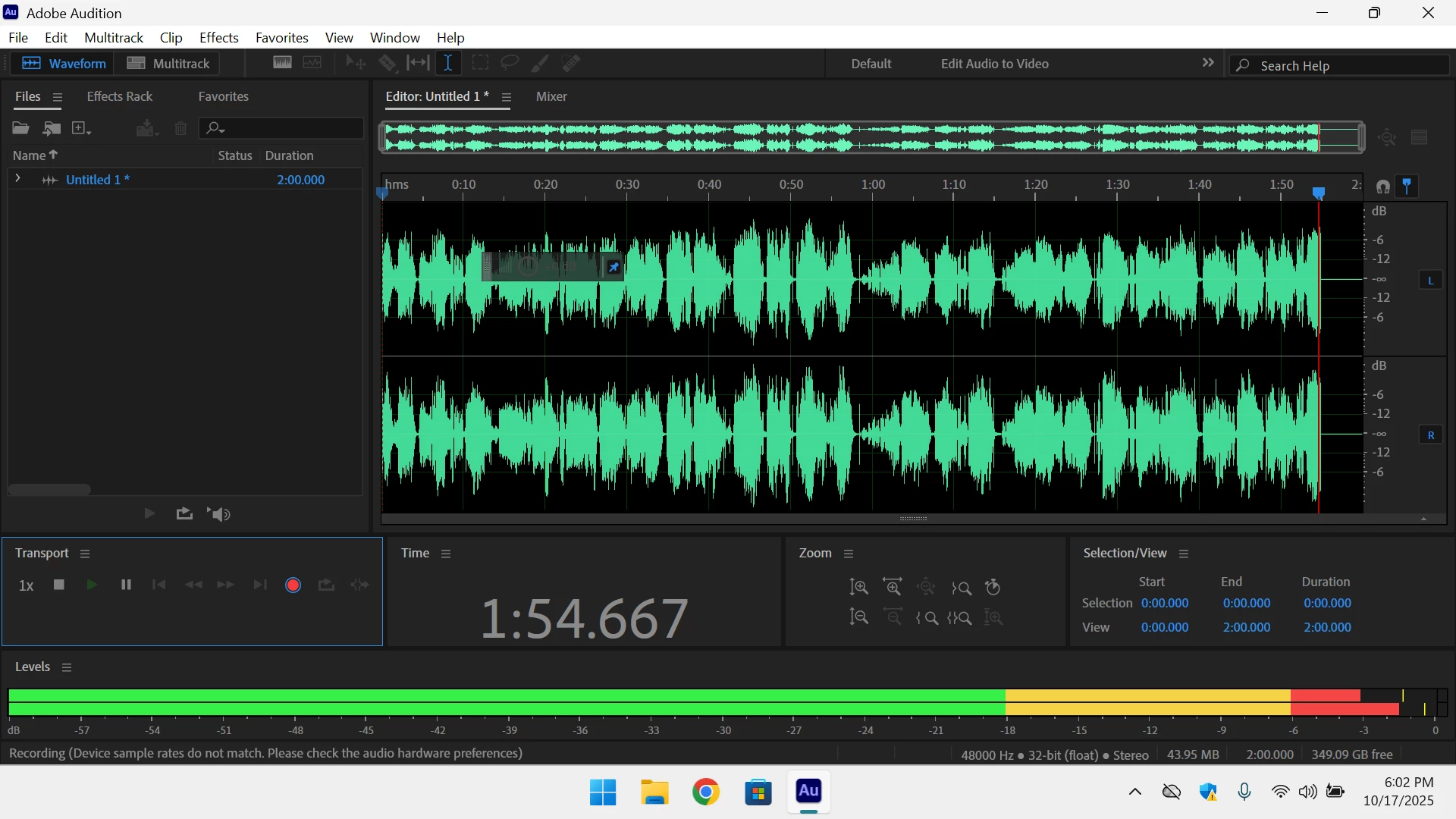
Recently I acquired a TASCAM 202 MK VII audio cassette deck. I have begun digitizing many, though not all, of my 350 or so cassettes. The deck has a USB B port and I am able to connect the tape deck to my PC’s (desktop and laptop) USB Type A or USB 3.0 port. Audition recognizes the signal and records the input.

The input signal level from the TASCAM into Audition doesn’t leave me much headroom. The TASCAM deck does not allow for the output level via USB to be adjusted. I reviewed alternate means to adjust the incoming signal level, such as right clicking the speaker icon in the task bar; it does not appear the USB signal is considered to be an audio input source. A friend loaned me a Behringer U-Phoria UMC22. All that did was confuse the computers and/or me. What it didn’t do was allow me to adjust the signal level going into Audition. I am open to suggestions.  

The only solution I can think of is to get a mixer that has an USB Type A or USB 3.0 input port, the output is also USB compatible with Audition. I have done some online searches, but haven’t found anything that has USB in and out. Is there such a beast out there for a reasonable price? Thanks!

Correct answer SteveG_AudioMasters_

Hmm.... I don't think that Tascam are necessarily being that stupid or inconsiderate  at all... The chances are that they've preset the level so that 0dB in the A-D converter occurs at the point where tape saturation reaches about 10%. At that point, it doesn't matter whether what's coming off the tape can achieve a higher level, because it's going to sound like garbage anyway!


And it's a domestic machine - and front panel controls are expensive, etc etc...

2 replies

Community Expert
October 22, 2025

I am also a retired broadcast sound engineer. I retired jsut as digital mixers were taking hold, even though the desks I used (AMS/Neve) were digital they still worked using analogue type levels, everything was referenced to zero level. It made switching from analogue easiere for us oldies. I still can't get used to setting up compressors and limiters with reference to dBfs.

In your case the natural place to change the levels if the signal is clipped is before the A to D which would be in the casette machine but as you have stated Tascam does not provide an adjustment. I think there is little point in reducing the digital signal before recording it as this would just reduce the dynamic range, might not matter with cassettes as the source.

SteveG_AudioMasters_
Community Expert
SteveG_AudioMasters_Community ExpertCorrect answer
Community Expert
October 22, 2025

Hmm.... I don't think that Tascam are necessarily being that stupid or inconsiderate  at all... The chances are that they've preset the level so that 0dB in the A-D converter occurs at the point where tape saturation reaches about 10%. At that point, it doesn't matter whether what's coming off the tape can achieve a higher level, because it's going to sound like garbage anyway!


And it's a domestic machine - and front panel controls are expensive, etc etc...

JBRODEEAuthor
Participant
October 22, 2025
Thanks for the tech info, it makes sense.

A lot of the tapes I'll be digitizing are for archival purposes. Demo tapes
from friends bands, out print releases that aren't on the streaming service
I use. My kids telling stories etc. So, quality, while important, is
secondary to preservation.
Community Expert
October 21, 2025

If the signal is not clipped why not just reduce the level once it id in Audition.

JBRODEEAuthor
Participant
October 21, 2025

Hello Richard. I appreciate your suggestion; it is the most direct method to take care of the issue. And likely what I'll end up doing. It just bugs me that I can’t adjust the levels.  Having recently retired after a career in Broadcast TV, split between operations and video editing for live news programing, seems I remain obsessed with controlling levels!