Participating Frequently
November 22, 2023
Answered

Adobe Bridge ParsValue unexpected char

  • November 22, 2023
  • 10 replies
  • 8600 views


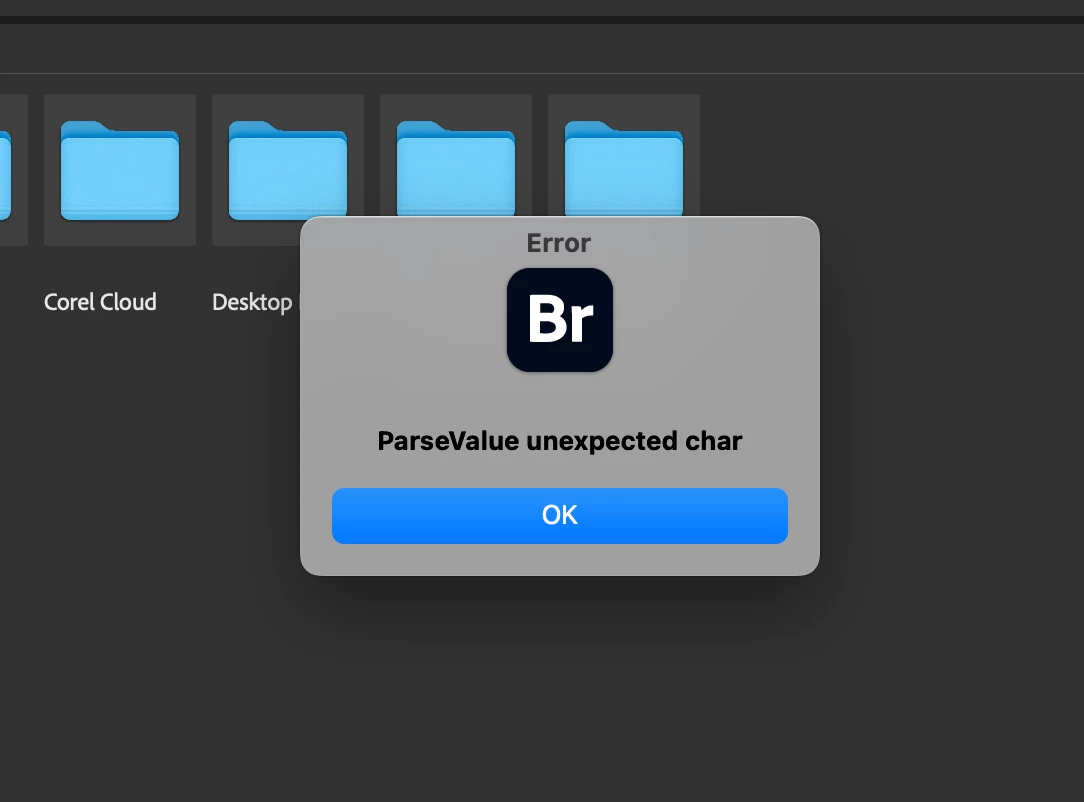
Hello! I get the below error message when i start Adobe Bridge. And the program crashes.

Does anyone get this message, and has resolved the issue. Please help.


This topic has been closed for replies.
Correct answer Rahul Saraogi

Hello @Ashwin33755825fhg5 


Thank you for reaching out to us. We really apologize for the inconvenince caused. To better investigate the issue, it is a request to kindly share the following information at sharewithbr@adobe.com


1. Are you facing this issue on Bridge 2022, Bridge 2023 and Bridge 2024 all? Please mention the versions on which you are facing this issue

2. Please collect the logs using Adobe Log Collector tool

3. Are you trying to access the data on an external drive
4. In addition to the logs generated by Adobe Log Collector tool, please share the following Bridge specific settings

  • Windows location
    • Appdata - C:\Users\<username>\AppData\Roaming\Adobe\Bridge 2024 (all the content in this folder)
    • Registry entry - Computer\HKEY_CURRENT_USER\Software\Adobe\Bridge 2024
  • Mac location
    • Appdata - /Users/<username>/Library/Application Support/Adobe/Bridge 2024 (all the content in this folder)
    • Registry entry -  /Users/<username>/Library/Preferences/com.adobe.bridge14.plist


We might reach out to you to get more information but it would be helpful if you can share the asked details as early as possible. Also, it is a request to update the thread if you have any update from your IT team.


Thanks,

Bridge Team
10 replies

Community Manager
February 23, 2024

Hello,  


The fix is now available in production released version 14.0.2.191. We would love for you to try it out and share feedback.   


For a complete list of fixed issues, please refer https://helpx.adobe.com/bridge/kb/fixed-issues.html 


Regards,   
Bridge Team 

Community Manager
February 7, 2024

Hello, 


We have released a new Adobe Bridge 2024 Beta build (14.0.2.181) which fixes this issue. We would love for you to try it out and share feedback. 


For a complete list of fixed issues, please refer to community post announcement. 


Regards, 
Bridge Team 

PhotoSeb
Known Participant
February 3, 2024

I am suddenly getting this as well. Win10+Bridge 2023.


The weird thing, it's happened out of the blue. No update or change, at least on my Adobe software. And it didn't happen on the last update I did until quite recently.

Rahul Saraogi
Participating Frequently
February 3, 2024

Hello,

Thank you for reporting the issue with us.

The issue was added in our engineering pipeline and we are actively investigating the issue for the upcoming Beta releases.

Thanks,
Bridge Team

Inspiring
February 4, 2024

This just started happeneing for me. It is intermittent though!!  Happens maybe 3 out of 5 starts. I have send log files to the email sharewithbr@adobe.com

Participant
January 17, 2024

Assuming still no solution for this error?

Participating Frequently
January 18, 2024

Hi, had replied to this on Nov 23, after this issue was discussed with our IT team, they disabled certain cybersecurity features of Netskope installed on my macbook pro. Post this Adobe Bridge is working Ok till date.

rpandita
Inspiring
January 18, 2024

Hi Ashwin33755825fhg5


That's good to know, can you also please help us get the details of what features within Netskope were disabled?


Regards

Rohit 

findcoop
Participant
December 14, 2023

I am having this issue also, happy to contribute to troubleshooting efforts. Maybe it coincided with an update to MacOS? I haven't had this issue with Bridge until recently. Confirmed it happens with Bridge v14.0.1, v13.0.5. v12.0.4 does not exhibit.

Rahul Saraogi
Participating Frequently
December 14, 2023

Hello @findcoop 


Thank you for reaching out to us. One of our team member will reach out to you with next steps. Meanwhile, could you please check and confirm if signing out from app and signing in again resolves the issue for you?


Thanks, 

Bridge Team

maf286
Participant
December 7, 2023

Getting this same error. Has made bridge unusable. Bridge 14.0.0 and 13.0.5. 


v12.0.4 working so far. 

Participant
December 8, 2023

Where did you get v12.0.4?

PhotoSeb
Known Participant
February 4, 2024

For me at least, I usually, I always keep old DL's of anything Adobe for instances like this...Olden but golden.

Participant
December 7, 2023

I am also having the same exact issue here at my job.

 One of our users started getting this exact error message 6 days ago.

 Have there been any updates on a resolution?

Please and Thank you!

Rahul Saraogi
Participating Frequently
December 7, 2023

Hello @John34113563fskn 


We are working on this issue but to better investigate the issue, could you please share the information asked in the earlier threads? Also,


1. Can you try signing out and signing in again through creative cloud desktop app and then launch Bridge? Please check if it resolves the issue for you?

2. We need to collect some logs from your system. Are you available for a screen sharing session? If yes, could you please share your preferred time? One of our team members will reach out to you with further guidelines.


Thanks,

Bridge Team

Rahul Saraogi
Rahul SaraogiCorrect answer
Participating Frequently
November 23, 2023

Hello @Ashwin33755825fhg5 


Thank you for reaching out to us. We really apologize for the inconvenince caused. To better investigate the issue, it is a request to kindly share the following information at sharewithbr@adobe.com


1. Are you facing this issue on Bridge 2022, Bridge 2023 and Bridge 2024 all? Please mention the versions on which you are facing this issue

2. Please collect the logs using Adobe Log Collector tool

3. Are you trying to access the data on an external drive
4. In addition to the logs generated by Adobe Log Collector tool, please share the following Bridge specific settings

  • Windows location
    • Appdata - C:\Users\<username>\AppData\Roaming\Adobe\Bridge 2024 (all the content in this folder)
    • Registry entry - Computer\HKEY_CURRENT_USER\Software\Adobe\Bridge 2024
  • Mac location
    • Appdata - /Users/<username>/Library/Application Support/Adobe/Bridge 2024 (all the content in this folder)
    • Registry entry -  /Users/<username>/Library/Preferences/com.adobe.bridge14.plist


We might reach out to you to get more information but it would be helpful if you can share the asked details as early as possible. Also, it is a request to update the thread if you have any update from your IT team.


Thanks,

Bridge Team

Participant
November 29, 2023

hello, has there been a solve for this.

I get the same exact issue on both 2023 and 2024 i have uninstalled both and have re installed 2023 (long time support version 13.0.5.763) i have attached a screenshot and a txt file with the crash report. I have never had problems with bridge until now.

Participant
December 4, 2023

Same here! 
Without crashing with this error, I cannot get it to work for more than a few seconds. 
Has been a large disruption for daily work.

I'm running macOS Ventura 13.6

gary_sc
Community Expert
Community Expert
November 22, 2023

Hi, @Ashwin33755825fhg5. Is this a new installation of Bridge? Have you successfully run Bridge on this computer before, and NOW it's giving you this issue? Have you recently updated this computer with the latest software installation?


What model of a Mac is this? What is your OS, and what release? Lastly, what release of Bridge are you using?


Sorry for all the questions, but we are just trying to narrow down the possible issues.

Participating Frequently
November 23, 2023

Hi, @gary_sc No this is not a new installation of Bridge. Post migration from Windows to iOS, ie after getting a new MacBook Pro M1 Pro1 16" + 32gb RAM, we had installed the Adobe Creative Suite including Bridge. It was running fine. Later the IT department installed Netskope Client a security software, somehow there were 2 installations. Last week we formatted the Mac and installed the Creative Suite once again. As i launched Bridge, this was the error message i received. The OS is Sonoma 14.0 - after updating to this iOS the MacBook is running pathetically slow and also takes hell of a time to access the external HDDs. 


jane-e
Community Expert
Community Expert
November 22, 2023

@Ashwin33755825fhg5 


Since your question is about Adobe Bridge, I've moved it to the Bridge forum for you. Have you already reset Preferences?


Jane

Participating Frequently
November 22, 2023

Thank you so much Jane

Participating Frequently
November 22, 2023

One probable reason could be a conflict (hardware / software)

Have you recently recently installed any software or add-ons. Try disabling them and see. Also disconnecting any recently added drives or hardware may help