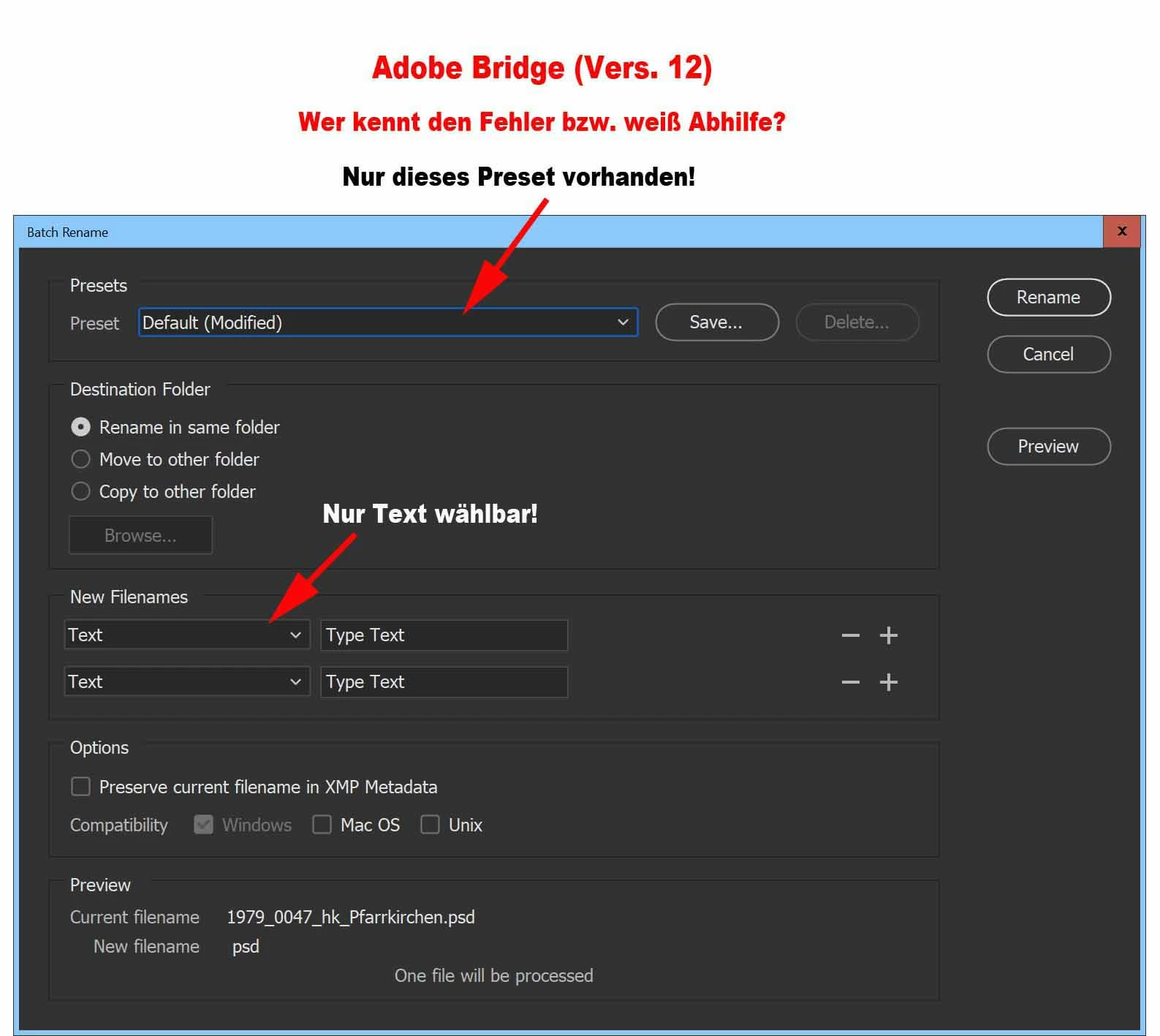
Only works if you can get to the Batch Rename window........................if I select multiple file folders it is not able, not much use for managing large data sets!
Had the same problem, both Win10 and Win11, Dutch language setting, drove me crazy. What worked perfectly fine for me, was to use the scroll wheel in order to use the drop-down box to choose an option > change text into metadata or whatever. In other words: the drop-down boxes can only be used via the scroll wheel of the mouse (Logitech, in my case). You have to be careful and just point at the drop-down box and not click on it (remedy: click twice). Clicking only worked - after scrolling - in the Type Text field. I understood that somebody else had to use the space bar to activate the drop-down boxes - that didn't work in my case, but t's clear that the way the drop-down boxes get the focus is messed up. So now the developers can fix it, shouldn't be difficult.
Many user have this issue, there is a bug with the drop down menu in version 12.0.1.246, at the moment the only solution is roll back to version 12.0.0.234, look at this discussion
Pleased that has worked for you. Adobe support couldn't get it to do that for me and the only fix was a roll back to the previous version. I see many others having similar issues so hopefully whatever the bug is they fix it soon.
Clicking on the down arrow to the right of the Preset drop down box does not seem to work. To see other values for the Preset field, make sure the Preset field is highlighted and click shift-down-arrow.