


Bridge 13: Nonsensical error message on Keyboard language ...
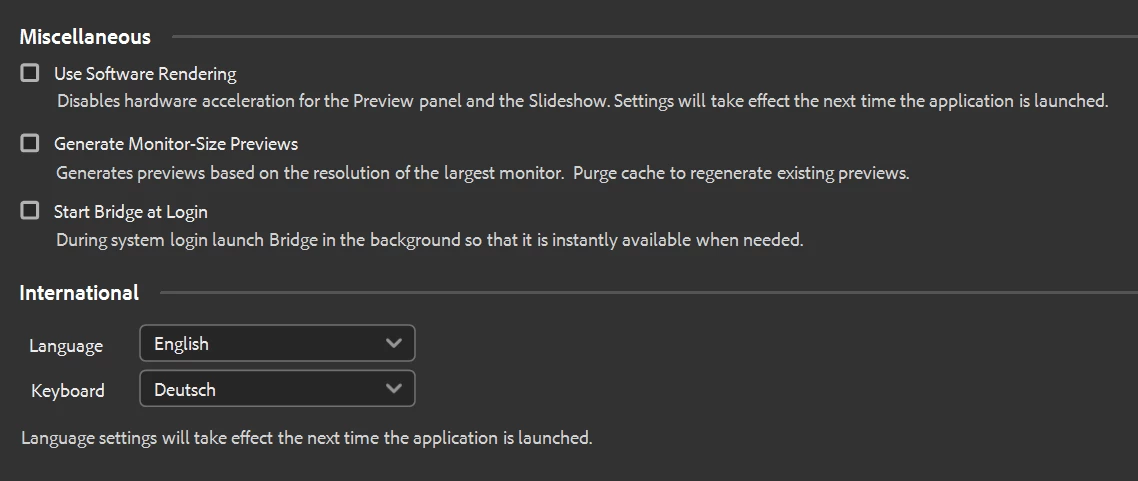
It has always been a great feature in Bridge to run the program in one language and to use a keyboard in a second language. That way I could use the Bridge in its native language, but the program knows that I have my German keyboard hooked up.
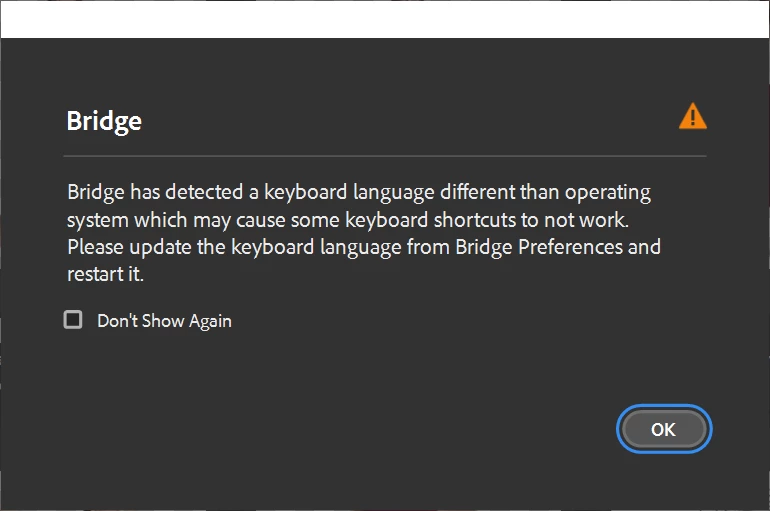
Bridge always had (and still has in V13) two dropdown menus in preferences to set this customization. You allow users to set a mismatch between GUI and keyboard – and on the other hand you (starting with V13) complain that this is wrong.
There's nothing wrong about this mismatch – I run the full Adobe Suite that way. But you are correct with keyboard shortcuts, which might not work. This doesn't matter in Photoshop or InDesign – here you simply remap the few shortcuts that break.
The error message is also nonsensical, as users, without changing to another physical keyboard, will very likely not change the input language: Keys would no longer type what they say.
So please remove this nag-screen and do what Bridge users asked for since version one: Introduce customize keyboard shortcuts. Case closed.
 AdChoices