Participant
Sep 18, 2023 6:12 PM UTC
Answered

Bridge Camera Raw does not open tiif and jpeg nor as a smart objects nor as files in Photoshop

Hi there,

I use:

Bridge 2024 version 14.0.0.102 but I just upgraded so same happened on the old version Bridge 2023

MacOS version Ventura 13.5.2 

Opening Bridge and selecting file "tiff" or "jpeg" and then pushing on "open" or "open as smart object" results in nothing. 

Same excersise from Bridge but double clicking on "tiff" or "jpeg" opens the files in Photoshop Camera Raw and then pushing on "open" or "open as smart object" does the job!  

Do you think it is a problem in settings, because I doubt it? Could you please fix this?

I have never tweaked my settings etc. I have upgraded my MacOS and CC hoping that this will be resolved but it is not 😞   

Thanks!

 

    This topic is closed to new replies. Start a new post to keep the conversation going.
    Nancy OShea
    Nancy OSheaCorrect answer
    Community Expert
    Sep 22, 2023 6:56 PM UTC
    quote

    With all due respect I find your reply quite irrelevant...
    Once upon a time at school we used to learn reading comprehension...

    ...and expecting you to fix it! 

    By @Dream flight

    ============

    Snarky sarcasm aside, if you don't like my reply, feel free to ignore it.


    1. You posted your question to the wrong product user-to-user forum. I moved it to the correct forum for you. 
    You're welcome. 🙂


    2. As an Adobe product user & unpaid forum volunteer, I have no control over how the software works.


    3. If you have a reproducible bug you wish to report, feel free to submit it to UserVoice where the relevant product engineers will see it:

    https://adobebridge.uservoice.com/


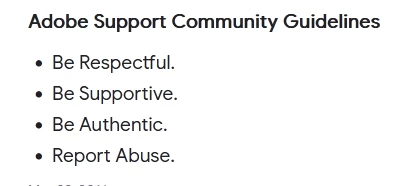
    4. Finally for future reference, I invite you to familiarize yourself with Adobe's Support Community Guidelines.


    Goodbye & good luck.


    Nancy O'Shea— Product User & Community Expert

    3 replies

    Nancy OShea
    Community Expert
    Community Expert
    Sep 18, 2023 6:45 PM UTC

    [Moderator moved from Using the Community forums to Bridge.]


    JPEG loses the most image information during compression but takes up less space.

    RAW doesn't compress or process image data, which means files in this format are larger.

    TIFF is a compression format that doesn't lose information, and it's the largest of the three formats.


    Use Adobe Camera Raw to import and enhance RAW images.

    https://helpx.adobe.com/camera-raw/kb/camera-raw-plug-in-installer.html


    Translate
    Nancy O'Shea— Product User & Community Expert
    Participant
    Sep 22, 2023 9:03 AM UTC

    With all due respect I find your reply quite irrelevant and not helping me fix the bug in Adobe Bridge Camera Raw! 
    Thank you for clarifying what JPEG, TIFF and RAW files are, but this was not the question asked.
    Once upon a time at school we used to learn reading comprehension...

    I do not need a reply but rather reporting a problem with your app and expecting you to fix it! 

    Thank you!

    Translate
    Nancy OShea
    Community Expert
    Nancy OSheaCommunity ExpertCorrect answer
    Community Expert
    Sep 22, 2023 6:56 PM UTC
    quote

    With all due respect I find your reply quite irrelevant...
    Once upon a time at school we used to learn reading comprehension...

    ...and expecting you to fix it! 

    By @Dream flight

    ============

    Snarky sarcasm aside, if you don't like my reply, feel free to ignore it.


    1. You posted your question to the wrong product user-to-user forum. I moved it to the correct forum for you. 
    You're welcome. 🙂


    2. As an Adobe product user & unpaid forum volunteer, I have no control over how the software works.


    3. If you have a reproducible bug you wish to report, feel free to submit it to UserVoice where the relevant product engineers will see it:

    https://adobebridge.uservoice.com/


    4. Finally for future reference, I invite you to familiarize yourself with Adobe's Support Community Guidelines.


    Goodbye & good luck.


    Translate
    Nancy O'Shea— Product User & Community Expert