For me, clicking away from the metadata panel with pending changes pops up this warning asking if the changes should be kept or discarded.
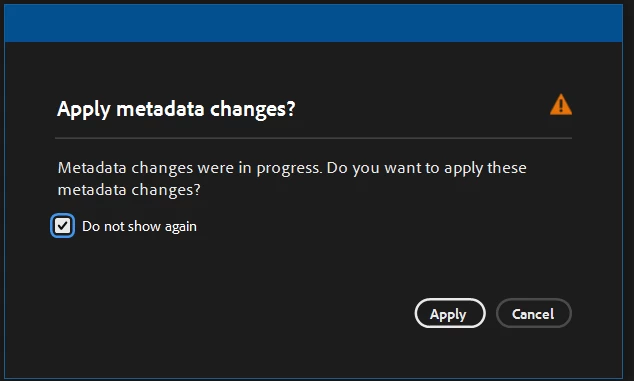
Checking "Do not show again" then apply prevents it from appearing again for me. If I have pending changes and click away from the panel, it saves the changes without needing to click the checkmark in the bottom left.
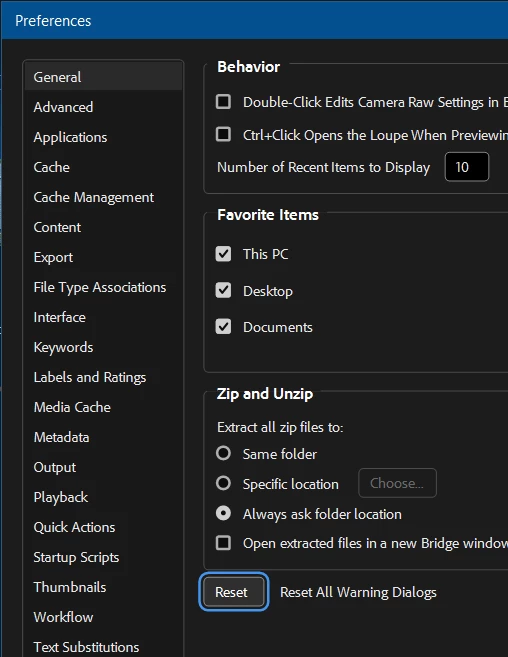
If the window doesn't appear for you, open the preferences, go to the "General" tab, then select "Reset All Warning Dialogs". The warning should now appear when clicking out of the metadata panel with pending changes:
You may also find my Copy Metadata script helpful, which lets you copy your choice of metadata fields (including keywords) between files. You can find information on its usage here, and installation instructions are at the bottom of the page. Feel free to ask if you have any questions!



 AdChoices