


Crussi
Known Participant
February 10, 2023
Question

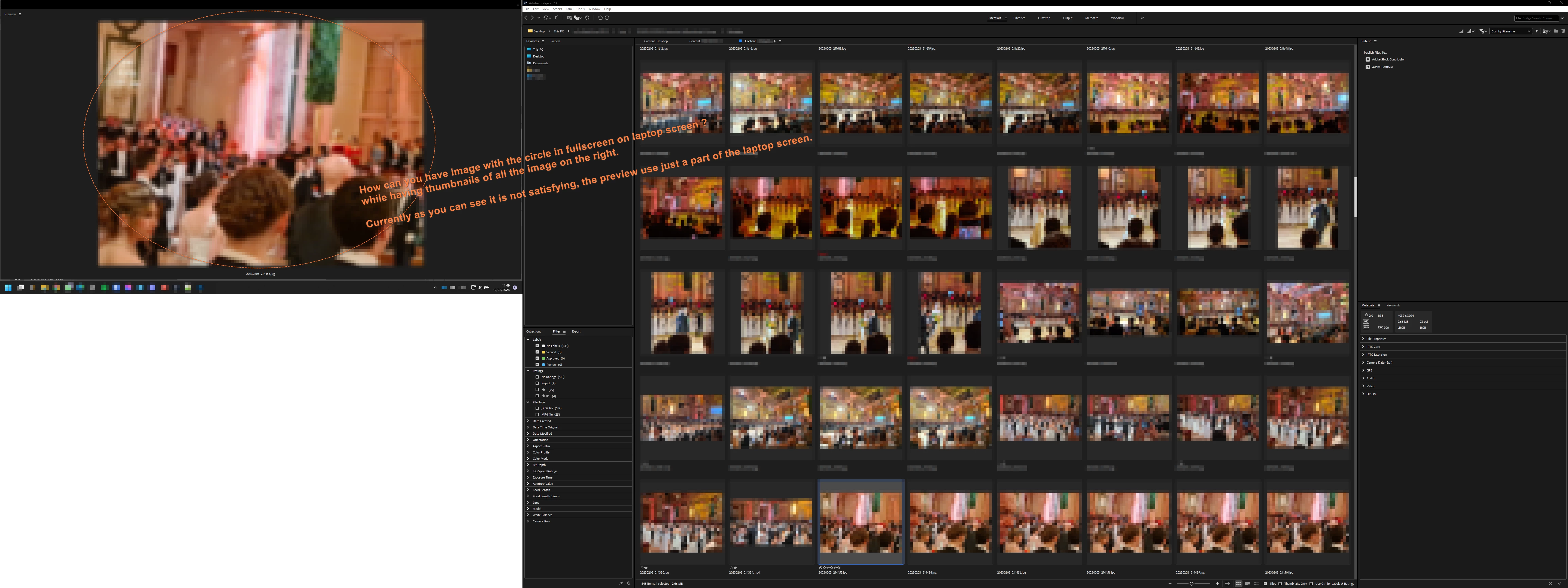
How can you have screen 1= image fullscreen , screen 2= thumbnails ?

  • February 10, 2023
  • 3 replies
  • 935 views

Hi, I have read Bridge now has dual screens/monitors capability. I have the latest version installed : how can you have image with the circle in fullscreen on laptop screen ? while having thumbnails of all the images on the 2nd screen.

Currently as you can see it is not satisfying: the preview use just a part of the laptop screen.
 

This topic has been closed for replies.

3 replies

Adobe Employee
August 5, 2023

Hi, 

 
The latest Beta build 14.0.0.57 brings back support for 'Multiple Windows' along with a few new features. 
For a complete list of features available in the Beta build, please refer to the community post :  
https://community.adobe.com/t5/bridge-discussions/adobe-bridge-beta-is-now-available-14-0-0-57/td-p/13986216 


We would love for you to try it out and share feedback. 


Regards, 
Bridge Team 

Erik Bloodaxe
Legend
February 10, 2023

Undock the Preview Panel, pull it onto your other screen and resize to suit.

Crussi
CrussiAuthor
Known Participant
February 12, 2023

This is what I have already done, on the screenshot in my 1st post.

But this is extremely basic. We want fullscreen and also we do not want a direct maximize button like on any window.

Erik Bloodaxe
Legend
February 12, 2023

Could this be a case of your images being of a low resolution?

In the preview window images are not necessarily enlarged to fill the available space.

Depends upon the image and monitor resolutions. 

Try with a high resolution image and see if that fills up the available space.

Read gary-sc's comment here: https://community.adobe.com/t5/bridge-discussions/preview-image-size-in-adobe-bridge/td-p/10857581

Legend
February 10, 2023

You would have to enlarge the Preview window to fill the screen.

Crussi
CrussiAuthor
Known Participant
February 10, 2023

I have enalarged it to the maximum I could with the mouse but there is still plenty of space I want to use: