
Known Participant
January 15, 2022
Answered

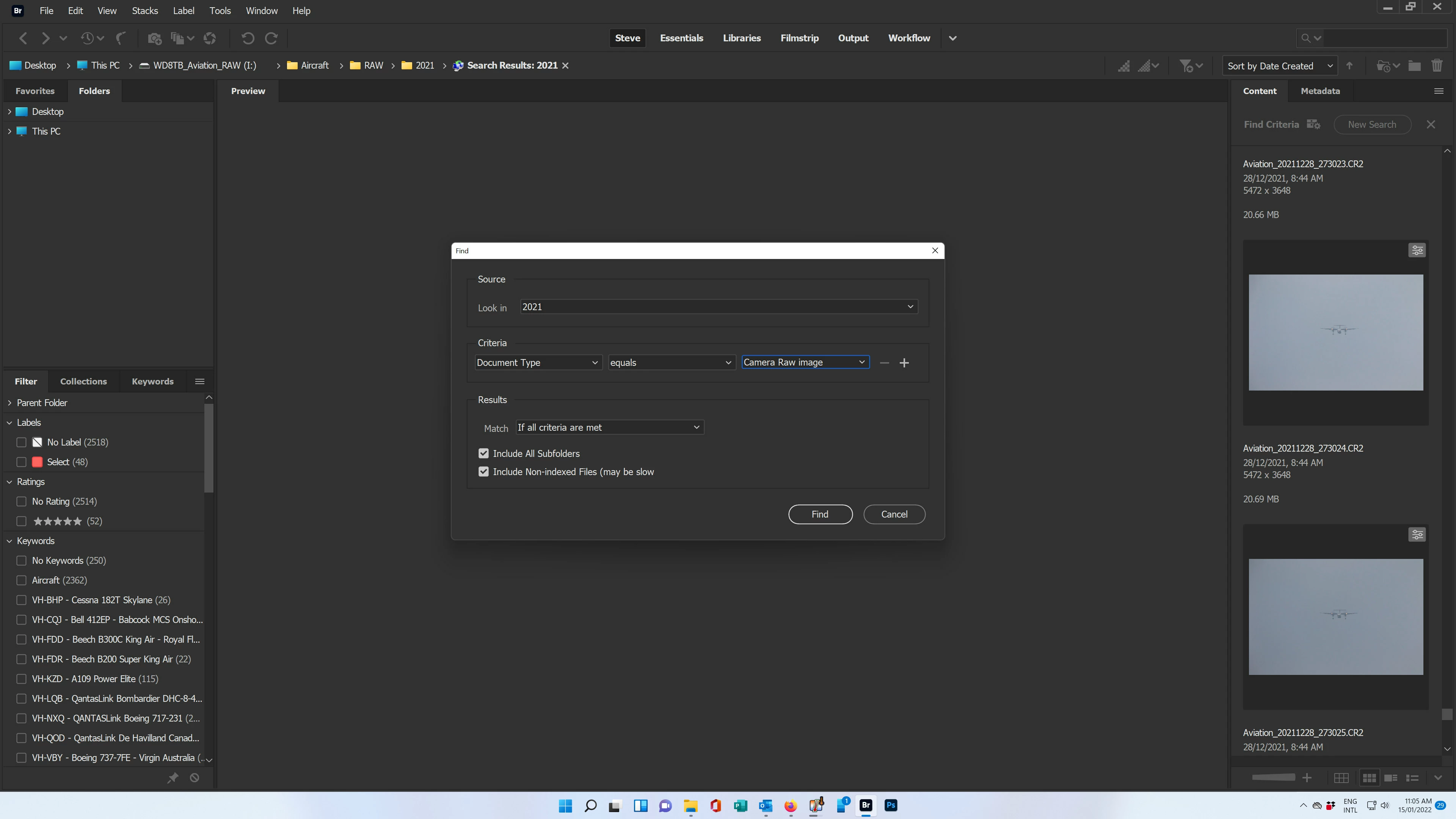
Latest Update to Bridge is not showing drop-down menu items in the search dialog box.

  • January 15, 2022
  • 9 replies
  • 3252 views

The latest (January 2022) update Bridge which I downloaded and installed yesterday seems to have a new bug.  When I select the search dialog box using Ctrl-F, I can no longer get the drop-down menu items to show.  Clicking on the arrow beside the field does not show anything other than the value I used before installing the new update.  I'm trying to search for PSD files and the option is not available.
This topic has been closed for replies.
Correct answer Subbi

Hi stephenv70437356
The Dropdown issue is fixed in the latest Bridge release (version 12.0.2)  that is available today.
Do update to the latest available version.
Find details of other bug fixes here: https://helpx.adobe.com/bridge/kb/fixed-issues.html#may-2022

-Subbi

9 replies

SubbiCorrect answer
Adobe Employee
May 12, 2022

Hi stephenv70437356
The Dropdown issue is fixed in the latest Bridge release (version 12.0.2)  that is available today.
Do update to the latest available version.
Find details of other bug fixes here: https://helpx.adobe.com/bridge/kb/fixed-issues.html#may-2022

-Subbi

Participant
April 11, 2022

Same issue here. My version is 12.0.1.246 on Windows 11. One workaround is to set the UI scale to 100% instead of 200%, though the UI font would become very small if you are on a 4K screen like me.


Just can't believe this problem is still here three months after the first report in January.


Please fix it soon. Thanks.

Participant
March 22, 2022

Same problem here. Rolling back to 12 fixed it.

Participating Frequently
March 20, 2022

One more with the problem. Trying to rollback now....   😞

Participant
March 9, 2022

I am also struggling with this bug. When will it be fixed Adobe?

Participant
March 8, 2022

I can confirm this bug.. same here... This is a MAJOR BUG! and a show stoper.. Please Fix ASAP!

Ramigrafx
Inspiring
March 3, 2022

Great that solved that problem by going back to version 20.0.0.234, but in this version of Bridge in Export it does not do the maths for resizing down large images. so now I have to go back to vversion  12.0.1.246 to get this feature to work. Can't Adobe get anything to work properly. Don't they ever look to see  what comments users are making on the mess that they are creating.

Sahil.Chawla
Adobe Employee
Adobe Employee
January 15, 2022

Hi there,

Sorry to hear that, could you try resetting the preferences of Bridge? https://helpx.adobe.com/bridge/kb/resetting-bridge-preferences-using-command.html

If that doesn't help, you may rollback to a previous version of Bridge: https://helpx.adobe.com/download-install/using/install-previous-version.html

Regards,
Sahil

Known Participant
January 15, 2022

I'll just roll it back to the previous version.  Thanks for the link.  Might be nice if Adobe could test their software before the next release....

Community Manager
February 22, 2022

Hi,

Thanks for your feedback.
Could you please share the sytem configuration (OS version and other details)


Thanks,
Bridge Team

Participating Frequently
January 15, 2022
Known Participant
January 15, 2022

They're an inventive bunch at Adobe.  They just keep finding a way to $%^& it up don't they?