
Participating Frequently
October 15, 2018
Answered

Thumbnails in Bridge went crazy after 2019 update

  • October 15, 2018
  • 69 replies
  • 22587 views

Okay, I installed all of the cc2019 updates and Bridge (worked normally on cc2018) started to behave crazy. I mean all works except preview thumbnails. I get some kind of "static interference" pattern instead of previews.

I completely uninstalled and reinstalled Photoshop and Bridge to solve the issue but no luck.

Computer is iMac Pro 27".

On my old iMac 27" (2011) it works normally after the update.
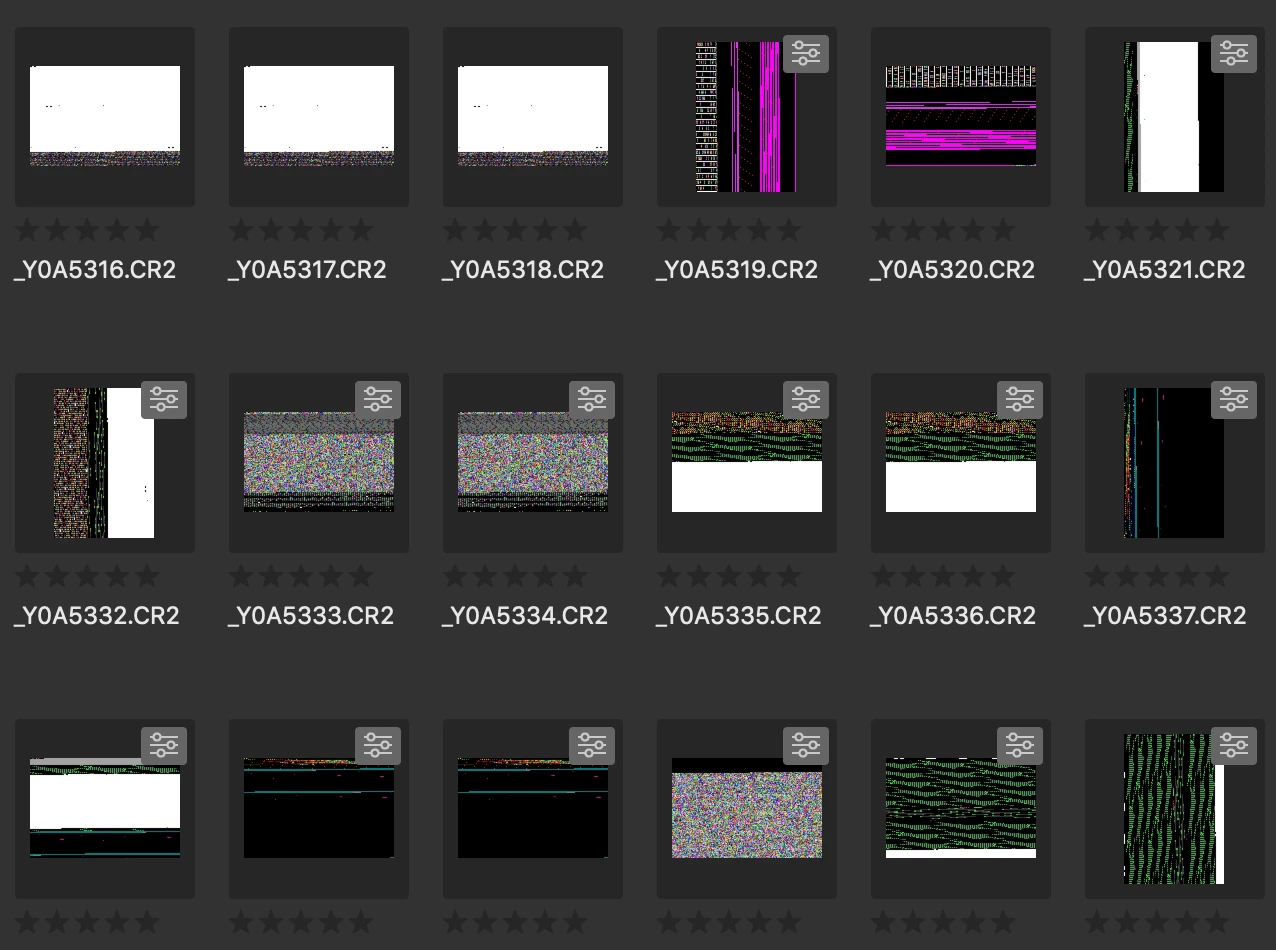
Any idea?

Thanks!

This topic has been closed for replies.
Correct answer siddharthsingh

Dear Users,

We have released a new version of Adobe Bridge (CC 2019) on 2nd November 2018. The new version build number is 9.0.1.216. This version is available to install via Adobe Creative Cloud application.

This Bridge update resolves the thumbnail rendering issue on iMac Pro devices and has few other bug fixes.

Please let us know if you face any issues.

Regards,

Siddharth

69 replies

Smelltheroutine
Participating Frequently
October 17, 2018

Same here. Seriously, does Adobe even test the Software on the iMac Pro before the release? This issue is so obvious it can not be overlooked. CC on iMac Pro is a thoroughly frustrating experience... 

Participating Frequently
October 17, 2018

They probably didn't have the budget for an iMac Pro

jbm007
Community Expert
Community Expert
October 17, 2018

Nvidia driver has issues. Not sure if any mac users have a Nvidia card.

I am on a windows machine and this what I had to do to fix the thumbnail issue with Windows 10

I had the same thumbnail problems

Go to your NVIDIAControl Panel. Select Manage 3D settings and choose 3D A[p - Visual Simulation.

jdm94325961
Participant
October 17, 2018

Not to pile on, but same issues here.  iMac Pro 2017 with Vega 64 GPU and running MacOS Mojave, rolling back to 2018 for now (glad to at least see an active forum topic on this, was afraid I was alone on this one).  Hopefully Adobe adds an iMac Pro to the test machine suite for future releases.

Participant
October 17, 2018

another IMac Pro pain in the rear!  Just reinstall bridge 2018 until Adobe and Mac learn to play well together.  Ive tried all the work arounds and nothing worked.  bridge 18 reinstalled and working fine.

Participant
October 16, 2018

Same problem iMac Pro 2017....

Participant
October 16, 2018

Same issue, iMac Pro 2017.

Participating Frequently
October 16, 2018

On a more positive note, it works absolutely fine on all iMacs we have, 5K with GPU as well as the non-HiDpi-Displays. And rather fast, I might add. Actually way better than 2018 version, at least it ... feels that way so far. Will check MacBook Pro later, but assume, it will work as well. It seems to be the iMacPro’s GPU. So, while hoping they can fix this soon, not all blame can be put upon Adobe, seems to be some of Apple's fault as well (although one *could* maybe check at least the most design-bureau-usual-machines before release ;-)). Especially considering that the latest OS and hardware by Apple have been troublemakers with CC2018 already.

It would be really nice, to have a better integration of the Apple-OS/HW and Adobe-software, just as many other software vendors actually actively use the ecosphere Apple provides to work simpler/faster and offer better performance of their apps.

October 16, 2018

That's interesting. I wonder if it's just the iMacs with Retina displays? Dunno, but I'm sure we'll find out.

On another positive note, I will say that the changes I've seen in Bridge, apart from the fact you can't view thumbnails , are really good. The updates to Photoshop IMO are outstanding. I've been working with it most of the day and love what I'm seeing. So if Adobe gets this fixed (and it is a biggie) then we're definitely further ahead. That's what I'm looking forward to at least, but they have to work on the rendering in both Bridge and LR from my perspective.

Jiweeon
Known Participant
October 16, 2018

Just installed.. having the same issue! So annoying. Bridge has one primary job, which is to serve as a viewing platform. How in the world does the new update have problems with viewing thumbnails? Your new release has failed at the most basic level.

stephantran
Participant
October 16, 2018

Booooo. Same issue: iMac Pro as well

Participating Frequently
October 16, 2018

Same problem here. iMac Pro with Radeon Pro Vega 64.

Participating Frequently
October 16, 2018

One more thing.....Can I get that 2 hours back I spent trying to fix and reinstal?

BMGSAuthor
Participating Frequently
October 16, 2018

     me too!

Participating Frequently
October 16, 2018

Exactly the same here, iMacPro 27" as well.  MacBook Pro 2015 works great.  Obviously a problem.  Downgrading till fixed.  Come on Adobe.  Do more homework.

Known Participant
October 27, 2018

Agreed

iMac pro

October 16, 2018

iMac 27 (late 2015 w/16GB RAM) here and a similar problem. Not quite as bad as I see for some, but some images will not render beyond a very low res (this was a problem with the previous versions of Bridge, but not as prevalent as I'm seeing now), even in Filmstrip (the blown up image) and Essentials, etc. I've got the latest updates to all Adobe products, tried all the suggestions here but to no avail. Hopefully this gets fixed soon. I have Capture One so I'll switch to it but it's not intended to be used as a browser but until Bridge is fixed that's what I'm going with.