
Participating Frequently
October 15, 2018
Answered

Thumbnails in Bridge went crazy after 2019 update

  • October 15, 2018
  • 69 replies
  • 22544 views

Okay, I installed all of the cc2019 updates and Bridge (worked normally on cc2018) started to behave crazy. I mean all works except preview thumbnails. I get some kind of "static interference" pattern instead of previews.

I completely uninstalled and reinstalled Photoshop and Bridge to solve the issue but no luck.

Computer is iMac Pro 27".

On my old iMac 27" (2011) it works normally after the update.
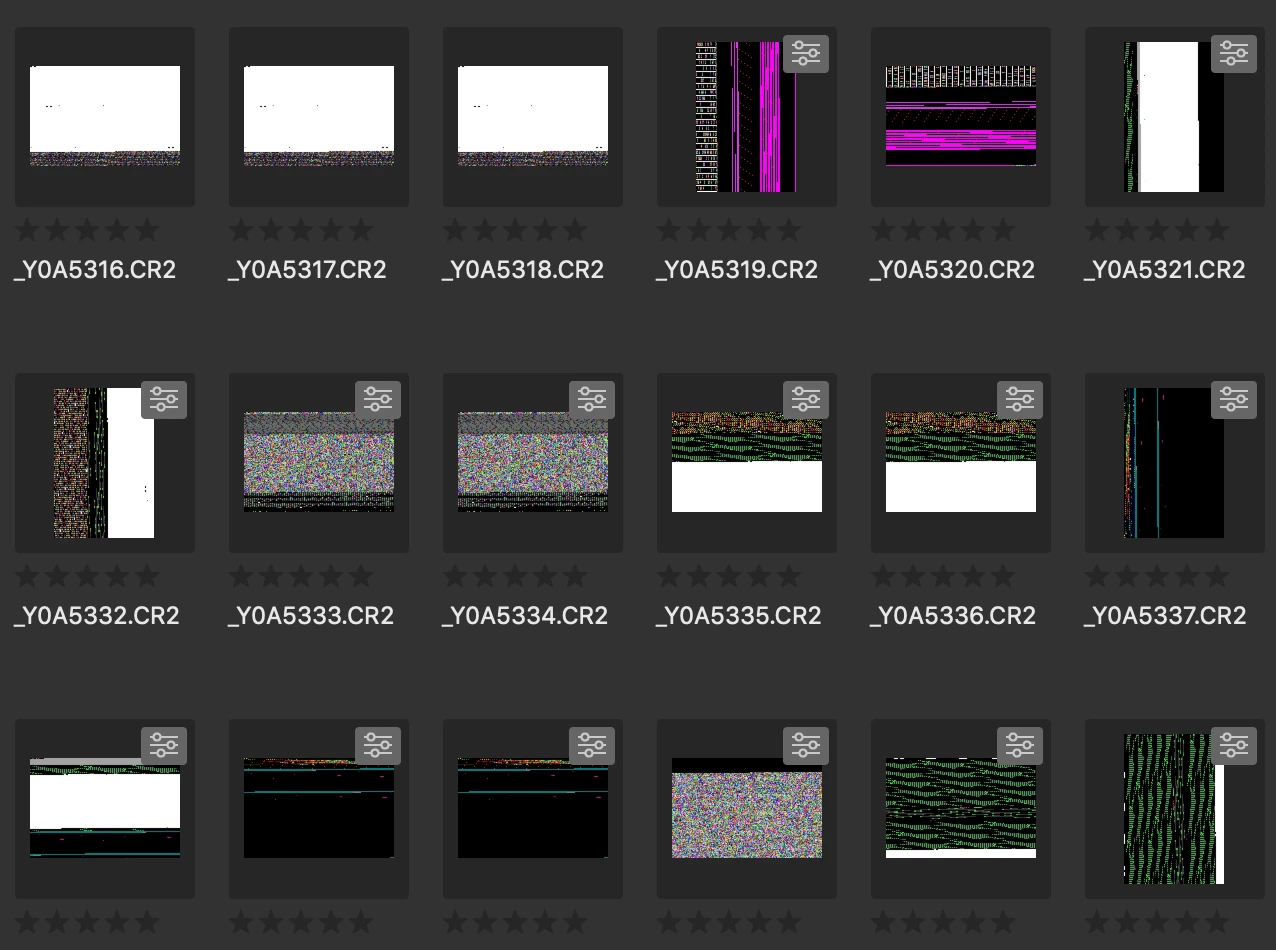
Any idea?

Thanks!

This topic has been closed for replies.
Correct answer siddharthsingh

Dear Users,

We have released a new version of Adobe Bridge (CC 2019) on 2nd November 2018. The new version build number is 9.0.1.216. This version is available to install via Adobe Creative Cloud application.

This Bridge update resolves the thumbnail rendering issue on iMac Pro devices and has few other bug fixes.

Please let us know if you face any issues.

Regards,

Siddharth

69 replies

Participant
October 19, 2018

Same here on my iMac Pro (3.2 GHz 8 core, 64GB RAM, 16GB Radeon Pro Vega 64). Did the install-the-cc2018-version, which works - but please fix this Adobe!

E_deJuan
Participant
October 18, 2018

The same problem

iMac Pro

Participant
October 18, 2018

Same thumbnail rendering problem on my iMac Pro 2017. None of the fixes work. Going back to an earlier version of Bridge until a fix is issued by Adobe.

Participant
October 18, 2018

Same issue even after following all the above suggested fixes.

jbm007
Community Expert
Community Expert
October 18, 2018

Just installed Bridge on my 2017 Mac Pro trash can.

jpegs appear to render OK

Nikon nef files are getting hosed, some but not all.

Some folders are Ok and others 80% or more have thumbnails hosed.

Participant
October 18, 2018

Same issue here with iMac Pro :-(

The Pixelian
Participating Frequently
October 18, 2018

Same issue, 10.14 Mojave

Kaylemspirit
Participant
October 18, 2018

Same issue here at 2K Games on 2 x iMac Pros as below:

Please fix this ASAP Adobe!

Thanks.

Participant
October 17, 2018

Same issue as those above.  Tried all the potential workaround and Bridge 2018 works fine.  2019 same problem as everyone else iMacPro Vega 64.  64GB memory 2TB SSD OS X Mojave.  Works fine on 2018 MacBook Pro 15. Core I9 with OS X Mojave.  My issue first showed up on Nikon Z7 NEF file, but since the reinstall restart its now on raw, jpg any files even pdfs

Participant
October 17, 2018

Same. Followed above suggestions (Cam Raw updated, software rendering on, Clear Media Cache) and thumbnails still glitching in Bridge CC v9.0. Using previous version of Bridge (8.1) until fix is provided.

Specs:

iMac Pro (2017)

3 GHz Intel Xeon W

128 GB 2666 MHz DDR4

Radeon Pro Vega 64 16368 MB

Christine Holzmann
Known Participant
October 17, 2018

Same issue with me bleh iMac Pro. Did all suggested fixes and purged entire cache but to no avail.

Participant
October 17, 2018

Is there a fix yet other than reinstalling old version as this is really annoying!
Thanks.